Although modern Windows OS can open images with almost no effort, the default experience is not always very efficient for people who regularly manage screenshots, design assets, downloaded media, or photo collections. Built-in viewers can feel heavy, even if they are sometimes used only for browsing through plenty of images in a folder. They can also feel heavy when switching quickly from one format to another. The niche for lightweight image viewers, therefore, remains highly relevant, especially for people who value speed as well as very minimal system impact. PicView is one of these tools.
As a lightweight viewer, PicView is a breeze to use. It does not compete with heavy photo management or editing software at all. Instead, it is a fast and responsive buddy that you will love to have around for daily viewing tasks. In fact, in day-to-day usage, the program is intentionally kept pretty bare. That is one of the reasons why it is liked by many Windows users.
Really Fast Lightweight Viewer
Launching PicView is an impressively fast process that you will surely appreciate if you work with a lot of images. Fast switching back and forth between them is a priority. On older laptops running Windows, as well as the latest models, the program will be ready to take your commands almost instantly. It will run smoothly between the files. Its speed is especially important for power users who have to review large sets of screenshots, wallpapers, graphics, etc.
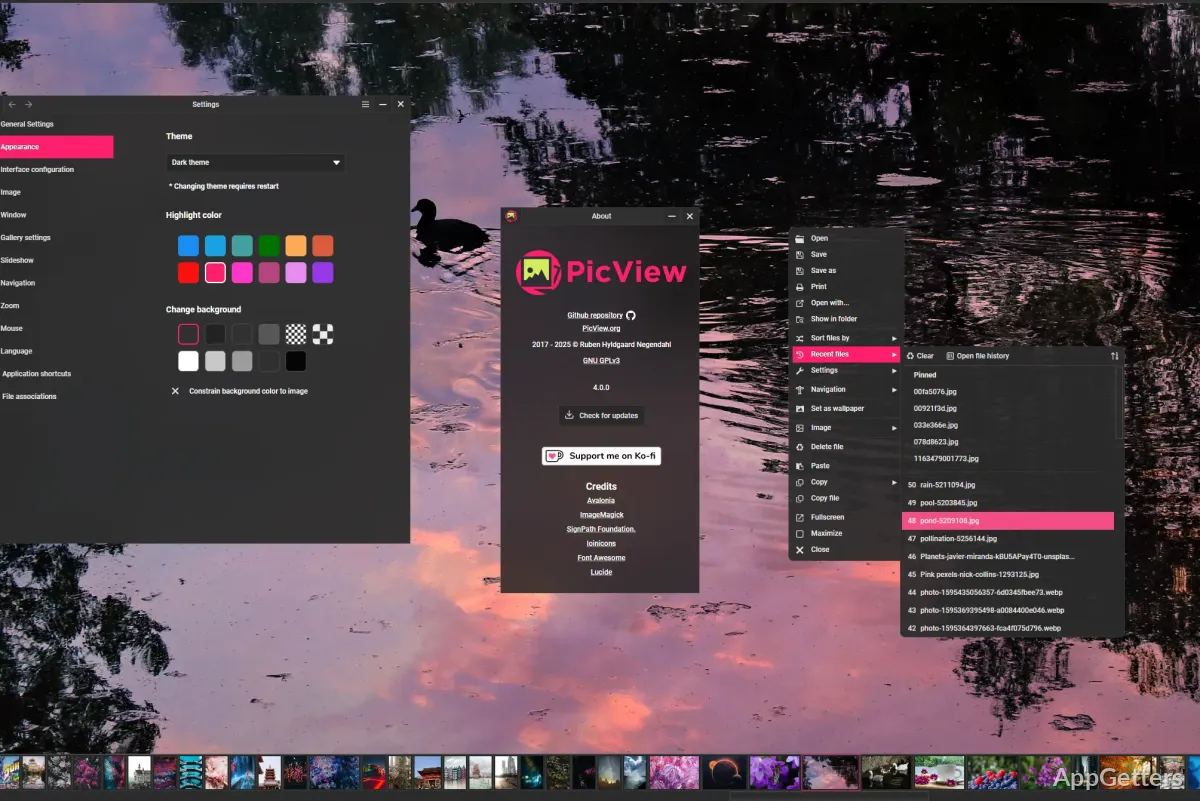
The interface is hidden most of the time and can be invoked only with the corresponding gestures. By doing so, the program stays as uncluttered as possible. The picture still remains the main focus. For users who like to perform navigation with keyboard shortcuts, the program is a perfect choice. It is also suitable for users who prefer to get things done fast without going through multiple menus. They will find it handy not only for opening a folder, but for efficient browsing throughout its contents as well. Still, anyone who is after serious cataloging/editing tools might be disappointed by the very basic features here.
Not Too Cozy with Advanced Features
Among other things, PicView has a few handy features that will make your life easier without turning the viewer into a huge multimedia suite. Besides being able to open the most common and pretty much all of the popular image types, the software is also able to open and display those file types that the default viewer does not support. For people who share images with others or use the Internet, the image format compatibility of the program is extremely convenient. One is not disrupted by waiting for conversion/loading and the like.
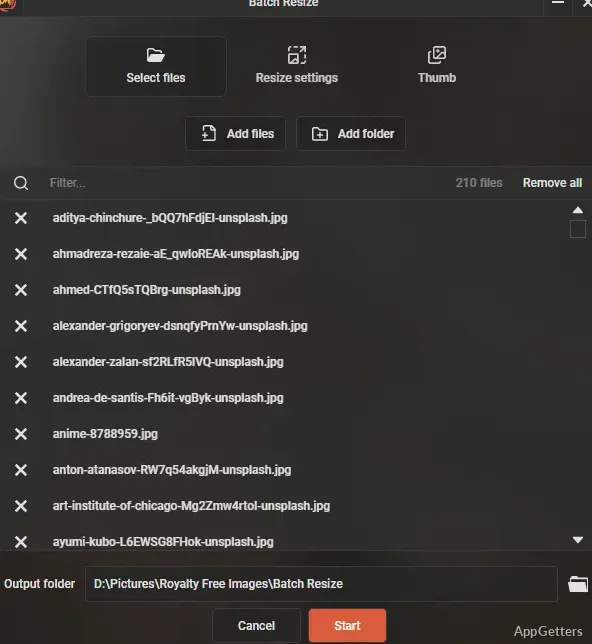
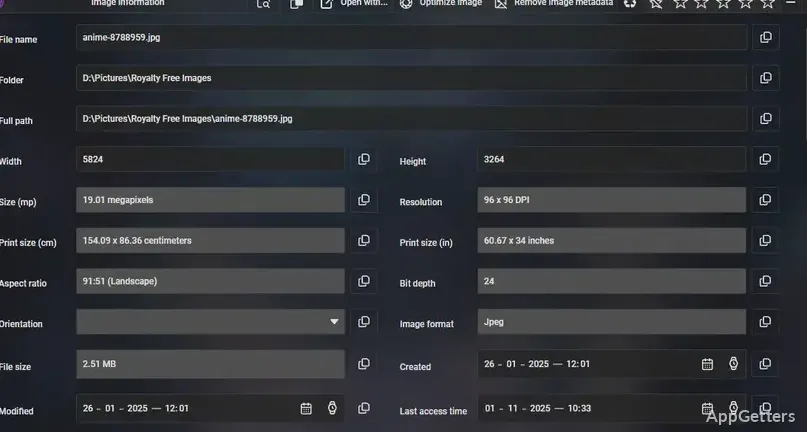
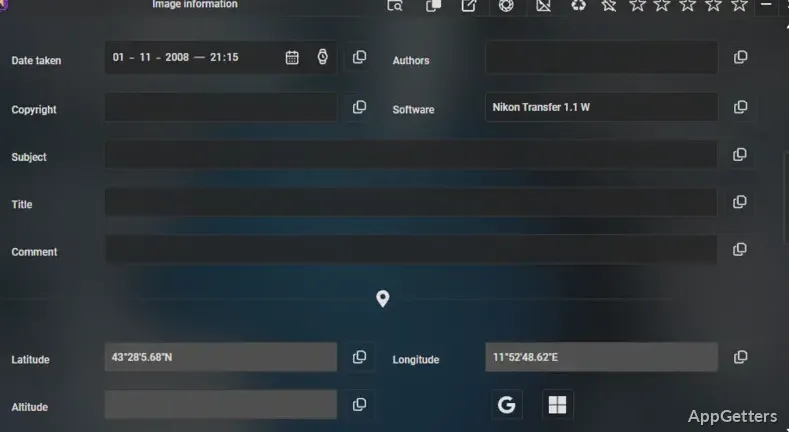
After the first few days of testing, the program caught my eye with its small details that make the workflow so much nicer and smoother. Besides the ease of access to the standard Zoom feature for picture enlargement, the program also supports slideshow mode quite simply. It is, of course, able to rotate images very quickly. Resizing or viewing metadata can also be done in a few clicks or so. It is hard to find another lightweight image viewer that keeps up with showing animations or compressed formats as consistently as PicView does. This is very helpful indeed for designers, meme-makers, and users managing their online media assets.
PicView won’t drown users in heaps of configuration dialogues. Most of the features can be found in a matter of a few minutes. This makes the program very friendly, even for those who haven’t experimented with third-party tools before.
PicView Use Scenarios on Windows
Primarily, PicView is a suitable replacement for your default image viewer on Windows. Those who deal with professional photos and work with extensive tagging, cloud access, or advanced editing pipelines will stick with other software that is more photo management-oriented in this regard. PicView will be quite enough for quick access and casual viewing of images and collections.
Also, PicView’s resource usage is extremely low. It rests side-by-side with your other tools, even in multitasking scenarios. Such scenarios are quite often seen in modern-day workflows like study setups, remote workstations, or secondary office PCs. Testing on mid-range hardware resulted in the program being responsive all the time. This remained true even with a couple of browser windows, office applications, and media tools running in the background.
Since PicView has a minimalistic design, some controls are not visible at all for a new user. So get ready for a short learning period if you are used to traditional toolbar layouts.
PicView: Good for Your Daily Fast Image Browsing
If you are a Windows user who wants a fast, distraction-free image viewer without a heavy load that reliably covers your essential viewing needs, then PicView will probably be your first bet. Or at least let us say it will be one of the best options you can get. You can simply use it for common tasks like browsing a folder or viewing images downloaded to your PC. It is also useful for checking screenshots or quickly opening a design reference.
The capability of PicView to stay on a high level regarding code quality, feature richness, and performance is something that, more often than not, is quite lacking these days in other, even paid, software. It is highly unlikely that you will need to switch to some other software in terms of performance or features that a simple image viewer can provide. Still, not being a replacement for advanced creative software is not a disadvantage here. PicView knows its niche and does what it is supposed to do: be effective and efficient.
PicView finds a good balance between built-in, minimally featured tools and heavy image management applications. It makes it a very favorable choice for home users, students, and professionals who value speed over complexity.