EXE
Home » Software » Windows » text-documents » Notepad++ for Windows
Notepad++ for Windows

Notepad++ for Windows

  • By Don HO
  • Free
  • Version: 8.9.4
  • 6.57 MB
  • Security Report:

For a lot of Windows users, the native text editor can turn into a real bottleneck fast. If you’re opening massive log files, fiddling with scripts, or just want to format properly, then basic tools are usually lacking. That’s exactly the situation where Notepad++ enters the picture. It presents itself as a lightweight but still fairly powerful alternative that won’t scare off novices. On the other hand, it doesn’t lack enough content for the geeks. Intuitively, it is less like that gigantic feature-rich dev environment. It is more like the trusty tool that you can keep open all day without giving it a second thought.

A Practical Upgrade Over Basic Editors

It will be a huge difference if the first thing you notice after moving away from the default Windows Notepad is the level of reactivity and freedom. Opening files that would normally freeze or start lagging now happens in a flash. This is true even if these files are unusually large. That alone is enough to make it a handy tool for anyone who works with logs, raw data, or exported text files.

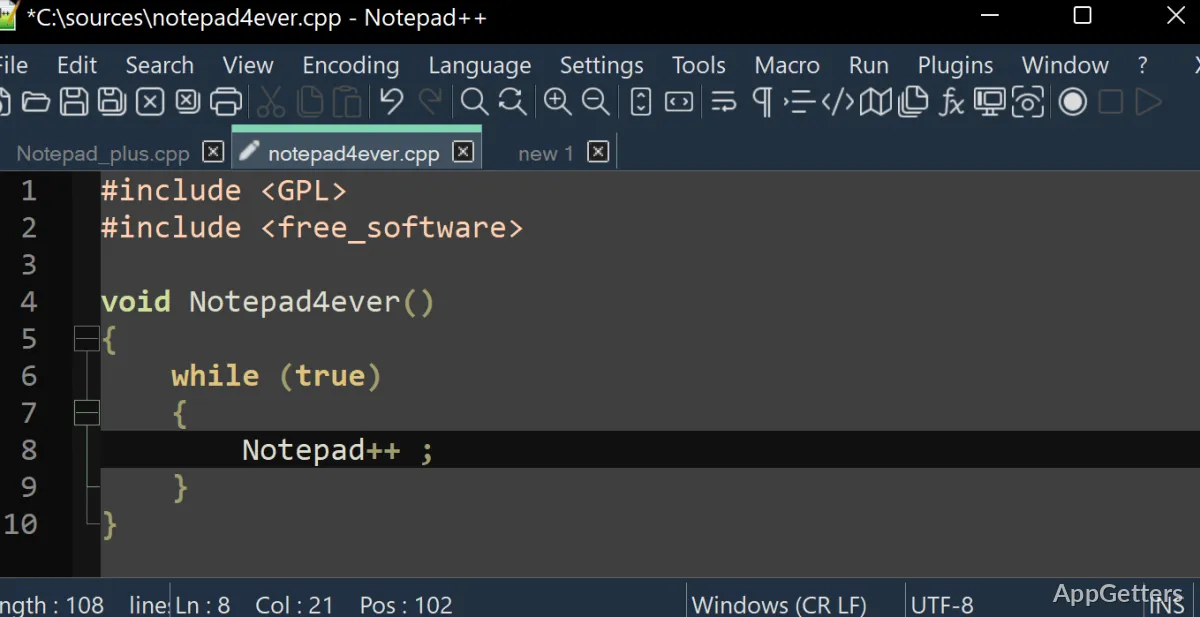
What will strike you most when using it day by day will be the tabbed interface. It is a fascinating feature, as it makes it possible to open several documents simultaneously within the same window. It does this without making it messy. This is notably beneficial when cross-referencing files. The capability of search and replace functions has also been noticeably upgraded. They allow the use of extended patterns and carrying out multi-file operations. For students or casual users, these enhancements will not be a source of great difficulty. Rather, they are a way to have an alternative. For developers, these improvements will help alleviate the tedium of repetitive tasks in everyday workflows.

Designed for Everyday Coding and Editing

Without the pretense of being an IDE, Notepad++ can be amazingly capable for programming-related tasks. Syntax highlighting covers many languages. The way things are styled makes a lot of difference in terms of readability. It does this without feeling too much.

Effectively, it turns out to be a great tool for implementation and not for the management of whole projects. It will open a script, intervention(s) will be made, and saving the file will happen. This occurs without the user having to encounter any heavy indexing or background operations. The start-up time will be very short. This will make the use of even tiny things very likely. There is no shortage of extra features like auto-completion and bracket matching that are present but not so much in your face. That is to say, helping newbies get used to the structure. At the same time, it satisfies seasoned users.

On the other hand, it stays quite modest in terms of its ambitions. No internal debugger or additional project-oriented means are introduced. This keeps things nice and focused, but conversely cuts down on its usefulness in large development environments.

Lightweight Performance That Holds Up

Among the different aspects of Notepad++, one of the most consistently successful is the amount of resources that it requires. It is not only compatible with the old Windows machines. It also consumes so little in terms of memory that you cannot even notice the running time difference between shorter and longer sessions. The quality of being always on point without breakdown is something that will get to you even more thoroughly and noticeably over time. This becomes clear especially when you pit it with those heavyweight editors that tend to get sluggish and often require restarting.

Extra features can be added via plugins, but they are not an integral part of the software. If you want, you may incorporate tools for FTP access, XML formatting, or source code comparison without detriment to the core performance. Your first experience with plugin management may be that it’s somewhat antiquated. Depending on the versions, compatibility conflicts may arise. This is indeed one of the few areas where the product is showing its age. It may be a concern to those craving smooth integration.

Where It Fits in a Modern Windows Workflow

Notepad++ thrives at being a strong middle-fall-back. It is a solution that is well-suited to students who are learning programming, system administrators working with log files, and home users who seek to have enough control over text files without spending time on complicated configurations.

Obviously, it won’t be able to cover the use cases of sophisticated projects that require version control, debugging, and deep integrations. These are the cases when it will tend to defer to more advanced tools. However, for on-the-fly correcting, quick scripting, and everyday text management, it remains very useful.

Software Details of Notepad++ 8.9.4

License
Free
Version
8.9.4
File Size
6.57 MB
Downloads
6
Languages
English English, German, Italian, Portuguese, Spanish
Category
Op. System
Windows
Developer
Last Updated
April 26, 2026

Version History

6 versions
8.9.4
Latest
6.57 MB
April 26, 2026
8.9.3.0
6.55 MB
March 25, 2026
8.92
6.55 MB
February 16, 2026
8.91
6.57 MB
January 26, 2026
8.9
6.54 MB
December 27, 2025
8.8.9
6.54 MB
December 10, 2025

Leave a Comment

Your email address will not be published. Required fields are marked *

Software Icon
Security Report

Loading scan data...

Scroll to Top