Handling PDFs often means doing multiple small tasks: changing file types, taking out certain pages, lowering the file size, or putting the PDFs together. For lots of Windows users, especially those without premium software, this can become a slow and disconnected workflow. There are a lot of tools that claim to do everything for you, but they don’t all manage to be simple and reliable at the same time. PDF Candy is a light and multifunctional tool that can perform a variety of daily PDF operations. It works without the user having to get used to it or the computer needing a lot of power.
A No-Frills Way of Handling Common PDF Operations
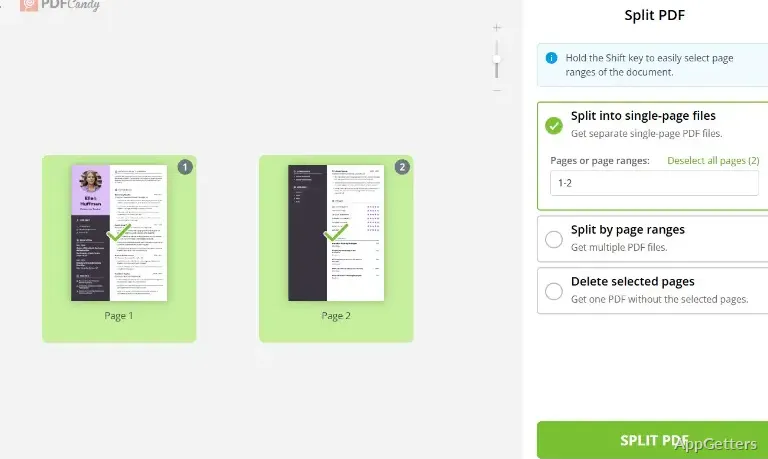
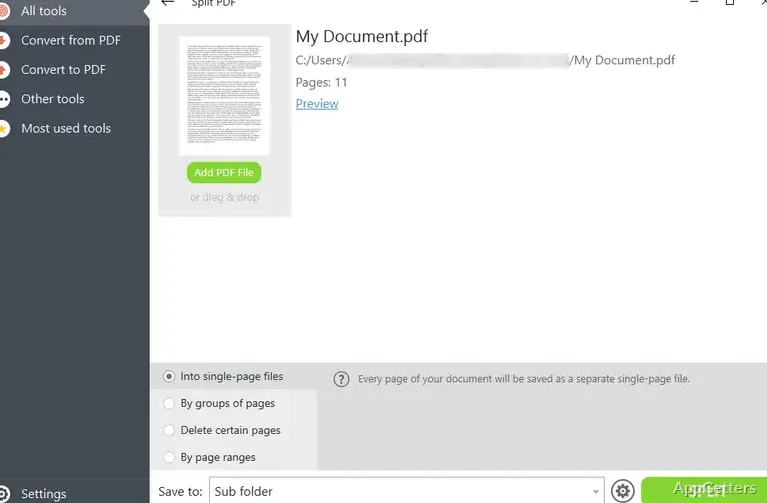
The design of PDF Candy shows the reason why it is liked so much: it is very easy to use. The desktop version on Windows lays out all the different tools on a single screen. Each one is responsible for one specific operation, like changing a PDF into Word format, breaking up, joining together, or extracting pictures from a PDF. The way the program is set up is very friendly for beginners. They will be able to find the tool they want without being confused by the surprising functionality. Most operations go through a very simple pattern: you give it the file, specify the output format or the operation, and finish up.
The software executes commands very fast, even if you have a fairly good computer. It does not start unnecessary programs in the background, thus allowing you to have very stable performance all the time. The simplicity and the reduced number of steps with the use of PDF Candy will go a long way. It makes users who use PDFs once in a while very happy.
How It Works in Practice
Most everyday situations, like preparing, converting, compressing, or merging documents, are well handled by PDF Candy. Accuracy of the conversions is usually very good, especially with text-based PDFs. The formatting is preserved to a large extent in the Word documents generated. Those that have very ornate styling or complicated arrangements of elements will probably need a bit of manual fixing after.
Generally, after processing even large single documents, the machine has not reached a very critical level of load. This level could put a halt to processing. Having a number of actions processed one after another that will not require user input is known as batch processing. PDF Candy allows that. On the other hand, large or image-rich PDFs take longer, and there might be a slowdown during heavy use of the online functionalities.
What Is It for? What can you use it for?
PDF Candy can be a really good tool for students, freelancers, and casual users who need a reliable PDF tool for occasional document handling. It can be a great help in a variety of academic tasks, such as converting your notes, extracting diagrams for your presentations, or arranging your PDFs for submission. The fact that it’s so easy to use can definitely be one of the reasons why many will decide to download it.
However, it cannot cover the use for all kinds of PDF editors, let alone advanced ones. The features, like deep annotation, form creation, or OCR refinement, are either too basic or virtually non-existent. People who use PDF software in legal, publishing, or enterprise workflows will probably find the software lacking the exactness and customization they need. You should not think of it as being able to do everything. Rather, it is a tool that has a limited set of functionalities.
Effectiveness, Privacy, and Working with Other Software
PDF Candy does not crash often and supports most file formats fairly well (among other things: PDF, Word, Excel). When working with the desktop version, the offline mode is available. It offers even greater reliability and privacy. These could be the two factors you would consider most if you upload sensitive documents. The web version is indispensable for online work, but uploading files may present privacy matters for some users.
In terms of workflow, PDF Candy can potentially eliminate the necessity of changing between different tools. Users, instead of downloading individual applications for each type of task, will be able to do it all within one environment. This is the area where it contributes the most value. It saves time rather than delivering new functionalities.
Most Suitable for Users Who Deal with Documents on a Casual Basis
PDF Candy makes the question of whether or not one needs great depth as simple as possible. It is a very efficient tool, particularly for those people who do not work with PDFs daily. They want to get the job done quickly and simply without any complicated software. At the same time, it is not targeted at professionals but is rather a general utility. Most probably, by performing this role, it could be classified as a very good one.
For Windows users looking for a simple way to do standard PDF tasks, PDF Candy combines good usability with fairly good performance. Its main goals are to avoid frustration and keep regular document work under control. It avoids making the user do more advanced editing.