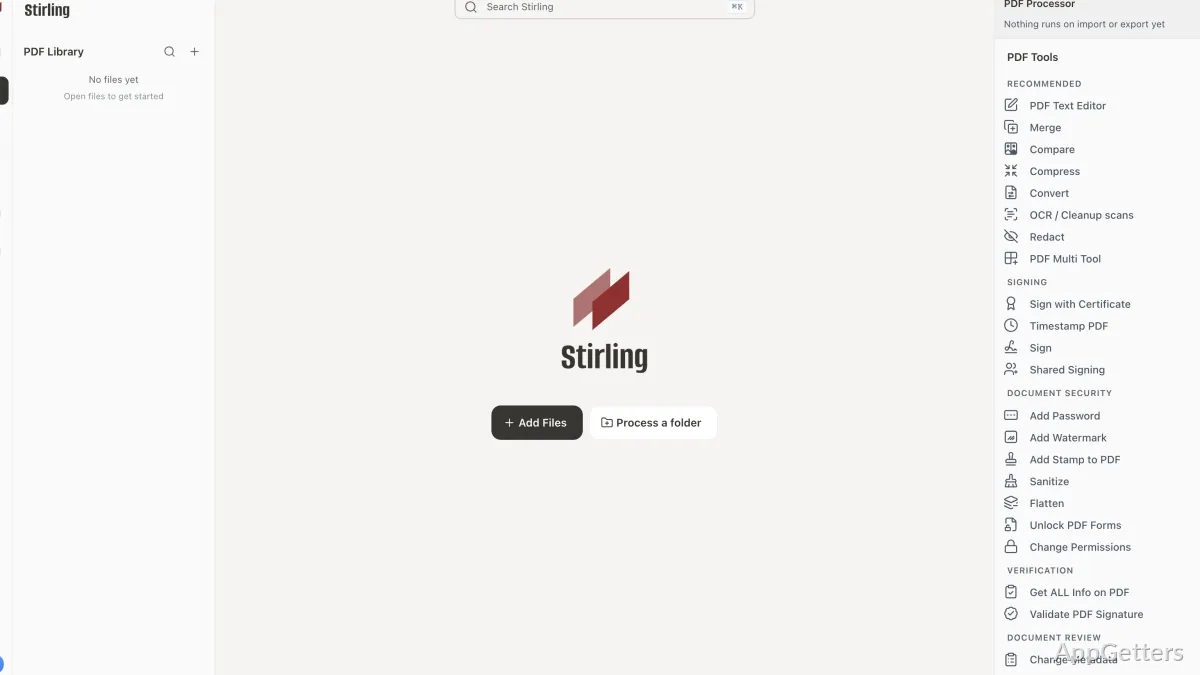
Stirling PDF merges, splits, compresses, converts, and edits PDF files through a Windows desktop app or a self-hosted setup. The desktop app uses a local backend for supported tools, while some tools can connect to Stirling Cloud or another server.
PDF tasks in one workspace
Stirling PDF brings together tools for merging and splitting documents, converting files, editing PDFs, signing, OCR, and redaction. This lets a document move through several operations as part of one workflow.
The stateful workspace lets you upload a file once, apply multiple tools, and use undo or redo to revisit changes. For example, you can prepare a PDF for further processing and then apply another operation without starting the file selection process over.
How does local processing work?
The Windows desktop app has a local backend for tools that support local processing. Self-hosted deployments process files on the Stirling PDF instance. Some desktop tools can instead send inputs to Stirling Cloud or a connected server, so processing location depends on the tool and connection.
- Use the desktop app for local processing where supported.
- Connect to a server when a tool or workflow requires it.
- Change settings in the app, or use environment variables and settings.yml for configuration.
Automation and integrations
For repeatable document workflows, Stirling PDF provides a REST API and an MCP server for AI assistants. Stirling Processor can automate processing from connected sources, with pipelines that run on a schedule, when files arrive in a folder, or on demand.
Pros
- Combines PDF tools in a workspace with undo and redo history
- Includes signing, OCR, and redaction tools
- Offers a REST API and an MCP server for integrations
Cons
- Some desktop tools route files to Stirling Cloud or a connected server
Can Stirling PDF process files without uploading them to the cloud?
The desktop app uses a local backend for supported tools, and self-hosted tools process files on their own instance. Tools routed to Stirling Cloud or a connected server send their inputs there.
Can I run several PDF operations on one file?
Yes. The workspace lets you upload a file once, chain tools together, and use undo and redo to revisit changes.
Can Stirling PDF automate document processing?
Yes. Stirling Processor supports pipelines triggered on a schedule, by a folder drop, or on demand. The REST API and MCP server also support integrations.