Office staff, students, and anyone preparing reports can use Soda PDF to revise PDF content, combine files, and convert documents. Soda PDF brings page editing, OCR, and file conversion into a desktop workflow for Windows.
Revise text and pages inside a PDF
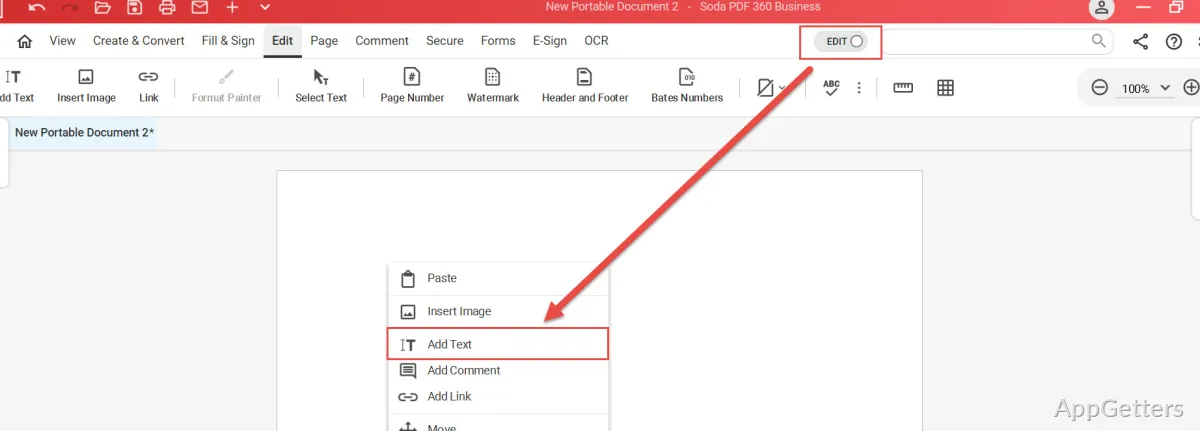
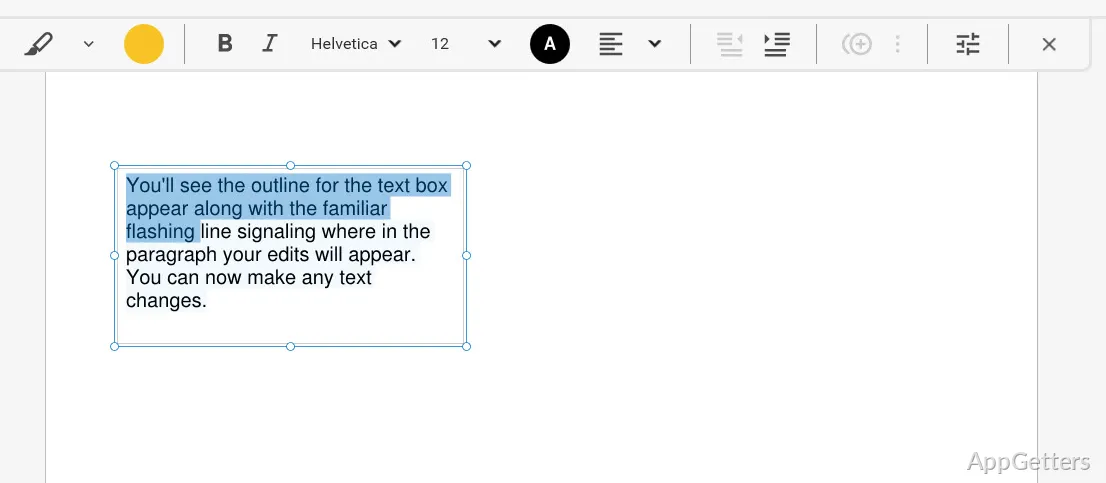
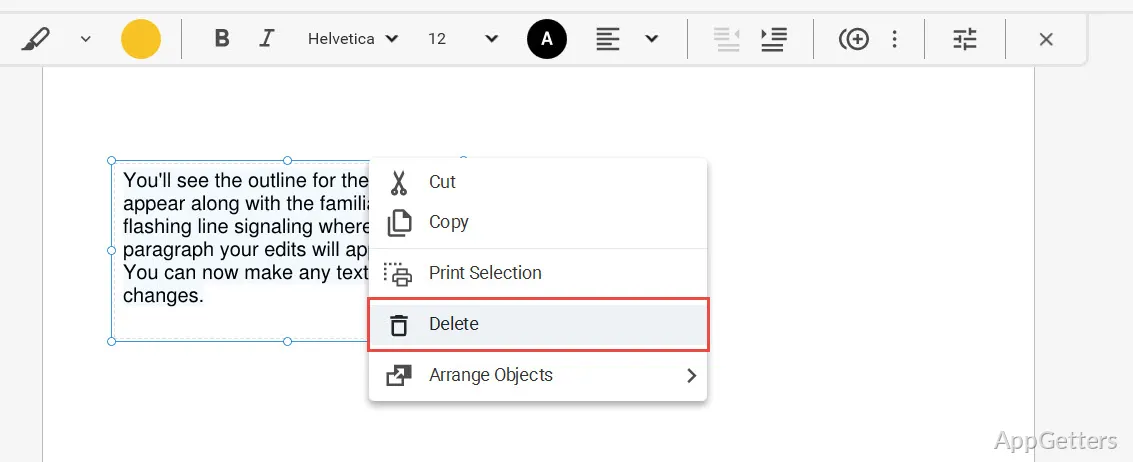
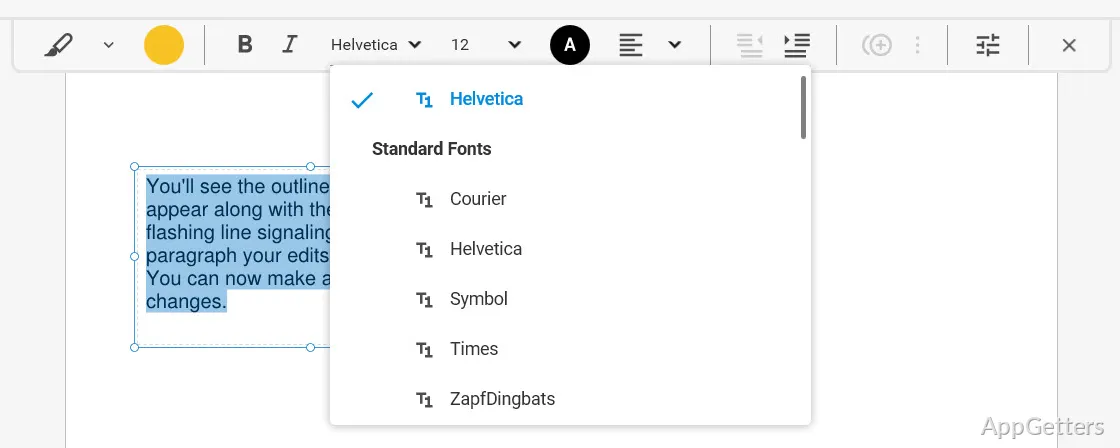
Soda PDF can change text in an existing document, add or remove text, and replace or insert images. Markup tools include highlighting, drawing, stamps, and whiteout. These tools cover common revisions such as correcting a passage, marking up a paragraph, or obscuring content.
Page controls let you rearrange or delete pages. For a report assembled from several drafts, you can put sections in order and remove pages that should not appear in the final copy.
Combine and convert document files
Create a PDF from scratch, from a scan or URL, or from another document format. Soda PDF can also convert Microsoft Office files to PDF and export PDFs to Office formats. When a folder of documents needs the same treatment, batch conversion processes multiple files together.
- Merge Word, Excel, and PowerPoint files into a single PDF.
- Compress a PDF to reduce its file size.
- Convert PDFs to formats such as Word, Excel, and PowerPoint.
Turn scanned pages into editable text
OCR recognizes text contained in images and scans. You can select particular image areas for recognition or choose individual pages and page ranges, then create an editable PDF. This is handy for bringing scanned forms or printed material into a document workflow without retyping every line.
Protect and prepare finished files
Soda PDF includes options to redact or white out sensitive content, set a password, and assign file permissions. For long-term document storage, export to PDF/A. E-signature tools are available for preparing and sending contracts for signature.
Pros
- Edit, add, or remove text inside PDFs
- Combine Word, Excel, and PowerPoint files into PDFs
- Run OCR on image text and selected page ranges
- Export documents to PDF/A for archiving
Cons
- Free online quick tools may have file-size and daily usage limits
System requirements: Windows 7, Windows 8, Windows 10
Can Soda PDF recognize text in a scan?
Yes. OCR recognizes text in images, with options to select image areas or specify pages and page ranges.
Can I combine Office files into one PDF?
Yes. Soda PDF can merge files such as Word, Excel, and PowerPoint documents into a PDF.
Can I protect or redact a PDF?
Yes. The available tools include redaction, whiteout, password protection, and file permissions.