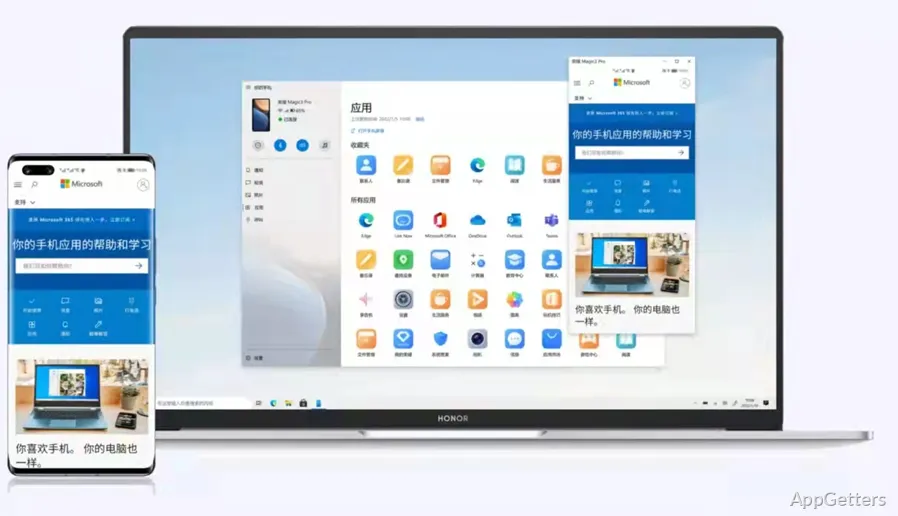
Phone and PC users are often unhappy about the divide between their two devices. Messages being received on one device, photos on another, and notifications that sometimes pop up where you least expect them are often the reasons for this.
This separation between devices results in a lot of switching. This takes your focus away and slows down even very simple tasks. Phone Link, a Microsoft creation, is one of the ways to reduce this separation between a phone and a PC. It gives you access to key phone functions right from your PC. It does not replace your phone but only works as a bridge to lessen the times when you have to get it out of your pocket.
Bridging Everyday Communication
Phone Link is mainly about messaging and notifications in a person’s daily life. After pairing, texts, app messages, and calls can all be done without needing to get the phone. Getting away from the phone can be a big plus for any woman or man who works at a desk, a student, an office worker, or maybe a remote professional. Incrementally lessening distractions is a definite plus in this kind of work environment.
If notifications come regularly and the apps are those that the developers have thought of, then the aggregate experience is usually excellent. Texts are synchronized almost instantaneously. Using a real computer keyboard to type your response is not just nicely ergonomic but is also more rapid. Despite this, some features may depend on the model of your phone and how good your signal is. Inevitably, scenarios of lagged or missed synchronization crop up. These are usually a consequence of the phone’s background permissions being set to be restrictive.
Accessing Photos Without the Usual Friction
One of the more handy features offered by Phone Link is photo transfer. Instead of sending the files through email or turning to some sort of cloud, what you have taken lately is shown in the app. As expected, the drag-and-drop function in Windows apps makes even more sense. This is when you need to do edits, create your document, or share your work.
If you’re taking a screenshot or camera photo, you’ll find this function especially helpful. However, as it’s based on showing the most recent pictures only rather than the whole gallery, users who want to browse deeply or do large transfers may have to resort to other means. As a quick and easy helper tool, it just may hit the target. While it is a full-blown file management solution, it is off.
Integration Depth and Device Differences
The type of phone you are using determines the get-to-know-your-phone experience you will get from Phone Link. The ones with the closest integration, like Android, come out the winners. They come with new features such as app mirroring and running mobile apps on the desktop directly. The other ones fall behind, concentrating their function mainly on the trio of messages, calls, and notifications.
In real life, two users trying to do the same with this app may find themselves stuck by the inconsistency of the experience. While the main thrust of the concept does not change, users will not be privy to an equal extent of control. However, for mere connectivity, the app remains user-friendly and hassle-free. It features an easy pairing that you would think a child could do.
Quietly Improving Daily Workflow for Windows Users
In essence, Phone Link immerses itself as a helpful background element to the workflow. It is more of a feature that completely changes the way you work. The app is not really a must-have to install, but a lot of users experience it as indispensable. Being able to handle phone interactions in Windows helps you avoid a lot of those small yet frequently occurring distractions.
For the students who have to manage their messages while studying, and the professionals who have to keep in touch with others while working, the app is nothing more than a degree of convenience. The drawbacks, which are mainly device compatibility and occasional sync problems, that one might think outweigh the positives, are actually not so. In the functioning of your set, Phone Link lends a hand to your efficiency. It is free of making noise and keeps your concentration where it really is the most important: on your work.