Research source management on a Windows PC may turn out to be much more complex than initially thought. Different folders hold articles. PDFs are renamed or misplaced, and citations become inconsistent. These are only a few issues users face. A number of these support a combination of bookmarks, notes, and manual formatting. These seem to work at first, but are bound to fail once the project size increases. This is one of the reasons why the idea of a program such as Zotero comes up.
Unlike being just a tool to help users organize and cite their sources, it promises to make a big difference. This comes through the greater effectiveness of managing one’s existing materials. Finding them is only the first step. For students, researchers, and even casual writers, the real problem is how the process of information management is carried out smoothly and successfully.
A Practical Approach to Research Organization
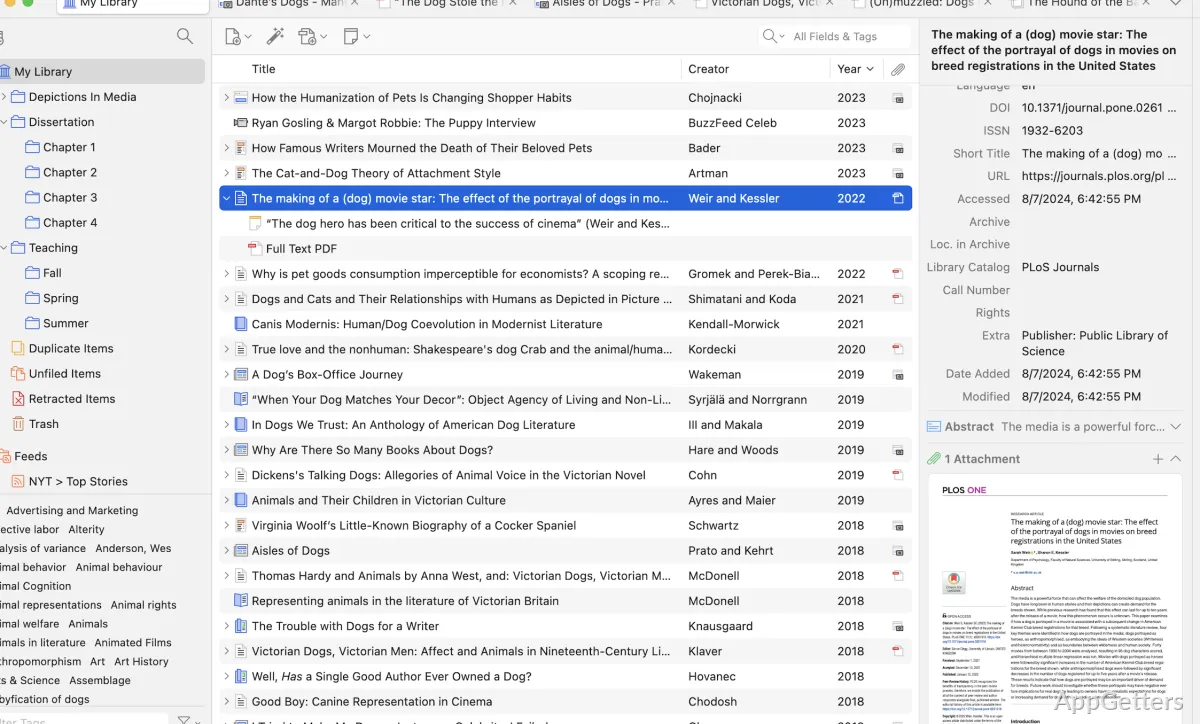
In fact, if you decide to employ Zotero for your everyday work, you will discover that it acts as a single point in research administration. Also, on a Windows machine, you will be able to install it in such a way that it will by no means interfere with your browser operation. Even when you are simply browsing, you can put a web page, a journal article, or a PDF into your stock of materials. This takes no more than a single click. Above all, most users are taken aback by the fact that it can grab key pieces of information for them. These include author, date of publication, and title. This makes it largely an issue of seam-free entry.
Then there is the matter of what to do with them in the long run. To keep them separate, you can create collections on a topical basis. To remember the main idea of the piece, write a short comment. For items that may be new to you, mark them with a certain color. This is a prime advantage for multi-year projects. You work on a large number of sources and may want to look at some of them again at a different point in time. While the layout and form won’t be that complicated per se, some time will be needed to get used to it. Afterward, these remain the major qualities. They make the software predictable and comforting when dealing with big reference lists.
Citation Handling Without Friction
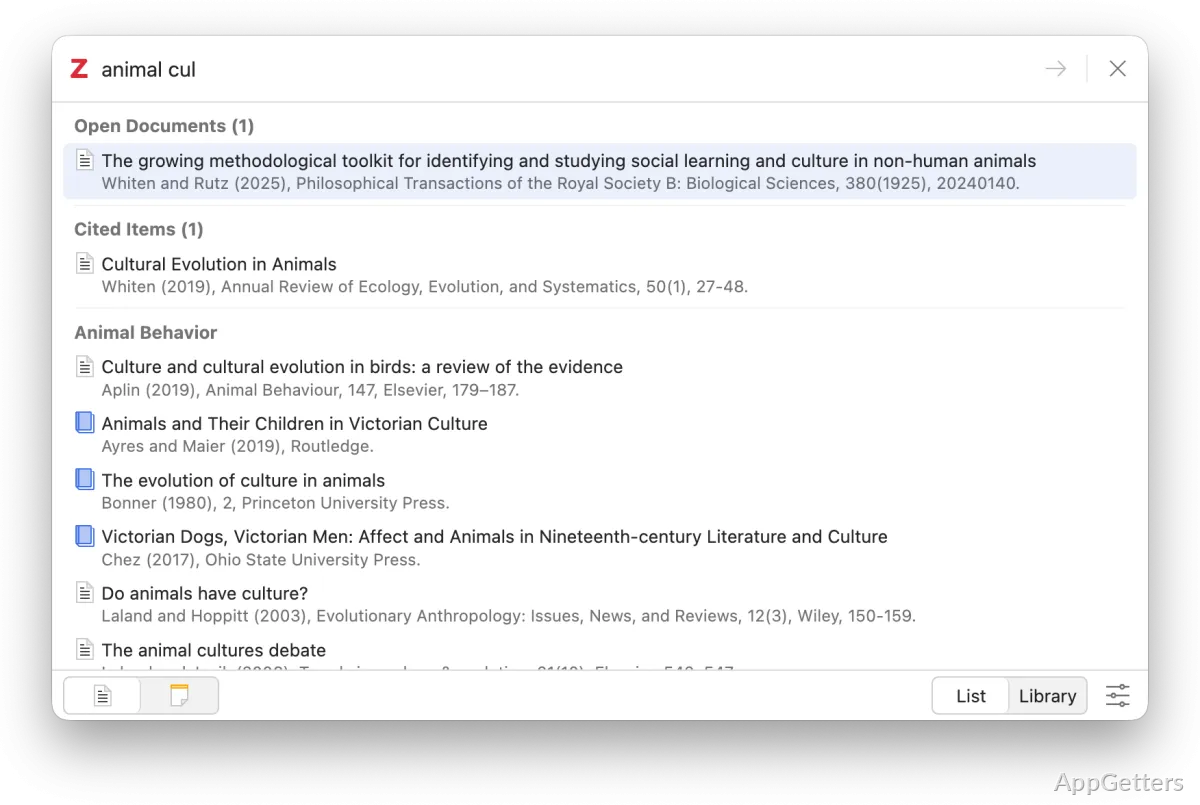
Among many other valuable features, Zotero offers next-level citation capabilities. For one thing, there is no need to do the cumbersome formatting of references by hand. This can all be done seamlessly inside the document. This is thanks to the word-processor plugin that comes with the software. In the sense of enhancing writing productivity, this feature will be a true time-saver. It may even contribute to reducing citation errors.
What’s more, changing citation styles does not cause any difficulties either. The system automatically updates all the references within the document. This applies no matter if the user decides to go for APA, MLA, or some other format. No doubt that, in this way, a writer is freed from one of those normally annoying and time-consuming tasks. Yet, even though the tool can handle the great majority of citation cases, users still have to keep an eye on the output. To a certain extent, this remains necessary. For example, an unusual source or a different case might require some minor tweaking.
Everyday Performance and Limitations
As a rule, Zotero runs fine on Windows and is capable of managing very large libraries. It is not uncommon for users to rely on tens of thousands of references without a considerable drop in performance. For most users, syncing between their machines is a stable process. Adding notes and highlighting text within PDFs directly is a real plus feature. This is especially true for folks who lean towards having all items at their fingertips.
Nevertheless, the application may have somewhat of an old-school look, especially when compared to other modern titles. Furthermore, there are a few simpler operations where the current design leaves much to be desired. For instance, the arrangement of deeply nested collections and the duplicate management functionalities. Besides, the limits established by the free cloud storage space also need to be taken into account. This applies to users who enjoy working with large PDFs. Their only recourse might be to purchase more storage or use a third-party cloud provider.
Where Zotero Fits in Daily Workflows
Zotero primarily targets users who are continuously involved in research. This is in contrast to those who only sporadically need to cite references. Thus, students writing their papers, scholars assembling extensive bibliographies, and authors compiling source-rich content are the most obvious examples. These are people who will benefit from the software. Besides supporting this type of productive workflow, it also serves as a familiar platform. Here, one can collect, organize, and cite information.
For the occasional user, it may seem like an overpowered solution to a simple problem, especially if citation management is rare. However, even people who rarely cite sources may find Zotero increasingly less of a tool. It becomes more of a system that they work with. User experience on a Windows machine hardly differs from other platforms. It offers a stable and dependable means of staying well-organized with one’s research. At the same time, it maintains efficient writing task flows without introducing unnecessary levels of complexity.