EXE
Home » Software » Windows » general » PortableApps.com Platform for Windows
PortableApps.com Platform for Windows

PortableApps.com Platform for Windows

  • By PortableApps
  • Free
  • Version: 30.4.0.0
  • 7.07 MB
  • Security Report:

Handling software across multiple Windows devices can lead to a time-consuming process. Each computer needs to be installed with an app one by one. Permissions have to be handled. Even if the machine is shared, traces may have to be left around. For students, office users, or anyone who uses different devices regularly, this is quite an inconvenience. The PortableApps.com Platform solves this problem. It changes the way people use software completely. It uses apps from external storage directly without installing them first.

Common Sense Portable Software

Basically, the PortableApps.com Platform is a centralized launcher. It can be a USB drive, external disk, or cloud-synced folder-based setup. It helps to access all those apps one might want to use. The first time around, it lets one carry around a full suite of applications, browsers, editors, and utilities. It does this without changing the host computer in any way. This is definitely a plus for students, workers in office environments, or anyone whose access to installing software is limited.

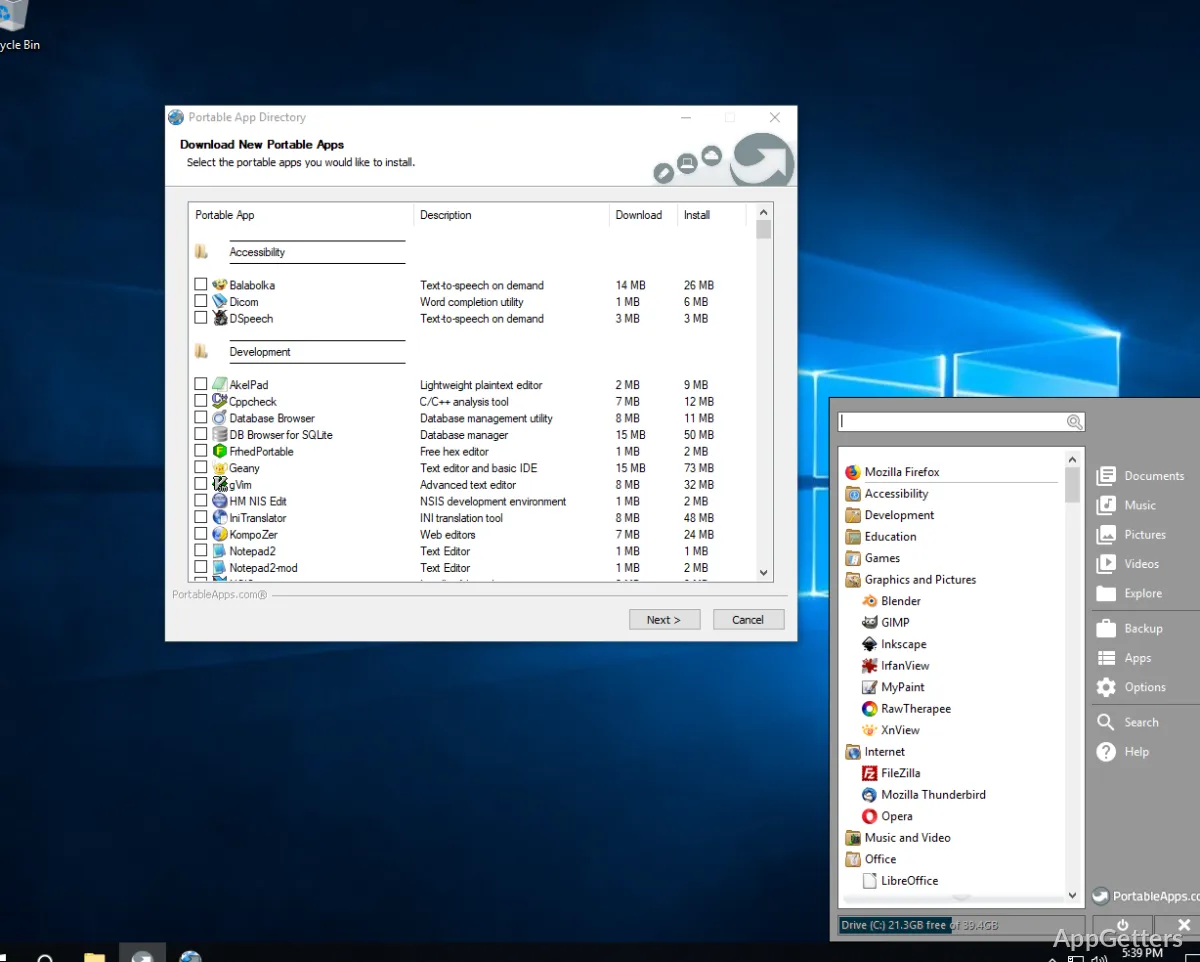
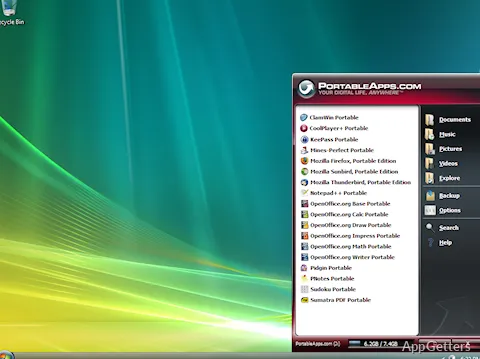
The look and feel of the interface are very similar to a start menu, but simpler. Thus, even those who are new to the system will be guided. Launching applications is very fast. More often than not, they keep user data locally within the portable environment. This is such a great feature. The setup always seems to be the one that users are used to. It works no matter which Windows PC is used.

Keeping Workflows Synced

Continuity is what people need. That is exactly what they get with the platform. Same files, settings, and even browsing sessions will be connected to the portable environment. They are not tied to the computer. Those who use a combination of home, work, and shared computers will find this feature shields them from a lot of hassles.

Besides this, there will be no litter all over the systems, as installations are not done in the usual way. So there won’t be any registry entries left behind. There will be no background services that might eat up the resources. That makes it a nice choice for people who want to work with clean systems or machines that other people own.

On the other hand, if the storage device is slow, there can be issues with performance. So using apps from slower USB drives may cause a little waiting time. This is especially true for big programs. But on fast drives or SSD-based storage, it is pretty much the same as installing the software normally.

Finding Your Niches in Daily Use

Quite a large group of people is interested in this platform. Students find it useful to carry only a handful of essential tools with them through the day, going from classroom to library. IT experts and technicians rely on it as a working tool that helps them diagnose and resolve problems. Even laymen see it as a good idea to have a software-ready collection at hand without having to install anything.

Not all Windows apps come in portable versions. Besides the fact that the platform provides users with a ready-made library of supported apps, there will be times when it is simply not possible to meet the needs of users. This applies to those who depend on niche or very specialized types of software. Furthermore, since automatic updates are tied to using the platform, it will require some manual attention now and then.

Great for Flexible, On-the-Go Ways of Using Windows

The PortableApps.com Platform can be considered a winner. This applies if the situation is such that a person appreciates flexibility more than the absolute best performance. It is perfectly fine for individuals who change their systems regularly. It also works for those who use shared computers or are looking to retain the same environment. This applies even when they do not have administrative rights.

Not necessarily aimed at totally replacing the old-fashioned installations, it is meant to make them better. The platform can be relied on for performing routine tasks such as web browsing, editing documents, or managing files. It still keeps everything together in one portable area. It is a different story if one needs a whole lot of power or is working with system-level tools. In that case, they should most likely go with the standard installation.

In effect, it is like a trusty chariot used to move between places. It helps create a predefined, user-friendly workspace anytime and anywhere.

Software Details of PortableApps.com Platform 30.4.0.0

License
Free
Version
30.4.0.0
File Size
7.07 MB
Downloads
0
Language
English
Category
Op. System
Windows
Developer
Last Updated
April 30, 2026

Version History

6 versions
30.4.0.0
Latest
7.07 MB
April 30, 2026
30.3
7.07 MB
March 30, 2026
30.2
7.06 MB
February 18, 2026
30.1.3
7.05 MB
January 11, 2026
30.1.1
7.05 MB
November 5, 2025
30.0.1
6.28 MB
March 26, 2025

Leave a Comment

Your email address will not be published. Required fields are marked *

Software Icon
Security Report

Loading scan data...

Scroll to Top