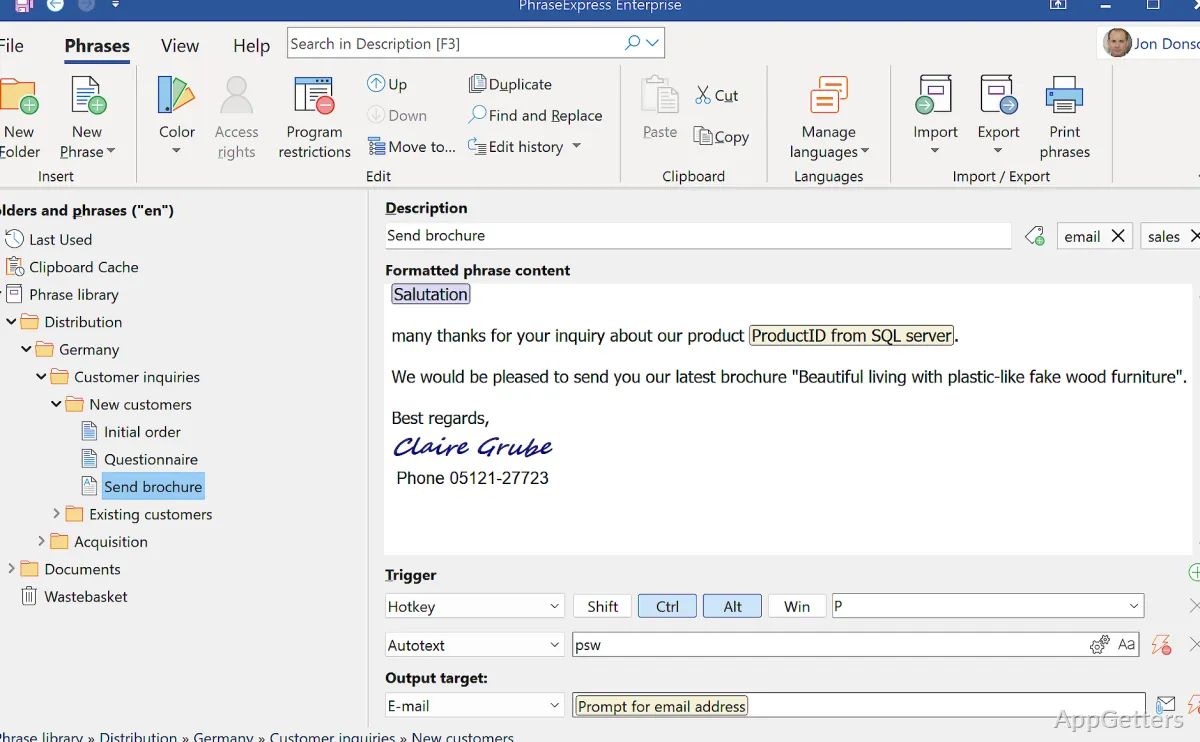
Autotext expands a short abbreviation into a saved phrase while you type in another Windows program. PhraseExpress organizes these snippets into categories, so email replies, standard notes, and other recurring text are available across editors, browsers, and mail applications.
Categories keep phrase libraries organized
Create a phrase, assign it an abbreviation, and type that shortcut wherever text entry is supported. PhraseExpress replaces it with the saved content. Categories can be arranged in a tree, making it easier to find templates when a library includes many kinds of material.
Templates can include fill-in forms for information that changes with each use. Dynamic templates can also insert data from external sources. For multilingual teams, the same phrase library can be switched between languages, and the program can translate phrases.
- System-wide spelling correction catches typing errors in multiple languages.
- An Outlook add-in inserts salutations and suggests replies based on email context.
- Email signature templates can be managed for use in different mail programs.
Document Generator assembles files from templates
The Document Generator builds a document from a selection of saved text templates. For example, a user can choose contract clauses or report items and have PhraseExpress create a Microsoft Word document. This approach also supports reusing sections of technical documentation in different document versions.
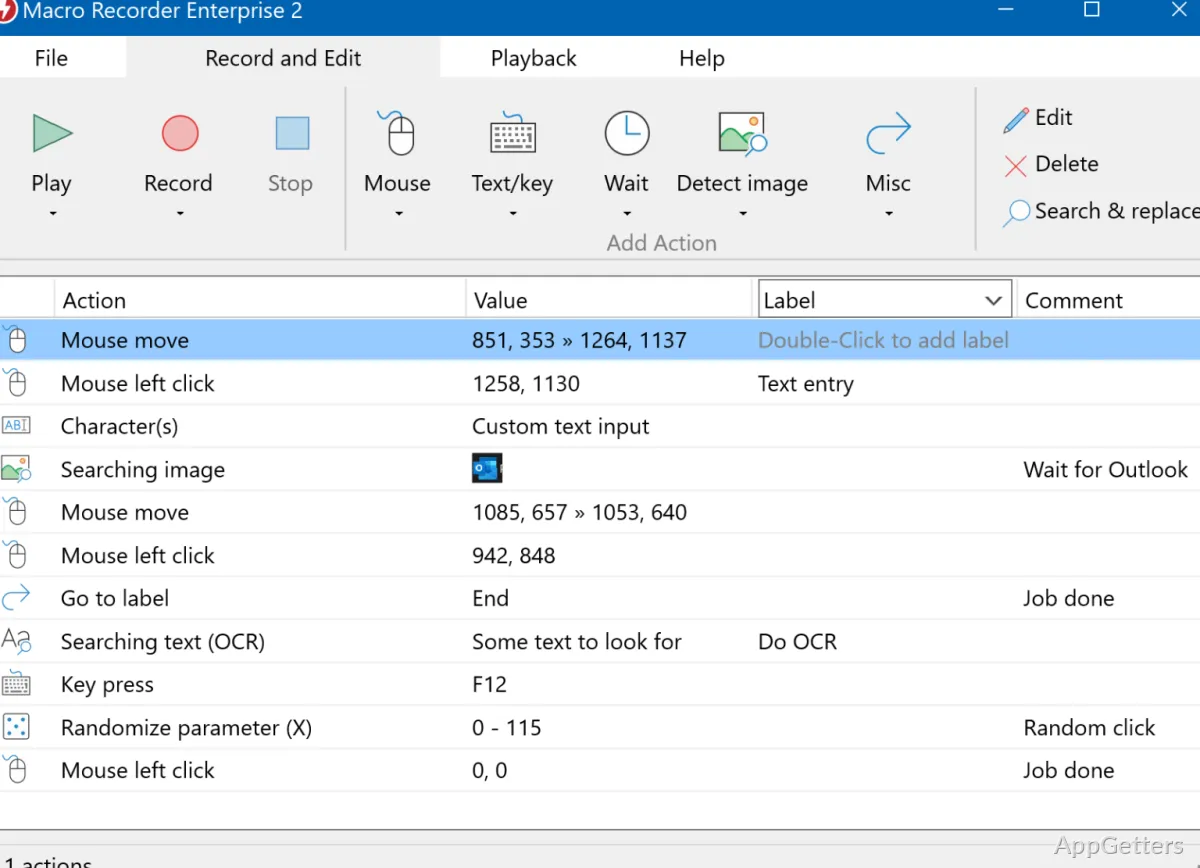
Macro Recorder captures repeatable actions
PhraseExpress includes a Macro Recorder that records computer actions and plays them back. This extends its use beyond inserting text when a recurring task involves a sequence of actions.
Phrase libraries can be shared with selected users through a local network or supported cloud storage. A network share or NAS can also synchronize phrases between computers; Microsoft SQL Server is another supported sharing option. Client-server operation is designed to prevent simultaneous edits from colliding.
- Portable mode lets the program run on a computer where installation is not permitted.
- Phrase templates can be processed with AI for tasks such as summarizing or rewriting text.
Pros
- Expands abbreviations into saved text in Windows programs
- Uses fill-in forms and dynamic templates for customized text
- Generates documents from selected text templates
- Includes a macro recorder for capturing and replaying actions
System requirements: Windows 10, Windows 11 · Approximately 200 MB free disk space, plus space for phrase data · Some features require a local Microsoft Word installation · Optional Outlook Add-In requires a local Microsoft Outlook installation
How does PhraseExpress expand a text shortcut?
Create a phrase and assign it an abbreviation. Typing that abbreviation in a Windows program inserts the saved text.
Can a phrase include fields that change each time?
Yes. Fill-in forms collect manual input, and dynamic templates can include external data.
Can PhraseExpress create a document from saved text?
Yes. The Document Generator combines selected templates into a Microsoft Word document.