Scanned pages can become searchable PDFs or editable documents while retaining much of their original layout. ABBYY FineReader PDF combines OCR, document conversion, and PDF editing in one Windows application.
OCR turns scans into editable documents
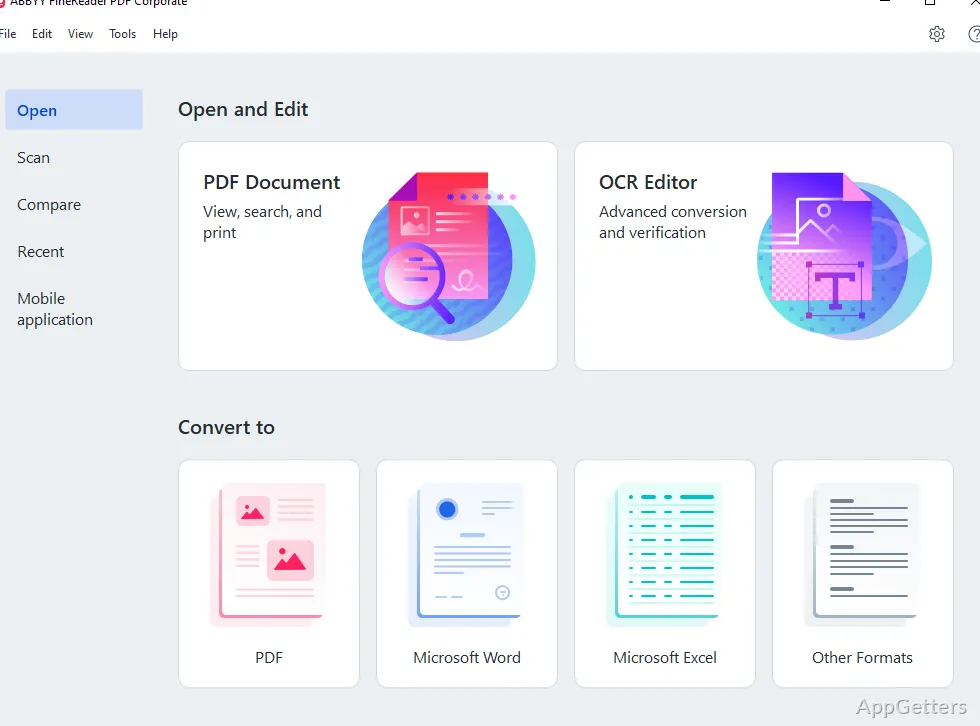
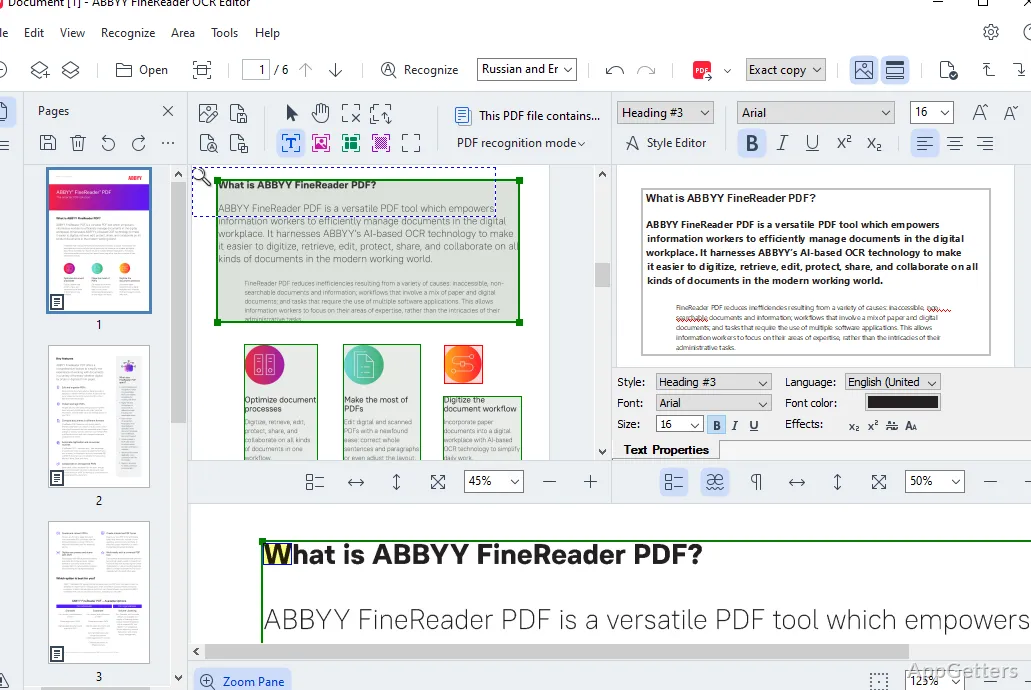
FineReader PDF recognizes text in scanned PDFs and image-based documents, making the text searchable and available for reuse. OCR conversion can create editable Word or Excel files, which is helpful when a paper form, report, or table needs to continue in a desktop document.
The conversion aims to retain the source layout, including elements such as headings, columns, and tables. After conversion, recognized text can be corrected in the output document. Scan quality affects recognition: skewed, faint, or poorly lit pages may need more cleanup.
PDF editing covers text, pages, and forms
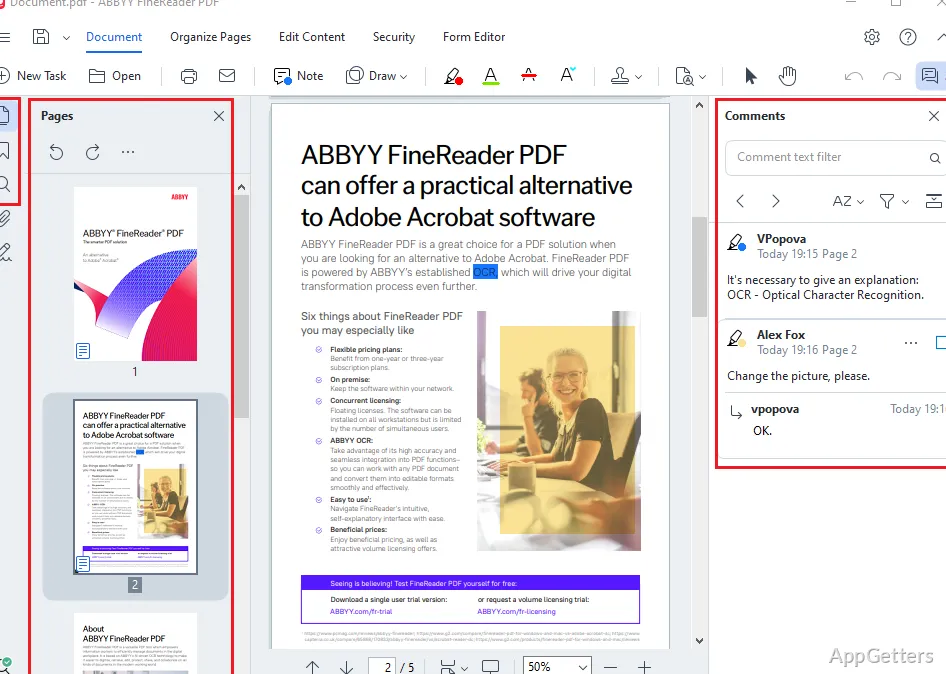
The PDF editor handles common document changes without requiring a conversion first. FineReader PDF can modify PDF content, add comments, rearrange pages, and fill out forms. These tools suit corrections to an existing file or routine page-level changes.
- Add comments to share notes or mark sections for attention.
- Reorder pages when a document needs a different sequence.
- Fill in PDF forms within the document.
Document comparison shows what changed
FineReader PDF can compare two document versions and identify differences between them. This workflow is handy for reviewing revised contracts, policies, or reports when changes need to be found without reading both copies line by line.
For a typical OCR task, open the scanned file, convert it to a searchable PDF or an editable format, then work with the recognized text or make corrections in the PDF editor. The conversion and editing tools keep the scan, its extracted text, and routine document changes within the same application.
Pros
- OCR turns scanned pages into searchable text
- Converts documents to editable Word and Excel files
- PDF tools include comments, form filling, and page organization
- Document comparison highlights differences between versions
Cons
- Continued use beyond the trial period requires a full license
System requirements: Windows 10, Windows 11 · 64-bit only · 2 GB RAM minimum; 4 GB recommended · 1.6 GB disk space for installation and 1.6 GB free for operation
Can ABBYY FineReader PDF make a scanned PDF searchable?
Yes. OCR recognizes text in scanned PDFs so it can be searched and reused.
Can it convert a scan into a Word or Excel document?
Yes. OCR can convert scanned documents into editable Word or Excel files while aiming to retain the original layout.
Can I make changes without converting the PDF first?
Yes. The PDF editor supports content edits, comments, page reordering, and form filling.