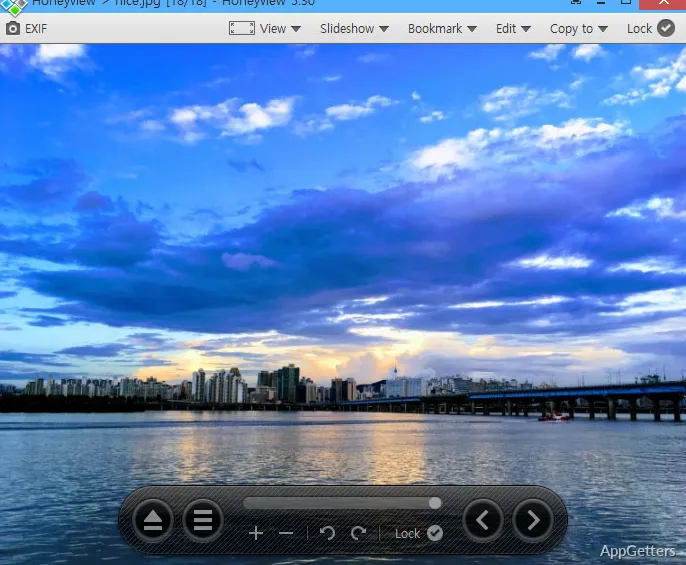
Often, Windows users only consider an image viewer when their default one is slowing down their routine tasks. Opening a large folder of photos, previewing the images you’ve downloaded, or looking through comics and screenshots can become a source of frustration if the application is heavy or unresponsive very often. Honeyview is often a different kind of solution here. It is a lightweight image viewer designed to be very fast and intuitive, without bringing the editing tools or media management features to the forefront.
On a day-to-day basis, you experience Honeyview more like a helper tool rather than as a fully-fledged image application. It launches very fast and is always very quick to respond to your keyboard inputs. At the same time, it stays quite light on the computer resources, even when it is handling large image collections.
Built Around Fast Image Browsing
Browsing a photo collection in a very efficient manner is a strong point of Honeyview. Those users who work a lot with images, such as manga, design references, wallpapers, or scanned documents, will find comic book archive viewing a very handy feature. Zoom is immediate, and full screen is simple and elegant. Reading positions and the zoom level remain unchanged even after closing, which makes it perfect for binge-reading sessions.
The user interface is quite friendly for less experienced users, who won’t get lost in a maze of incomprehensible options. But power users are not left out, as all operations can be done with keyboard shortcuts. Even large batches can be comfortably reviewed with the use of slideshow controls.
Practical Features Without Extra Complexity
If you look at Honeyview and some other heavy photo applications, you will immediately spot the difference. While they compete in high-end image editing suites, Honeyview is armed only with the simplest and most essential tools that virtually every user will need during daily image viewing. Its simplest feature is simple image rotation. Making images fit the window or bookmarking a spot in the photo comes naturally, with the user hardly noticing it. The same goes for slideshows. All these in-built functions come without performance sacrifices in the main activity of image viewing.
Users who work with web graphics and social media assets appreciate the fact that GIFs can be dealt with smoothly by the software. The user can, without any fuss, find out about the changes made to a photo since the moment it was taken by reading the EXIF and related data. People looking for advanced cataloging, AI search, or a lossless editing workflow will be disappointed with Honeyview. The developers intentionally concentrated on viewing and browsing features rather than on the management of professional photography libraries.
Stability and Everyday Workflow Impact
One of the reasons why lightweight image viewers still have their niche is because of their consistency. Most of the time during long sessions, when you view hundreds of images, the application will keep its main behavior unchanged. Users are rarely interrupted by new dialogs or background synchronizations connected with account logins or cloud integrations. Nowadays, many modern applications come with these as standard.
This is good news, in practice at least. Home users working with screenshots, images for manuals, scanned documents, or downloaded materials can quickly scroll through the photos. Those who read comics and manga also like the orderly navigation through the images and the support of archive formats.
It is also barely a hassle to get the software ready for use. Most users, after installing it, will not have to go into the settings at all before going ahead to use it. Yet the options dialog still allows for pretty thorough tweaking of stuff like how images are scaled, what the slideshow actually does, and changes to the GUI.
Honeyview is inevitably simple compared to the wider media management tools. That is why it may in the future be abandoned by people who are looking forward to having features like tagging systems, cooperative features, and cloud storage integration.
Where Honeyview Fits Best on Windows
Honeyview actually can serve most as a high-speed, no-nonsense photo viewer. It suits those users who want to have the lowest possible complexity at their fingertips. Obviously, the software will be a great addition to the working stations of those students who are often only reviewing their screen-captured materials. It can also suit office workers who are busy organizing their folder of reference images. Finally, at someone’s home, a very simple and easy-to-use photo viewer will be used for browsing collections of personal images.
Its most valuable characteristic is not any one feature. It is the holistic experience of achieving browsing speed rapidly without interrupting the user for anything. The main goal of the software is to enable the user to be very productive when working with a lot of images. And that very fact is why it is still leading among very powerful applications in Windows 10 and Windows 11. These applications give people an extremely rich multimedia experience.