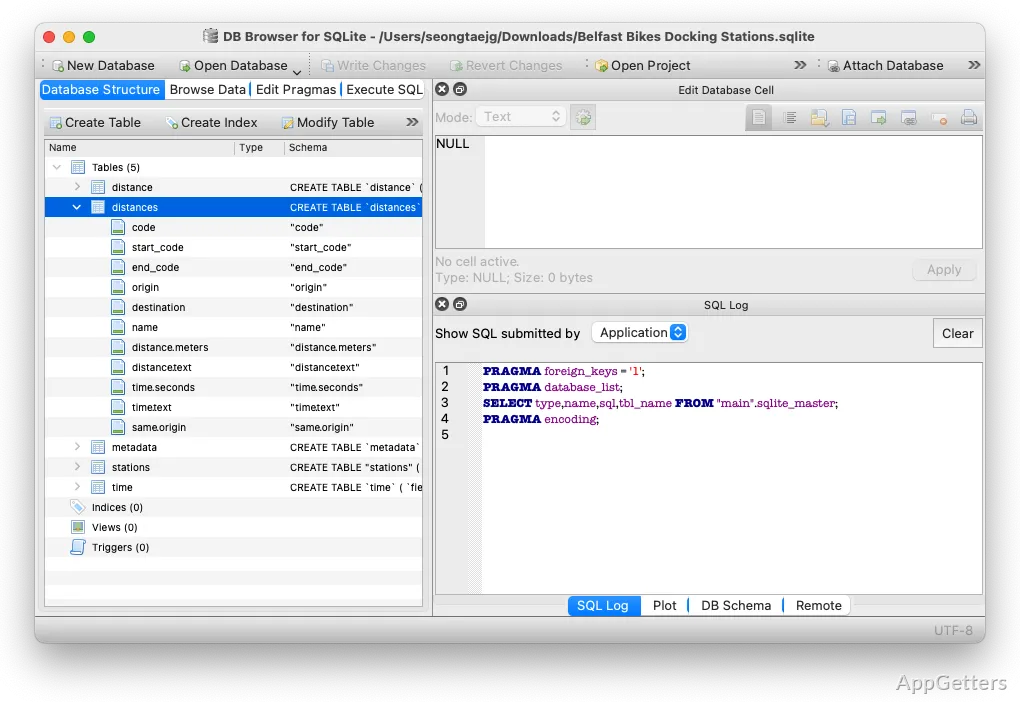
The Browse Data tab displays SQLite table contents in a grid, where records can be inspected and edited. DB Browser for SQLite also provides dedicated views for database structure and SQL work, keeping common file and query tasks in one desktop interface.
How do you inspect and edit table records?
Open a database and switch to Browse Data to choose a table and view its rows. The grid is suited to checking values and making direct changes to records without writing a query for each edit. Add or remove records in the table view, then use the write-changes control to commit pending edits to the database.
For a transfer involving spreadsheet-style data, DB Browser can import CSV data into a table and export table data as CSV. These options are available alongside record browsing, so a table can be checked before or after a data exchange.
Where can you review the database structure?
Database Structure presents the objects defined in the open database, including tables, indexes, views, and triggers. Select an object to examine its definition. Table creation and editing tools let you set up columns and adjust a table’s design through the interface.
How do you run SQL statements?
Use Execute SQL to enter and run statements against the open database. Query results appear in the program, making this tab the place to test a SELECT statement or carry out SQL-based changes. The tab complements direct grid editing when a task needs a query.
What does a typical database workflow look like?
Start by opening the SQLite database file. Browse Data is the direct route to a particular table’s contents; Database Structure is where to look for the objects and table definitions. For changes, either edit records in the grid or write SQL in Execute SQL, then commit changes when prompted by the program’s write-changes control.
Pros
- Browse and edit table records in a grid
- Inspect tables, indexes, views, and triggers in Database Structure
- Run SQL statements in the Execute SQL tab
- Import and export table data as CSV
Can DB Browser for SQLite edit data without SQL?
Yes. Browse Data displays table rows in a grid and supports direct record edits.
Can it run SQL queries?
Yes. Enter and execute statements in the Execute SQL tab.
Can it import or export CSV data?
Yes. It can import CSV data into a table and export table data as CSV.