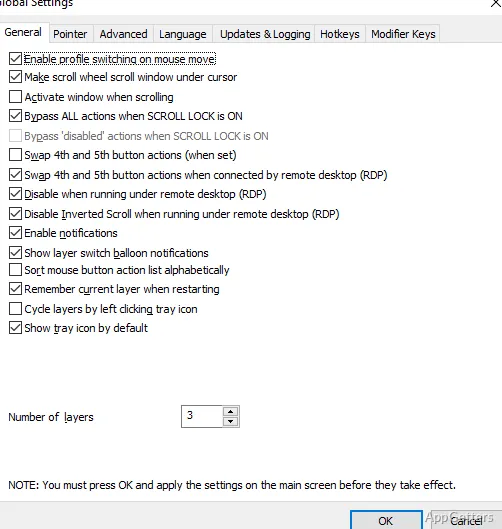
Application-specific profiles let one mouse button perform different actions in different programs or windows. X-Mouse Button Control activates a matching profile as the pointer moves over its assigned target, so browser, media-player, and desktop controls can each have their own setup.
Application and window profiles
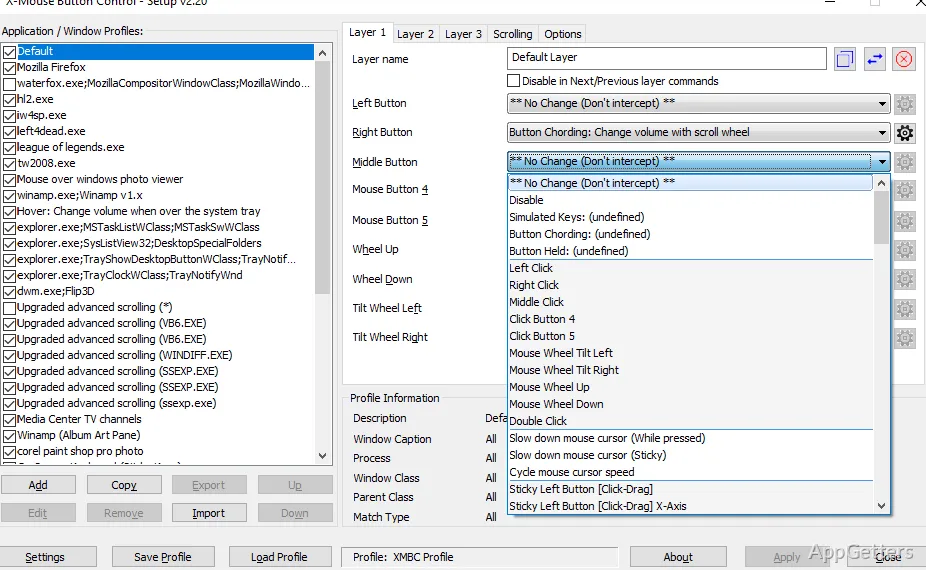
Create separate configurations for selected applications, windows, or screen regions. XMBC switches profiles automatically when the pointer enters the chosen target, allowing a mouse wheel to control volume over a video window while retaining its usual scrolling behavior elsewhere.
A profile can assign actions to mouse buttons and the scroll or tilt wheel. For games or other programs that do not respond to a mouse’s fourth or fifth button, those buttons can send keyboard input instead.
Button actions and layers
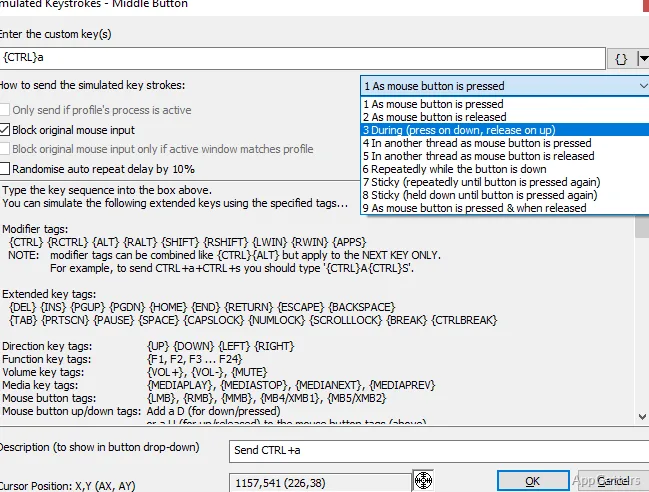
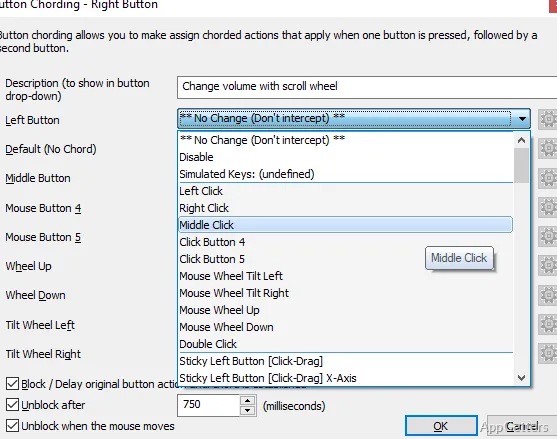
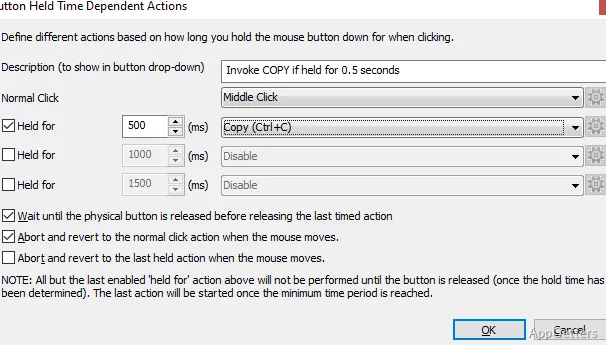
The button mapping options cover everyday commands as well as more specialized input behavior. Simulated keystrokes can send key combinations, and button cording lets a button’s action change when combined with another button. Timed actions can also respond differently to a short press and a longer hold.
- Clipboard actions include copy, cut, and paste.
- Media controls include play, pause, stop, volume, and mute.
- Other mappings can launch a Windows application, capture a screen image to the clipboard, or create a click-drag action.
- Each profile can contain up to 10 layers of button settings, switched with a hotkey or mouse button.
Choosing and switching profiles
Set a profile’s target in the application chooser, then assign the desired mouse actions to that profile. The pointer-based activation means the profile follows the active area on screen. Layers provide another way to change button assignments without creating a separate profile for every variation.
Pros
- Profiles can target applications, windows, or individual regions
- Up to 10 button-configuration layers can be switched with hotkeys or mouse buttons
- Button actions include simulated keystrokes, clipboard commands, and media controls
- Timed actions can change according to how long a button is held
Cons
- The program handles up to five mouse buttons through standard Windows mouse messages
System requirements: Windows 7, Windows 8, Windows 8.1, Windows 10, Windows 11 · 32-bit and 64-bit · A mouse that supports up to five buttons.
Can the same mouse button do different things in different programs?
Yes. Assign separate profiles to applications, windows, or regions, and XMBC activates the matching profile as the pointer moves over its target.
Can a mouse button send keyboard input?
Yes. The simulated-keystrokes editor maps keyboard input to a mouse button, including for programs that do not handle the fourth or fifth mouse button directly.
What are layers used for?
Layers hold alternate button configurations within a profile. Switch between them with a hotkey or mouse button.