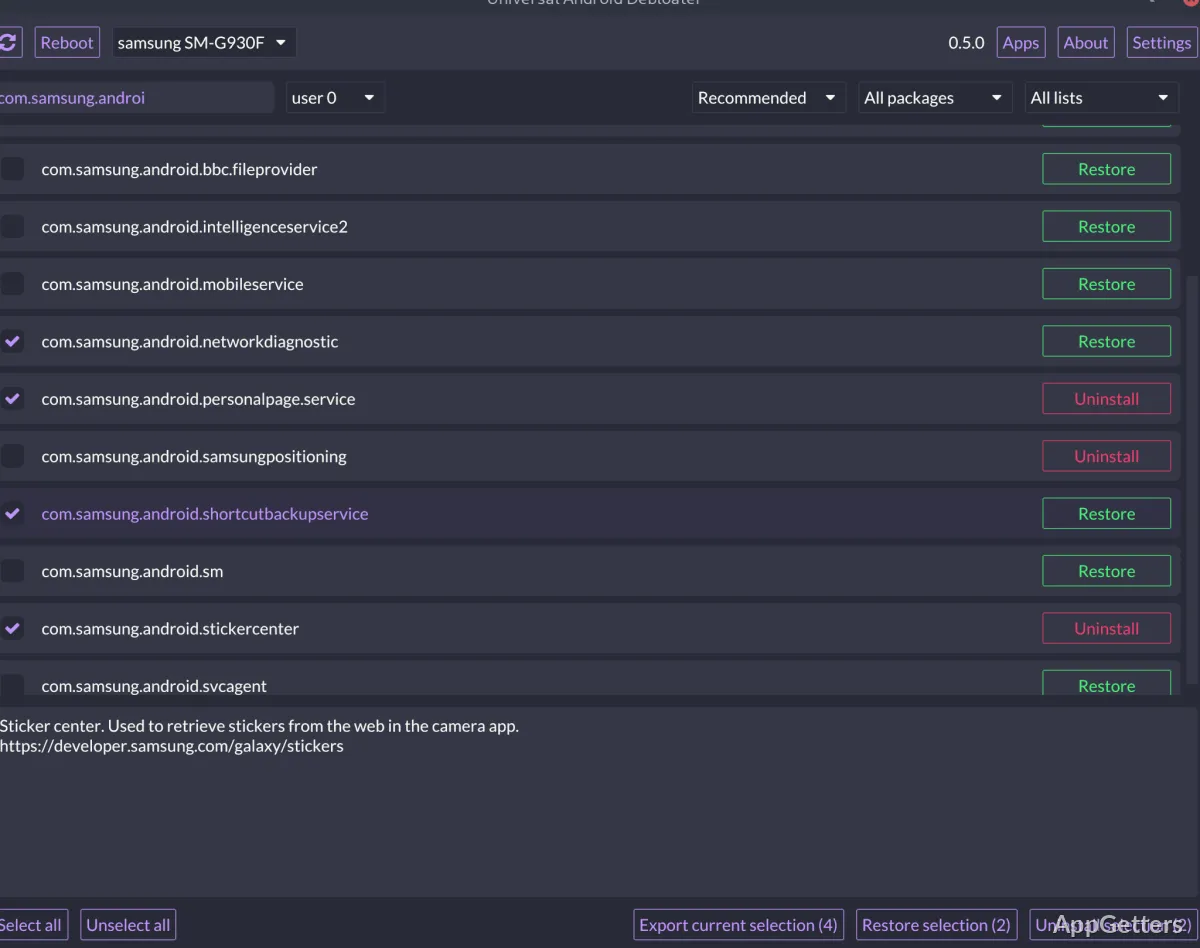
When an Android phone has preinstalled packages you do not want, Universal Android Debloater GUI lets you inspect and manage them from a Windows desktop. It connects through ADB and presents package choices in a graphical interface, with lists and descriptions to help identify what each package does.
Package lists and descriptions
After a phone connects, the interface shows its installed packages for review. Package entries include documentation intended to explain their purpose and whether they are candidates for removal. The categorized lists cover Google, Facebook, Amazon, and Microsoft apps; AOSP packages; manufacturers; mobile carriers; and Qualcomm, MediaTek, and miscellaneous packages.
Manufacturer and carrier lists include entries for specific phone brands and services. The AOSP list can be relevant for some Chinese phones, whose manufacturers may reuse AOSP package names for modified apps.
Package actions and selection files
UAD can disable or uninstall system packages, then restore or enable them. On a non-rooted device, system apps cannot be completely removed from the system partition. The program also supports multiple Android users, such as work profiles, and can manage more than one connected phone at a time.
- Export a package selection to uad_exported_selection.txt and import it later.
- Review the action log to see what changes have been made.
Phone connection and cleanup
The basic workflow is to connect the phone, select packages in the interface, and apply the desired action. USB debugging must be enabled through Android’s Developer Options for ADB to communicate with the device. Package changes may be undone through the restore or enable actions when those options apply.
Removing an essential system package can prevent the phone from starting normally. A boot loop may require a factory reset, so package descriptions and selections deserve careful attention.
Pros
- Supports disabling, restoring, and enabling system packages
- Includes categorized debloat lists for manufacturers and carriers
- Handles multiple devices and user profiles
- Exports and imports selections in a text file
Cons
- Removing an essential package can cause a boot loop and require a factory reset
System requirements: Android platform-tools (ADB) · USB drivers for the connected device · Android device with USB debugging enabled
Does Universal Android Debloater GUI require root access?
It can manage packages on non-rooted Android devices, but system apps cannot be truly uninstalled without root.
Can it manage apps in a work profile?
Yes. It supports multiple Android users, including work profiles.
Can I save a package selection for later?
Yes. Export the selection to uad_exported_selection.txt, then import that file later.