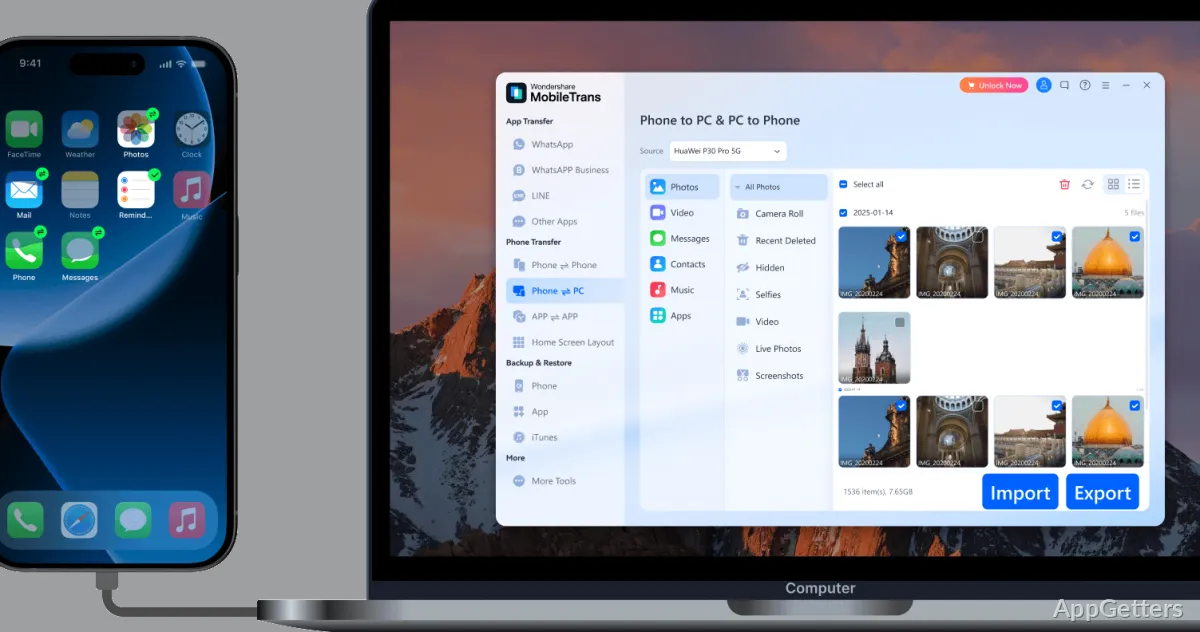
Switching phones and want to bring contacts, photos, or WhatsApp chats along? Wondershare MobileTrans connects phones through a Windows PC for transfers between Android and iOS devices, as well as between a phone and a computer.
Transfer selected phone data
Use MobileTrans to move content between two phones or copy phone data to a computer. Transfers cover common personal items such as contacts, photos, videos, and messages. The software supports transfers between iOS and Android, so it can handle a switch between those platforms as well as a move to another phone on the same platform.
Chats from other messengers such as LINE, Viber and Kik can be moved as well. For iCloud content, MobileTrans can move data directly to a device. The exact content that can move depends on the transfer type.
Move or merge WhatsApp chats
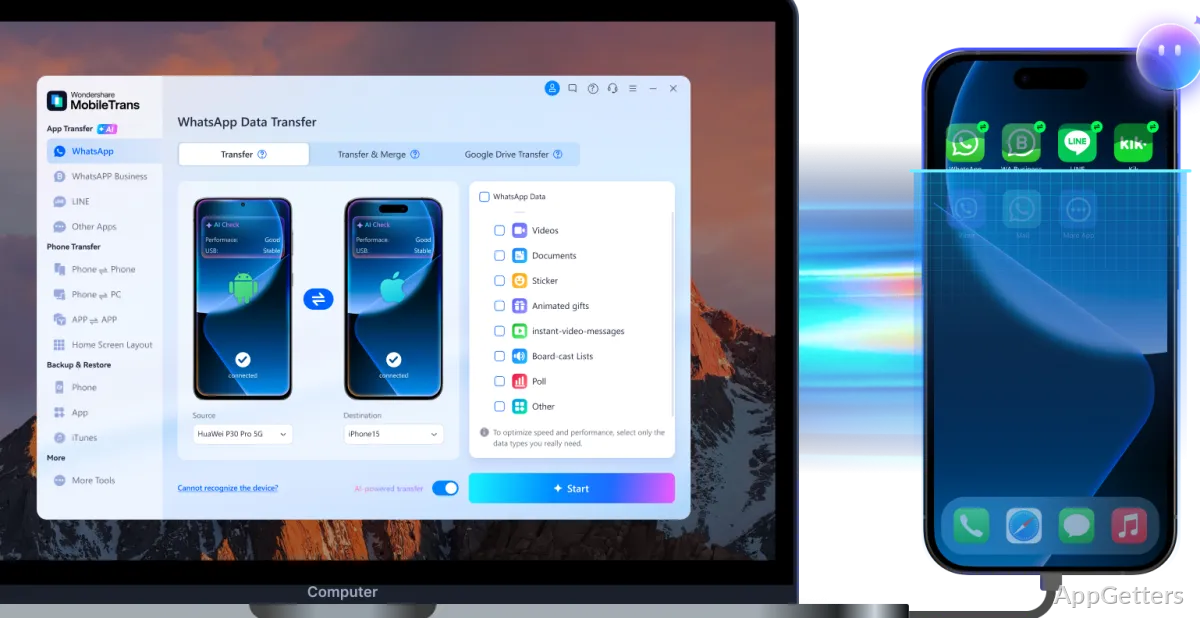
MobileTrans has a dedicated workflow for WhatsApp data. It can transfer messages, stickers, photos, videos, files, and contacts between iOS and Android phones. When combining chat histories, the transfer can merge WhatsApp data instead of simply moving one history over the other.
WhatsApp Business data is also supported. An Android WhatsApp backup on Google Drive can even be restored onto an iPhone. Phone transfers may require changing settings on the devices, so follow the prompts shown for the specific transfer.
Back up and restore phone data
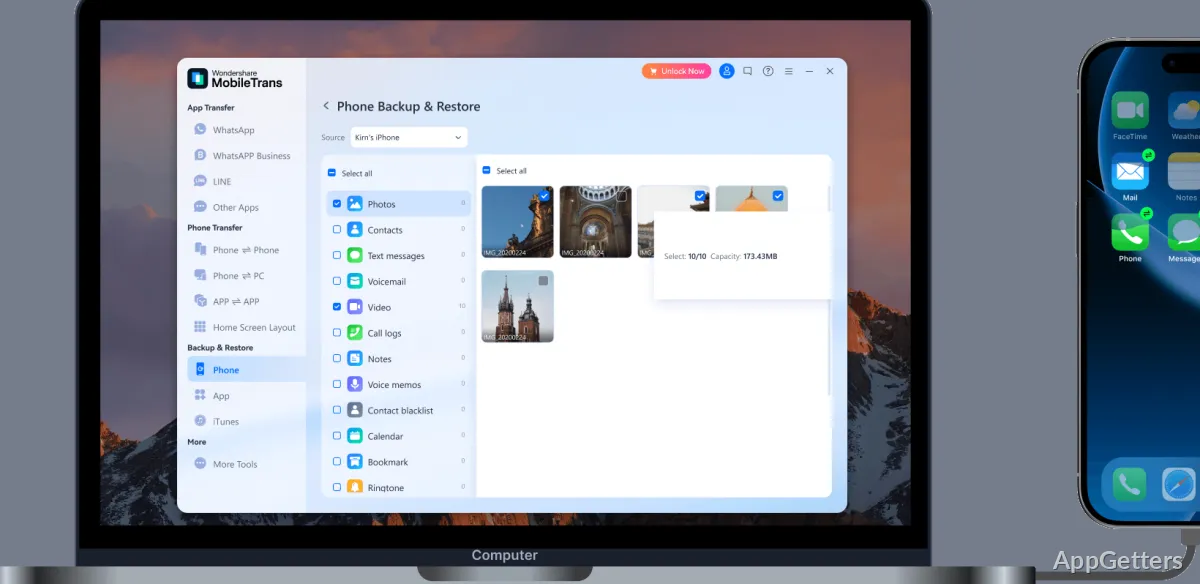
Save photos, contacts, videos, WhatsApp content, and other phone data to a computer backup. When you need to put data back, MobileTrans can restore from a computer backup or an iTunes backup. Deleted WhatsApp messages can also be recovered straight back onto the phone.
These options provide separate ways to move content to a new device, keep a computer copy, or restore supported data later.
Pros
- Transfers contacts, photos, videos, and messages between phones
- Moves and merges WhatsApp data across iOS and Android
- Backs up phone data to a computer and restores it later
- Restores data from a computer or iTunes
Cons
- Some transfers require changing settings on the phones first
System requirements: Windows 7, Windows 8, Windows 8.1, Windows 10, Windows 11
Can MobileTrans transfer data between Android and iPhone?
Yes. It supports transfers between iOS and Android phones, including contacts, photos, videos, and messages.
Can MobileTrans move WhatsApp chats to a new phone?
Yes. It transfers WhatsApp data between iOS and Android and can merge chat data. WhatsApp Business data is also supported.
What can MobileTrans restore?
Phone data from its own PC backups or from iTunes backups, plus deleted WhatsApp chats.