Over time, managing data on a mobile phone can get complicated. Pictures get snapped, maybe not as often, but more and more. Contacts are constantly changing, messages are getting stored ever more, and important documents get lost among multiple devices. Though some of these tasks are done by cloud services, quite a few users still prefer keeping a local copy of their stuff on a Windows PC. Mainly, this is for backup, organizing, or privacy reasons. However, this is where MobiKin Assistant comes right into the picture. It is a desktop tool aimed at making communication between your phone and a Windows computer easier.
On the one hand, the program tries to make the steps of transfer, backup, and mobile data management smoother. On the other hand, it does not limit the users or rely only on the manufacturer’s specific programs. It gives a central place to those users who want full control over their device’s content.
Simple Device Manager
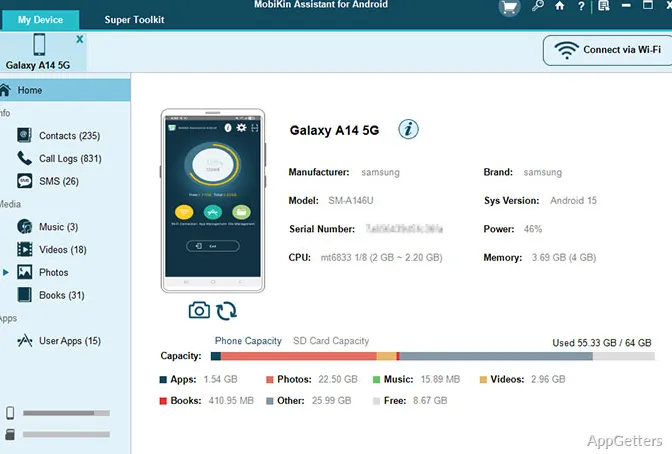
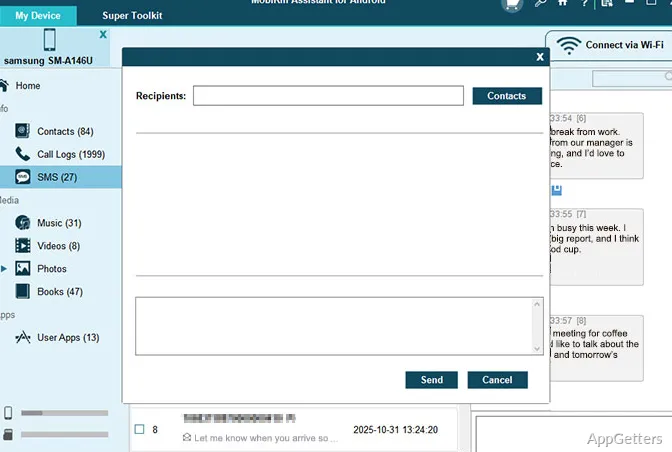
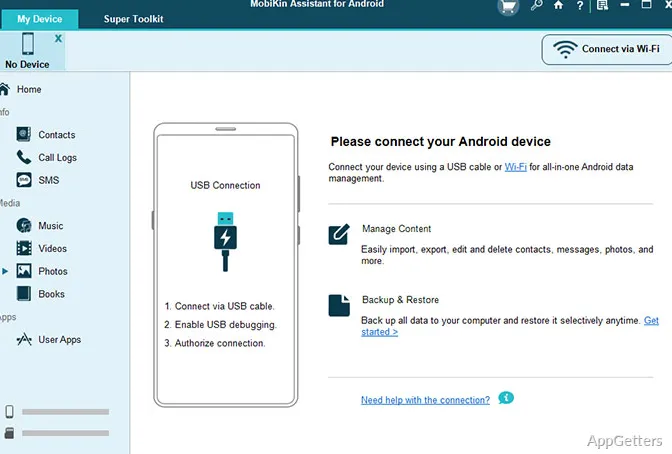
MobiKin Assistant really stands out for the way it tries to be as user-friendly as possible. The user interface is put together nicely. The most frequent tasks are pretty visible even if you don’t understand much about computers. When you physically link one of the supported devices, the program will show categories like contacts, messages, music, videos, pictures, and documents. These are displayed in a pretty traditional desktop-style way.
This layout will make things easier for daily users as it results in a shorter learning time. Usually, the processes of bringing files in and sending files out are quite standard. This helps in decreasing the number of errors when going through regular maintenance. It is very likely that students transferring their study materials, families archiving their photos, or home users making backups will like this feature.
On the other hand, the app is fairly basic and not stylishly contemporary, which is a major aesthetic craving nowadays. Hence, the look and feel of the product might come across as unvarnished or somewhat outdated. This is especially true for those who spend a lot of time using the latest and greatest consumer applications.
Trustworthy Backup and Streamlining of Each Day
If anything, backup reliability should be the very first and foremost thing on anybody’s checklist when shopping around for mobile device management software. MobiKin Assistant will be your friend, especially if you don’t wait to use the program once the worst has happened, i.e., your data is lost. Rather, use it to create a backup proactively. Doing local backup regularly can be a source of relaxation for users who do not entirely trust synchronizing with the cloud.
This program can really centralize, i.e., make all that mobile data management happen on your PC running Windows. So, when you change your phone or simply do maintenance, you will find that it really saves your time. Apart from keeping the archives on your computer organized, you have the option to get back your info whenever you want. You can do this without having to go through a manual shifting of only those files you want. You do not have to move them from one step to another.
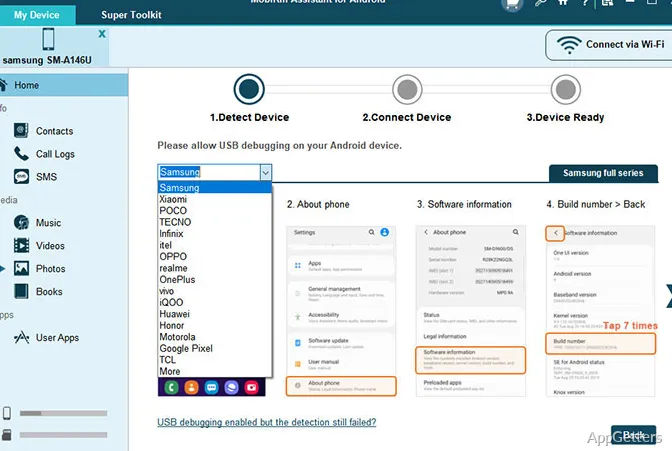
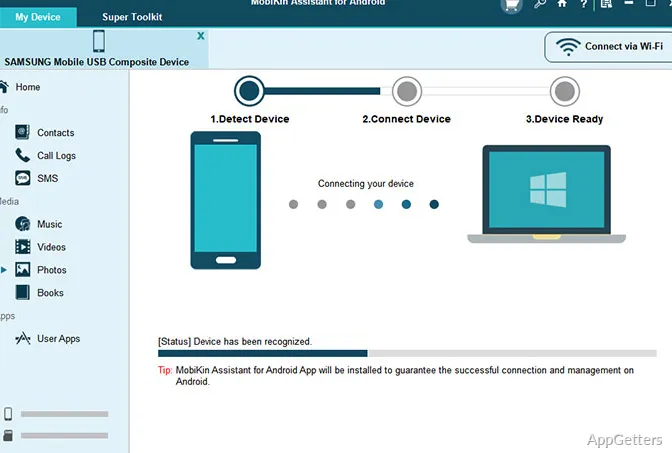
Still, the results will differ depending on the model of the device, the version of the operating system, and the type of connection. At the very beginning, it is not unusual for the device to need a few more permissions or configurations. This is for the program to be able to see it. It is especially true for Android devices, where you will have to enable USB debugging for the first time. For that, non-experts might need a short walk-through during first-time setup as well.
More or Less Capability and Limitations
Overall, the main benefit of the MobiKin Assistant is that it does a good job in the basic management tasks. It does so without trying to become a complete mobile ecosystem at the same time. If you are looking for dependable file transfers, contact management, and local backups, this software will definitely be enough for your daily requirements.
People working off a desktop base will find it even more advantageous if one assumes limited cloud storage or works in an environment where offline access is the only way. This can apply to students or home users handling family photos. On the other hand, small business users might find it useful as well if they use it as a tool for storing contact records locally.
Anyway, before going for MobiKin Assistant, a little realism won’t hinder you. It is more of a tool for management and backup than one featuring device customization to a high degree. Those features that are present in manufacturer-specific utilities or in mobile management suites of a specialized kind might not be present at all. Also, smartphones’ operating systems continue evolving. Therefore, compatibility updates should be thought of as a part of the software maintenance needed for long-term usage.
MobiKin Assistant in Everyday Use
If you resort to MobiKin Assistant, you are most likely one of those users who like direct and easy PC-based control of their phone data. It is a tool for practical purposes only. As such, it does not try to completely change mobile management workflows. If you are running a personal backup or transferring files between your own devices, you will most probably find great help in using this tool. The same applies if you are keeping local archives on your Windows computer.
Reliability and a sense of being familiar are at the top of the list of experiences considered. Even if some people require broad customization or management similar to that in enterprises, that cannot be satisfied by this product. It still offers quite a stable environment for activities related to information organization. For many home users, students, or even ordinary smartphone owners, such a selective and streamlined way might be suitable. It might be the one they have been looking for.