EXE
Home » Software » Windows » Phone Tools » iMazing for Windows
iMazing for Windows

iMazing for Windows

  • By DigiDNA
  • Free
  • Version: 3.5.5.0
  • 202.2 MB
  • Security Report:

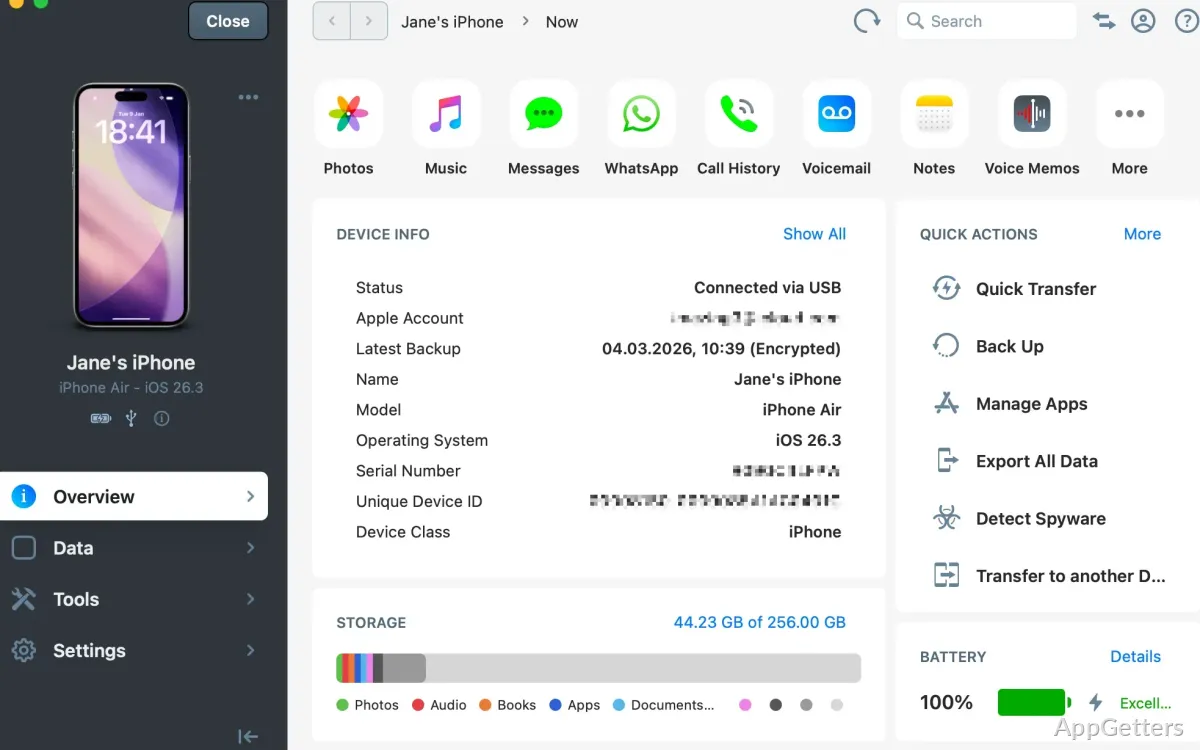
Working with data on an iPhone or iPad can become very mind-boggling. Most of those readers who use Windows might get frustrated very easily due to fewer controls provided by cloud-based syncing. Those skimming this article might use iMazing for making a backup of files, transferring photos, and saving messages. They might also use it for moving music, mostly without using iTunes and/or online storage. As a matter of fact, Apple’s tools provide users with a certain level of flexibility. However, this level is rarely sufficient, since users expect much more.

iMazing is intended for Windows users who want a desktop method of managing iOS devices rather than relying on syncing only. This software is not only an iOS sync tool but also acts as a device management tool in general. After using it for a longer period, users may come to the conclusion that iMazing is made for those who want to have access to their device contents. At the same time, they want to have a fairly easy workflow.

Using iMazing for Ordinary Device Management

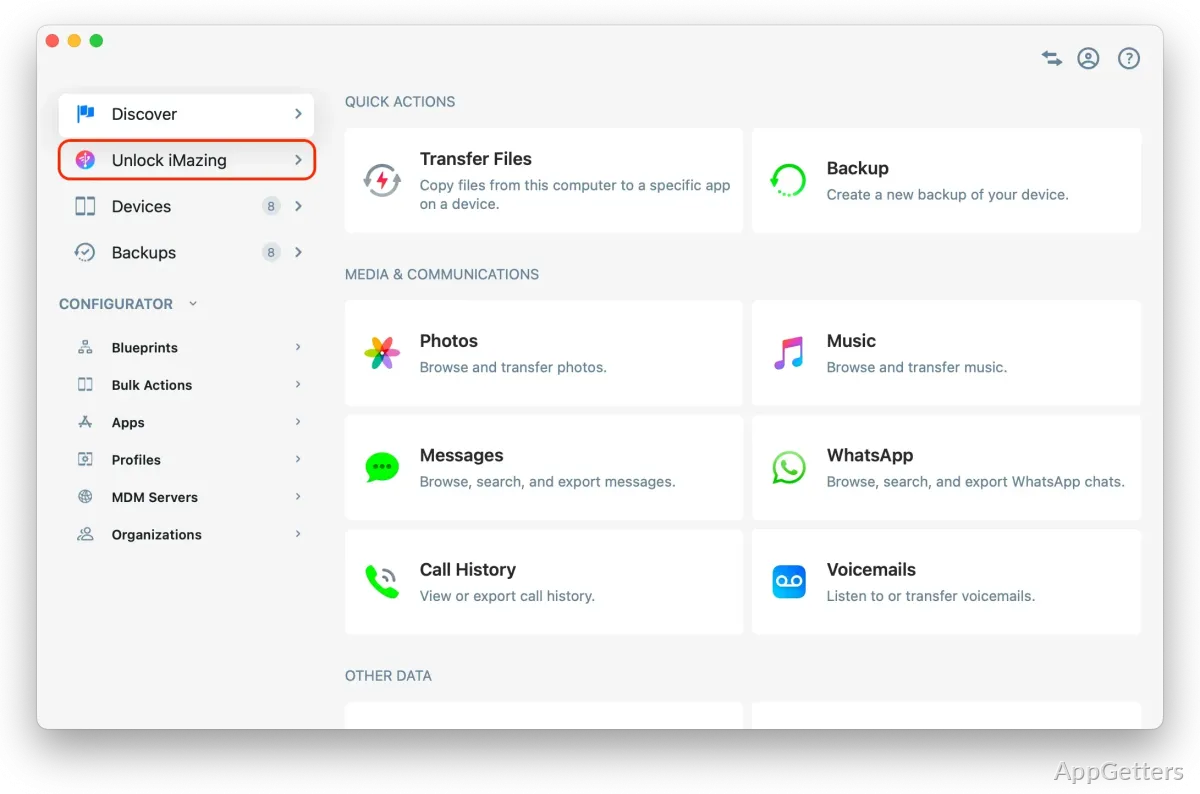
The biggest plus about iMazing is that it provides you with an extremely simple way of seeing what is stored on your iPhone and iPad, like in the old days. Photos, messages, contacts, music, and backups are stored in totally different parts. This gives you the feeling that doing your daily work will be a piece of cake, even if you are a newbie.

Doing some simple things on a day-to-day basis can become a piece of cake. For example, transferring photos from your iPhone to your Windows PC is simple. Without even thinking about getting all the files at once, users may be able to move only selected ones. They may even sort them out. You may also make backups locally without full synchronization through Apple’s ecosystem.

It is an easy-to-use interface, but the large number of options may be quite intimidating at first sight. If users only carry out transfers from time to time, it might take some time before they become familiar with the menu and the language.

Backing Up and Restoring Files: Dependability Factor

One of the main attractions of iMazing is the feature of managing backups. Local backups can be scheduled, archived, and restored with far more variations than most users are used to. This is something that really comes in handy when changing to new devices, fixing software faults, or keeping older backups before big iOS updates.

In practice, when it comes to backups, this program behaves in a manner that is trustworthy, at least to a degree. One of its features is that it can keep a number of versions of the backup. This intuitively means a lower likelihood of accidental data loss. At the same time, users who are not willing to totally rely on cloud storage may gain additional confidence from this feature.

On the other hand, backup processes of the media files could be time-consuming, especially on relatively older Windows systems or slower USB connections. In general, stability is very strong. However, performance will obviously depend on the quality of the hardware and the status of the connected iOS device.

Pros and Cons

The fact that iMazing enables users to work at a very detailed level can be considered a major advantage. There is also scope for users to export messages, access app data, or manage media independently. This can considerably improve their efficiency when they operate on multiple devices on a regular basis.

Making backups would be a breeze for students, even if they merely want to have a snapshot of their current state before trading in their old phones. They will usually be able to successfully transfer photos and manage local storage even without much intervention. A small business proprietor or a professional may want to keep his/her message history. He/she may also want to use it, as well as archived copies, when the need arises.

Incidentally, the software is not free from shortcomings. It is certain that some advanced features can only be unlocked with the payment of the license. Therefore, people who just want to have a free solution may not be that happy. Besides, some of the functions are dependent on Apple’s restrictions. This means that it is impossible to access or modify every aspect of iOS.

Users Who Will Benefit Most

The perfect scenario for using iMazing is when you want to manage your device locally, have the backup process of your choice, and get only the data that you want. Another major selling point is its usefulness for Windows PC users who frequently move files, take independent backups, or have multiple iOS devices.

For some users whose first choice is to have cloud syncing done automatically and exclusively, the program will be overkill. It provides more features than necessary. However, for the rest, who want a reliable desktop assistant, iMazing is a good solution in the Windows world. It gives them greater control over iPhone and iPad data.

Software Details of iMazing 3.5.5.0

License
Free
Version
3.5.5.0
File Size
202.2 MB
Downloads
7
Language
English
Category
Op. System
Windows
Developer
Last Updated
June 11, 2026

Version History

6 versions
3.5.5.0
Latest
202.2 MB
June 11, 2026
3.5.4.0
202.21 MB
June 9, 2026
3.5.3.0
202.26 MB
May 22, 2026
3.5.2.0
202.1 MB
April 6, 2026
3.5.1.0
199.73 MB
March 4, 2026
3.5.0.0
199.6 MB
February 20, 2026

Leave a Comment

Your email address will not be published. Required fields are marked *

Software Icon
Security Report

Loading scan data...

Scroll to Top