In theory, managing contacts should be a simple task. But when you have older iPhones, local backups, and more than one device, it can get pretty complicated fast. Most Windows users find this out the hard way when they are trying to move contacts to a new phone. They may also be trying to retrieve information from a backup they already have, or just want to have a local copy outside of the cloud. Apple’s ecosystem is great if you are a user who relies totally on iCloud. But for those who prefer offline management, the options on Windows are downright scarce. By giving users a dedicated environment for handling iPhone contacts directly from a Windows PC, CopyTrans Contactos fills this void. In daily use, it is less about advanced sync. It is more about helping backup, transfer, and edit contacts.
Simple yet Effective Contact Management Solution
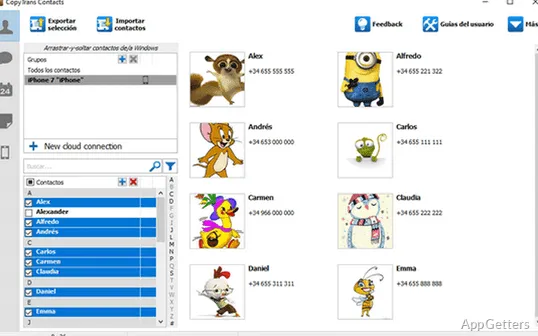
One of the most impressive things about CopyTrans Contactos is how simple it is to use. Once you connect an iPhone, the contacts are displayed in a desktop application-style user interface. It is more similar to old-school address book software than a mobile app companion. This design makes the software user-friendly and even suitable for people with very little computer knowledge.
For home users, exporting contacts to widely used file formats will prove extremely handy. This is especially true when changing phones or keeping backup copies separately. Similarly, editing contact information using a Windows PC is way quicker than doing it on an iPhone. This is especially true in case you have a big list of contacts to update.
In day-to-day use, this tool gives off the feel of a simple, straightforward, tailored product. Rather than trying to be a control center for all aspects of an iOS device, it heavily centers on contacts. It is a strategy that allows keeping the interface clean and highly functional.
Dependable Functionality in Backup and Transfer
When it comes to software that manages personal data, the factor that most users consider is reliability. In day-to-day operations, CopyTrans Contactos technically meets user expectations. It constantly delivers results when it comes to making backups, restoring contact information, and migrating contacts between devices and PCs.
Those who are used to keeping local backups will probably find this perspective very appealing. Students, small business proprietors, and members of a family household often require offline copies of important contact information. This is particularly important when changing devices or in a situation of unexpected data loss.
In fact, users get the opportunity to interact with backups they have already created. It makes it easier to recover contacts. Instead of using multiple utilities or services, users can ordinarily obtain and manage contacts from one single location. The actual speed of transfer depends on the number of contacts stored. Regular tasks are generally carried out without any considerable slowdowns.
Good Points Balanced by Quite Real Limitations
CopyTrans Contactos is a nice piece of software in the sense that it gives users direct control over contact information on Windows. The layout is simple to use, and the majority of routine procedures, such as exporting, importing, and editing, are hardly any challenge.
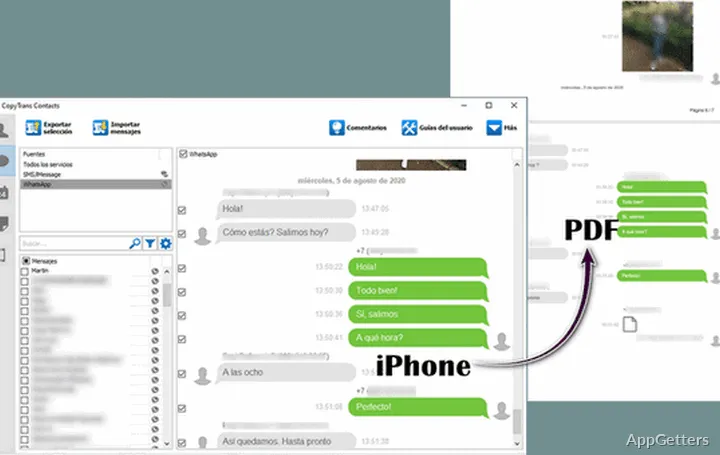
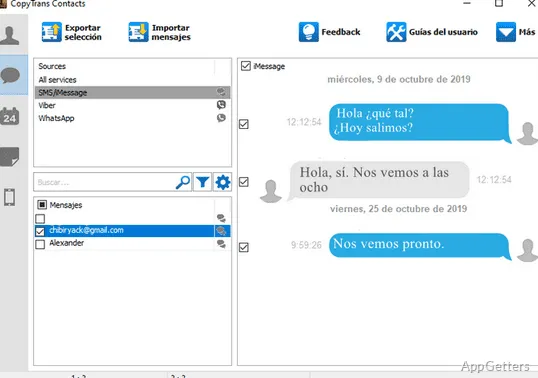
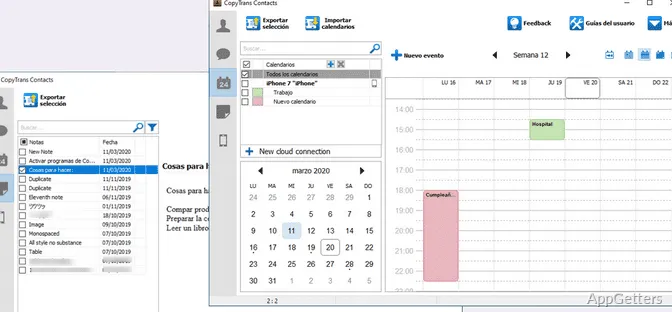
However, the software is not without shortcomings. The specialization of the software means that users who want to manage other aspects of an iPhone may need to acquire additional products. These include images, messages, or media files. Also, the die-hard supporters of Apple’s cloud ecosystem will be able to get many of their daily synchronization needs from iCloud alone.
Platform consideration is an entirely different issue. As the software is designed only for Windows, users of macOS will have no other option but to find other solutions. In addition, sometimes there could be device detection glitches, in particular when the iTunes components or Apple drivers are on older versions. Therefore, system maintenance becomes a very significant element in making sure that everything performs properly.
For Whom Is CopyTrans Contactos the Perfect Match
CopyTrans Contactos is really helpful, especially for those users who mostly work with their Windows PCs. Those who also prefer keeping their contact data locally will be the best match for this software. Besides that, it is an excellent option for those who frequently back up their data, switch devices, or go through archives that have not been uploaded to the cloud.
If you are a very casual user who just lets iCloud do everything automatically, you are not likely to need all of the features available in the software on a day-to-day basis. However, for anyone dealing with a large number of contacts, restoring old backups, or working where offline copies are a must, the software is quite functional.
CopyTrans Contactos does not step in to take over the whole mobile management system. Rather, it aims to be a reliable utility dedicated to one task only, i.e., providing iPhone contact access, editing, and recovery on Windows PC.