One of the most frustrating issues leading even regular users to turn to technology support is data loss from mobile phones. A mere mistaken deletion may lead to a situation where, without a backup or after an update failure, a device is damaged. This can make a user quite stressed if the files in question were photos, contacts, or messages. If one is a Windows user and is faced with the problem of lost data on a mobile phone, Aiseesoft FoneLab can be considered a useful tool. It operates as a single and unified solution for data recovery on iOS and Android systems. By real tests, the app leans more towards helping users carry out their recovery and backup operations with ease. It does so rather than making them work by means of complex strategies involving technical know-how.
Targeting Typical User Recovery Needs
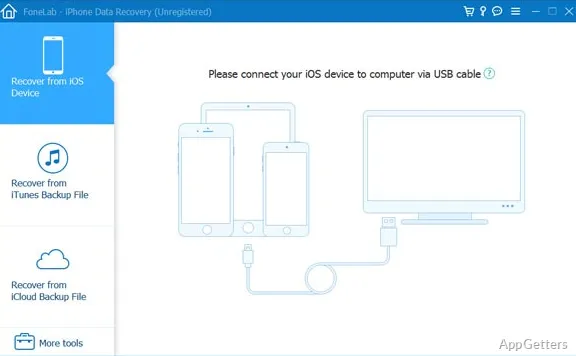
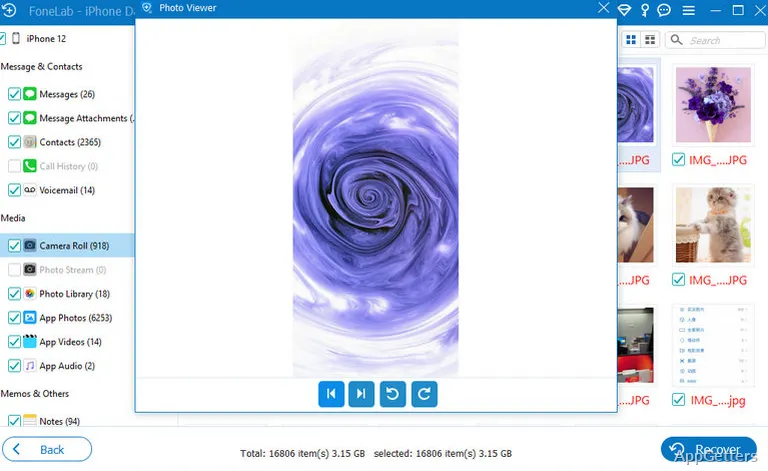
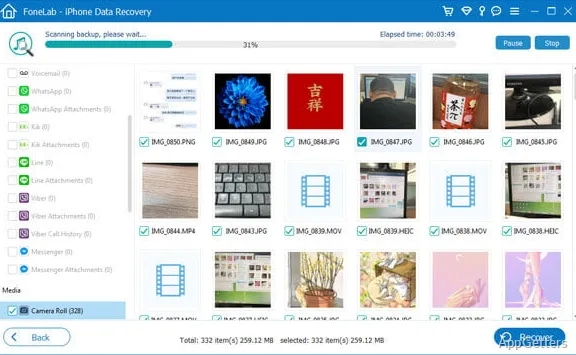
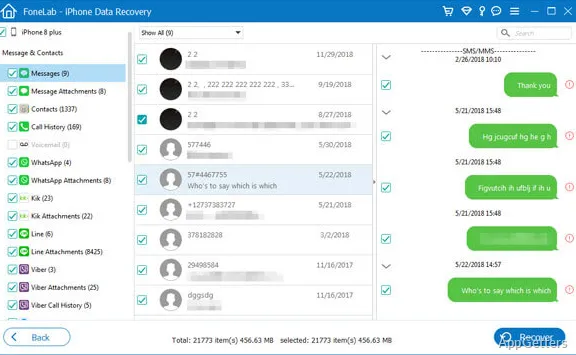
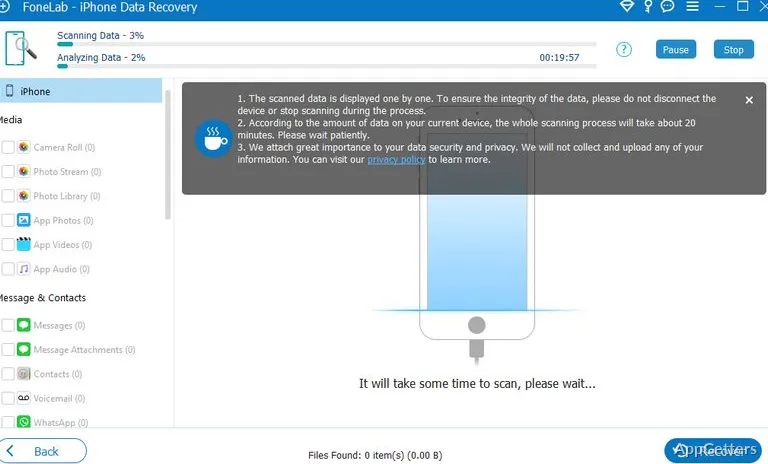
The essence of Aiseesoft FoneLab lies in averting scenarios that few people realize are true hazards to their data. These have happened to them unconsciously, though. On initial testing and subsequent use, the program makes available a very basic panel. Via this panel, users are notified about step 1, making a device recognized by the computer. They are also notified about step 2, finding the data that is still there. They are then notified about step 3, saving the selected ones after previewing.
Those who use an iPhone will find the feature of data recovery from the device itself quite a plus. They can also recover data from an iTunes backup or from an iCloud backup. Android users are similarly able to recover contacts, messages, images, and several other file categories. However, it should be kept in mind that the chances of recovery would likely be limited to the device type. They would also depend on whether the data has been overwritten. This is the type of software that almost anyone can get along with without much difficulty. This is particularly true for first-timers who rely on such tools now and then.
Workflow and Day-to-Day Usability
The setup on Windows is a breeze, and once this is done, the program can be run without worrying about too many features popping up on the screen. Recovery functions are neatly grouped in the program. They are easily identifiable through their names, which helps in keeping focus while working through a very critical point in the process. The preview feature is one of the great things about this program. This means that one can refrain from restoring the whole bunch of files, but simply the ones that are most important among the found ones. Being selective can save a lot of time sorting the recovered files.
The processing speed is quite adequate for most contemporary PCs. However, scanning a full device can be an ordeal. You would likely want to avoid it if you have a very large capacity storage or a very slow connection. If one is working with large libraries of pictures or very old phones, then at least a minimal level of patience will be necessary. People who are in the habit of backing up their mobile phone data may also consider the provision of simple backup and restore operations. They may also consider the options that come with that as part of a nice, continuous, and well-organized cycle.
Reliability, Strengths, and Limitations
The main factor influencing the decision to go with this tool is the perceived simplicity of operations offered. Tough technical aspects of data recovery have been left out so that non-experts who do not understand highly technical concepts can still work with the program without getting discouraged. One can see decent recovery results in many such cases where the initial recovery attempt is made close to the time of data loss.
Nonetheless, one will have to allow for both knowing and accepting that all data recovery software in the world cannot perform miracles. Loss scenarios that are very extensive cannot be resolved. The same applies to cases that involve many layers of overwritten files or device failures that are severe in nature. Recovery percentages also differ between Android brands as a result of different security settings and storage designs.
Moreover, the fact that certain functions will require you to grant additional permissions can be considered a further limitation. You might also have to follow device-specific procedures for the performance of such functions. Those users who are after the highly sophisticated forensic capabilities that an enterprise-level tool can offer may find this product too basic. It will most probably fail to meet their investigative work needs.
Where Aiseesoft FoneLab Fits Best
Think of Aiseesoft FoneLab as a nice home/consumer data recovery tool rather than a tool for highly specialized forensic work. It works out well for the workflow of operating a PC communication management system by entry-level users. It also works well for students, family users, and small office users. These users may have to retrieve data that was wrongly deleted from a mobile phone or manage backups.
Such users who only sporadically suffer from data loss will find it a welcome addition. They are looking for recovery tools that can be shared and used in a guided and easy-to-use way. It cannot be said that the software rules out the notorious uncertainty in data recovery. However, its simple layout and wide-ranging compatibility with devices make it a handy recovery resource. This should be viewed in conjunction with the acceptance of reasonable limits on recovery performance that all software of this nature implicitly has.