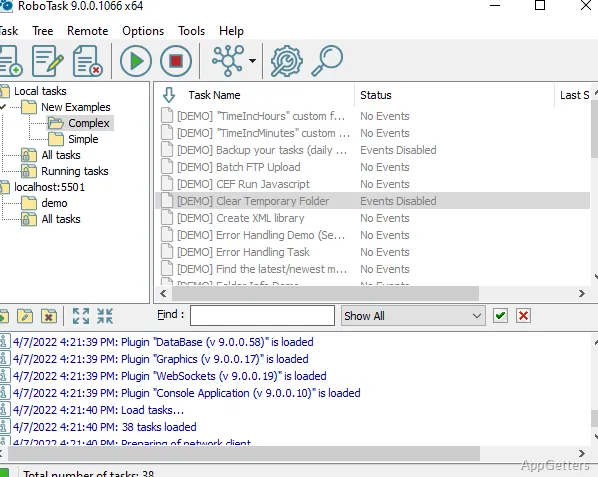
Need Windows to repeat a sequence of clicks, move files, or respond to a system event? RoboTask lets you assemble actions into tasks, then start them on a schedule or when a chosen trigger occurs.
Build a task from action blocks
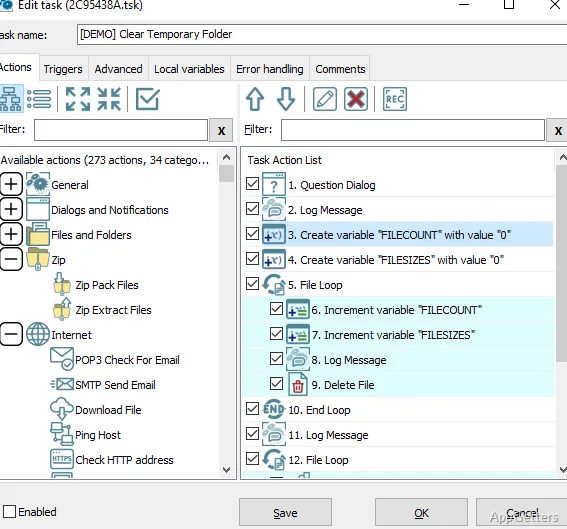
In RoboTask, a task is a sequence of actions that can run on its own or after a trigger. Use the editor to arrange steps such as launching an application, controlling a window, copying files, or entering data. For repeated desktop input, the macro recorder captures mouse and keyboard activity for later playback.
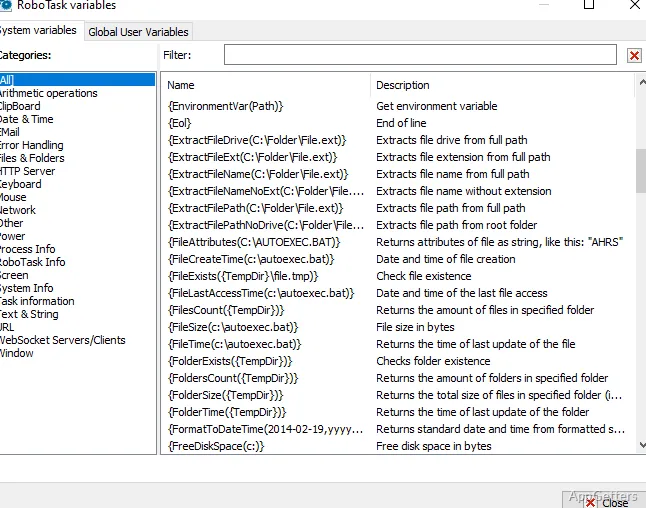
A task can branch or repeat work with conditions, loops, and variables. For example, a file-handling workflow can check a condition before continuing, then perform different actions depending on the result. Reorder or revise the steps as the workflow changes.
Choose when tasks should run
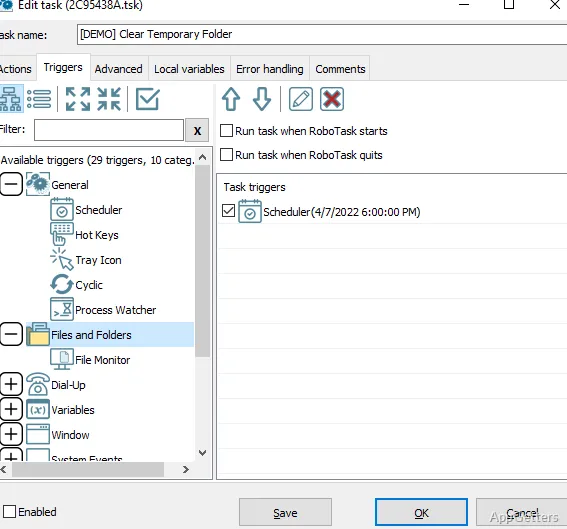
Set a task to run at a scheduled time, or connect it to activity that RoboTask monitors. Available triggers include hotkeys, changes in files or folders, window and process activity, clipboard changes and newly connected devices. Signing in or out of Windows can start a task too.
A folder-monitoring task, for instance, can begin processing when watched content changes; a scheduled task can handle recurring work at a set time.
Connect desktop, network, and data workflows
RoboTask's actions cover local Windows work as well as network operations. Tasks can monitor network services, contact remote computers, and transfer files through FTP, SFTP, or FTPS. Email actions can send messages, react to new mail, and extract attachments.
For web-oriented jobs, tasks can call REST services, interact with web forms, or use the built-in HTTP server and WebSocket events. Other actions handle SQL databases, Excel, CSV and XML data, image processing, the clipboard, the registry, and running processes.
Python, JavaScript, and PowerShell scripts can be included alongside the visual actions. RoboTask can also be installed to run in the background as a service, so configured tasks can continue operating when no user is logged in.
Pros
- Records and replays mouse and keyboard actions
- Combines actions with conditions, loops, and variables
- Includes Python, JavaScript, and PowerShell support
- Can trigger tasks from file, window, and process activity
System requirements: Windows 7, Windows 8, Windows 10, Windows 11 · 32-bit and 64-bit · 2 GB RAM · About 500 MB available disk space
Can RoboTask record mouse and keyboard macros?
Yes. Its macro recorder captures mouse and keyboard activity, and tasks can replay those actions.
What can start a RoboTask workflow?
A schedule or events such as hotkeys, file changes, window or process activity, clipboard updates, device events, and logon or logoff.
Can a task combine visual actions with scripts?
Yes. RoboTask supports Python, JavaScript, and PowerShell scripts alongside its action-based task steps.