When setting up a Windows PC, searching several package catalogs can mean switching between tools and command-line instructions. UniGetUI brings package discovery, installation, updates, and removal for Winget, Chocolatey, and Scoop into a graphical interface.
How does UniGetUI bring package managers together?
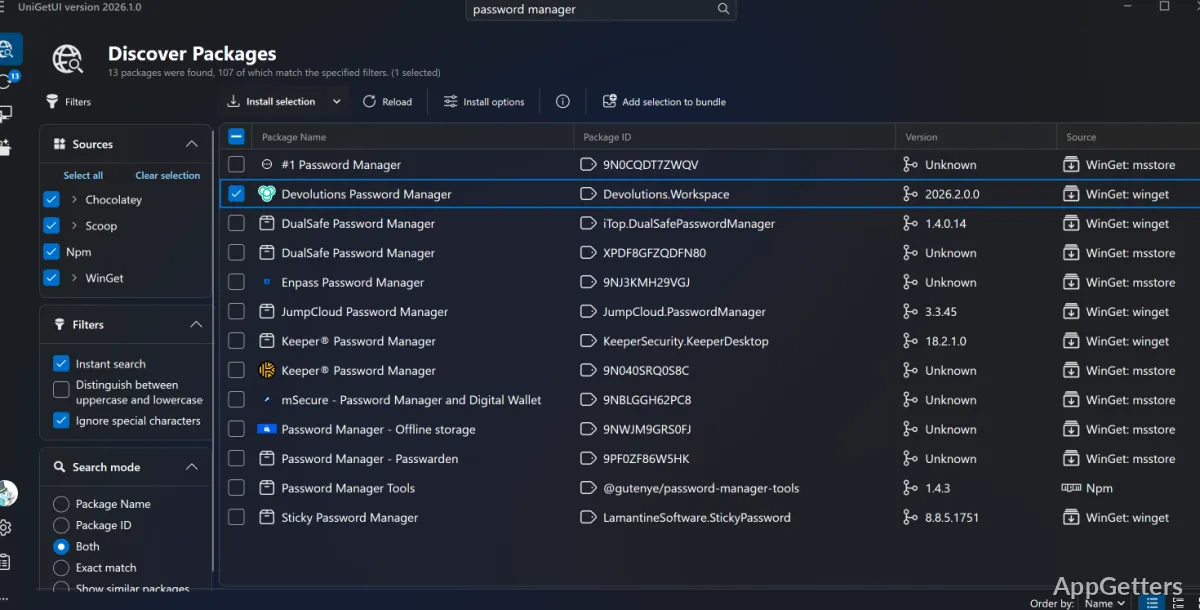
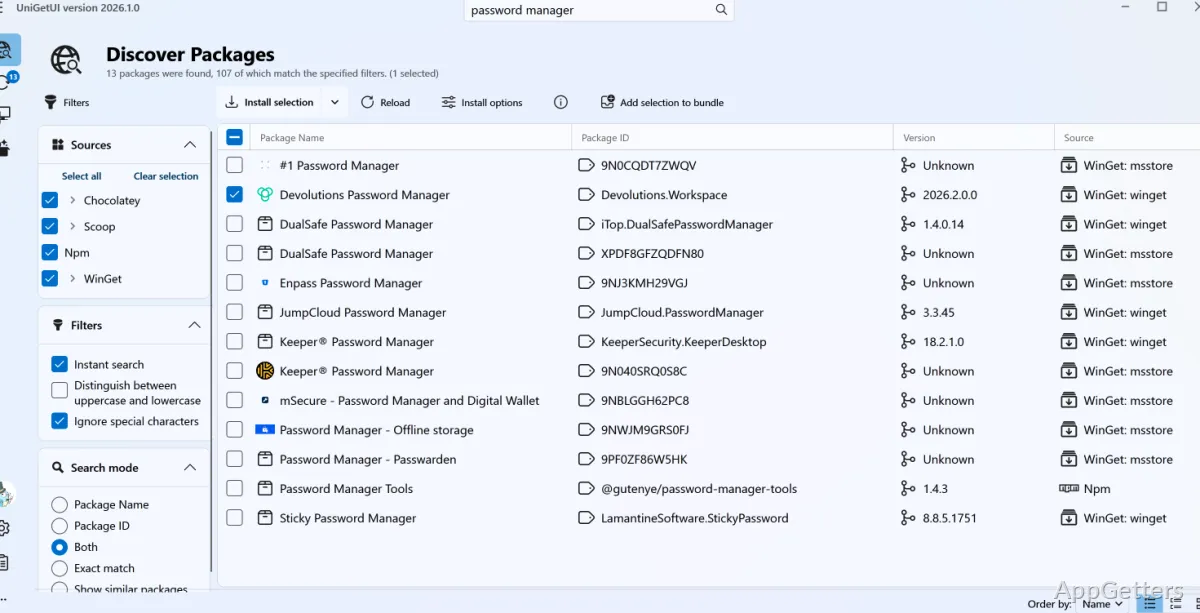
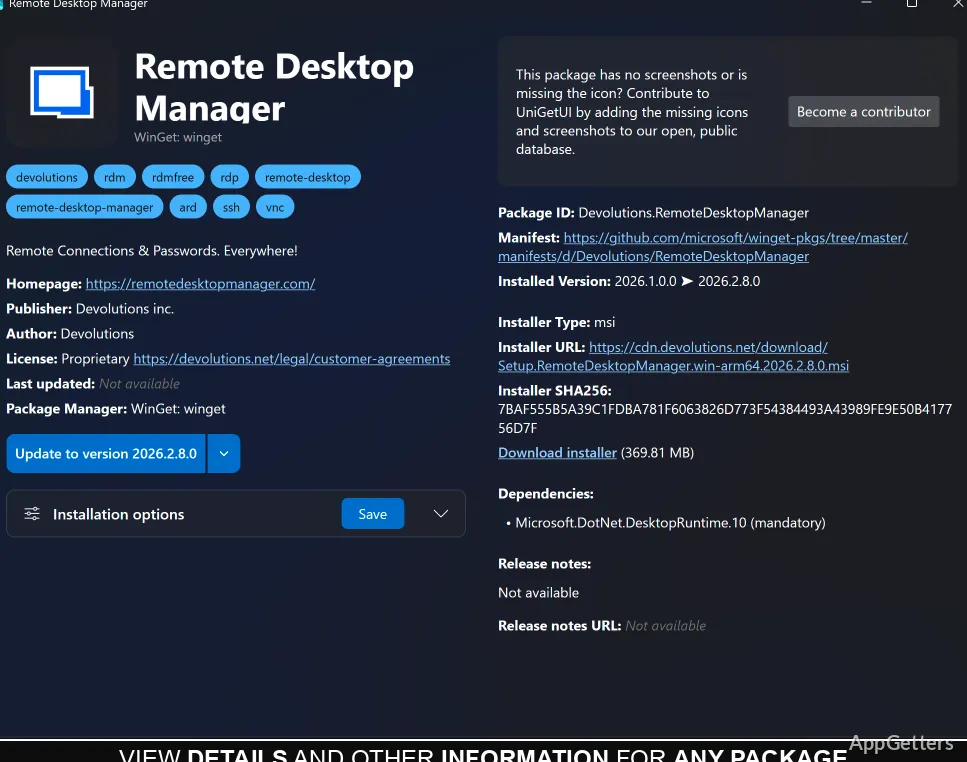
UniGetUI provides a visual way to work with package managers such as Winget, Chocolatey, and Scoop. Search for an app, inspect matching packages, and start an install from the same interface. Package details can include metadata such as the publisher and direct download URL.
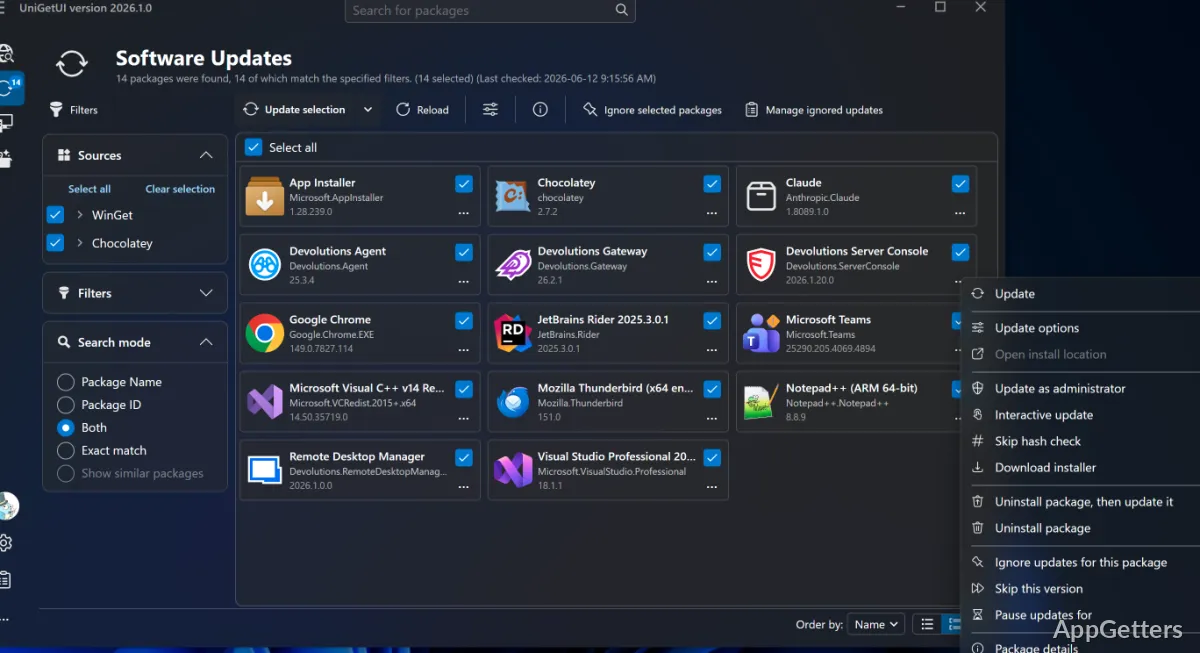
The package view also shows information such as version and installation status, making it easier to find an installed app or a package with an available update.
- Install, update, or uninstall packages individually or select several for a bulk operation.
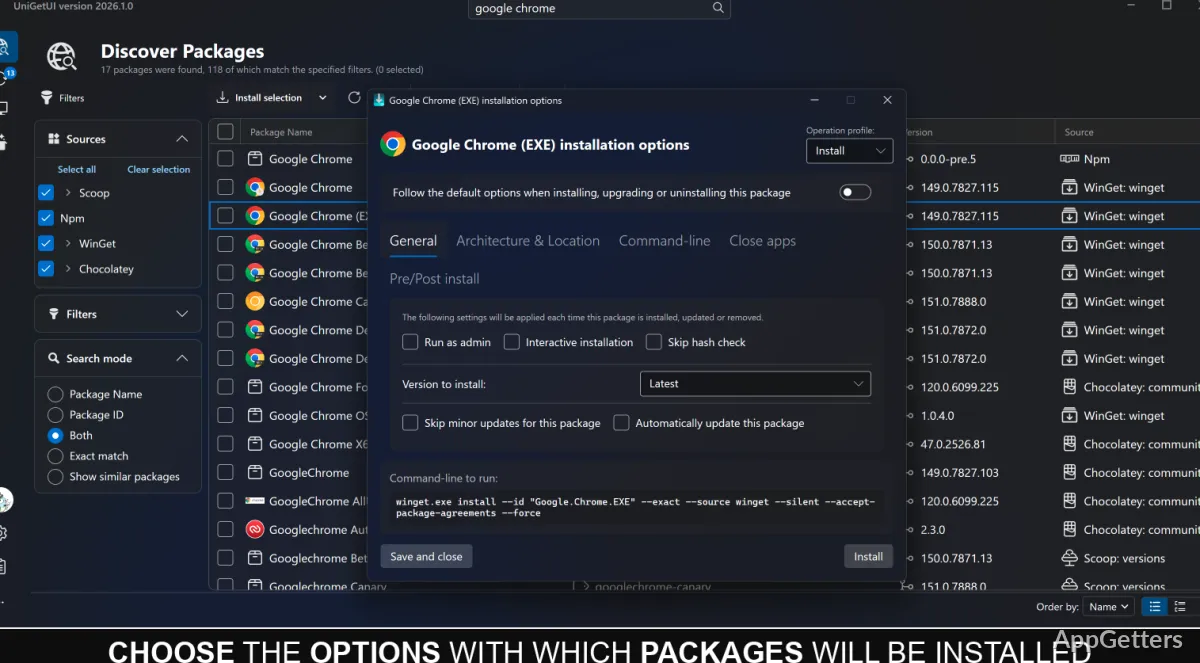
- Choose package-specific installation options; where supported, select an older version or a particular architecture.
- Skip a version or ignore updates for an individual package.
Scheduled updates and tray access
Automatic maintenance settings can schedule update checks and installations on an interval or at a daily or weekly time. Update checks can also trigger installation, or installations can follow a separate schedule.
A tray icon lists pending updates and installed apps, giving access to package actions without returning to the main window.
Package lists, backups, and history
Export a custom package list to reuse on another machine. Saved lists can include installation parameters, so a repeated setup can retain package-specific choices. UniGetUI can also back up a package collection to a local file or sync it to a private GitHub Gist for recovery on another machine.
Operation history records recent package activity and keeps logs for troubleshooting. On Windows, you can also decide whether installers may add desktop or Start Menu shortcuts; package shortcuts can be assigned to a chosen Start Menu folder.
Pros
- Searches packages from Winget, Chocolatey, and Scoop in one interface
- Supports bulk installation, updates, and uninstallation
- Can schedule update checks and installations
- Exports package lists and backs them up locally or to a GitHub Gist
Cons
- Packages come from third-party sources, so publisher trust varies
System requirements: Windows 10, Windows 11 · ARM64 and x64
Does UniGetUI install apps directly?
It provides a graphical interface to package managers such as Winget, Chocolatey, and Scoop, which handle package operations.
Can UniGetUI update several apps at once?
Yes. Select multiple packages for a bulk update, or configure scheduled update checks and installations.
Can a package setup be reused on another PC?
Yes. Export a custom package list, or back up the package collection locally or to a GitHub Gist.