Players repeating the same action in an idle game, and anyone clicking through the same desktop form, can set IO Auto Clicker to handle those mouse presses. It lets users choose the click timing, button, and screen position, then start and stop the run with a hotkey.
Set the timing, button, and click position
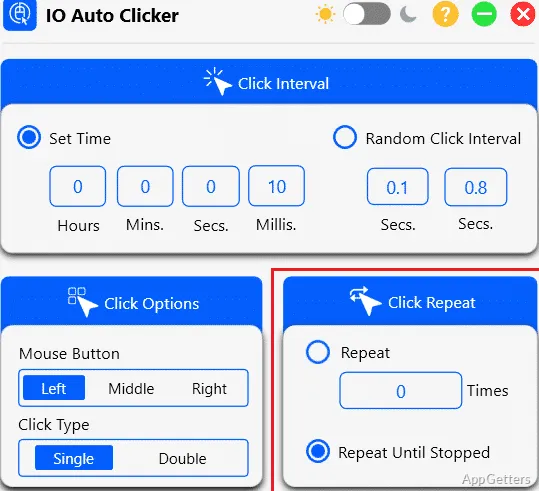
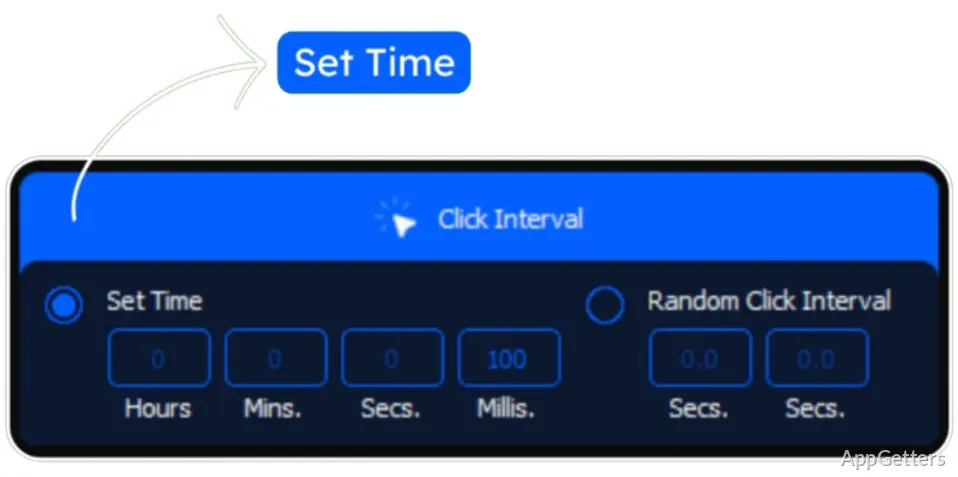
The click interval can be specified in hours, minutes, seconds, and milliseconds. A random interval can also be chosen between two values. This gives a click run a fixed pace or a varying gap between presses.
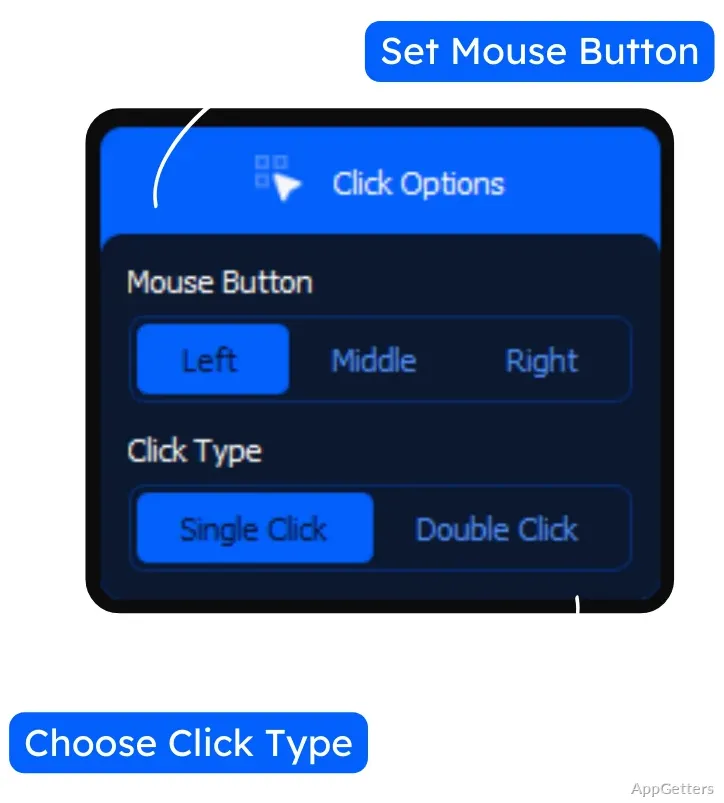
Choose a left, middle, or right mouse button, then set it to click once or twice per action. For position, the Current Location option follows the pointer. Fixed X and Y coordinates keep clicks on one screen location, even when the pointer moves.
Start and stop a click run with a hotkey
Set the run to stop after a chosen number of clicks, or leave it running until the stop command. F6 starts and stops the default setup from inside a game or app; the hotkey can be changed if another action already uses F6.
The settings sit together in one window, so a typical session is to choose the interval, button, and position, then move to the target app and press the hotkey. Pressing it again ends the run.
Record keyboard and mouse actions for playback
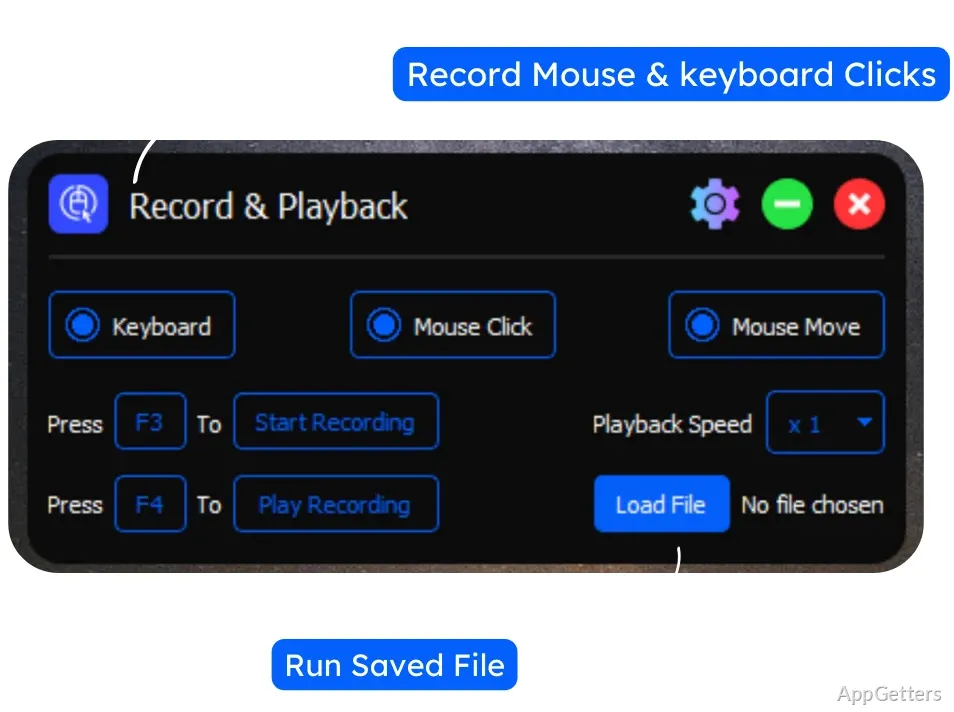
For sequences that involve more than repeated clicking, Record & Playback captures keyboard input, mouse clicks, and pointer movement. F3 starts recording, and F4 replays the sequence.
Playback can run once, a specified number of times, or in a loop, with the playback speed adjustable. This workflow suits repeated sequences of recorded actions; the standard click controls remain available for a single recurring mouse press.
Pros
- Click intervals can be set in hours, minutes, seconds, and milliseconds
- Supports left, middle, or right single and double clicks
- Can click at the pointer or at a chosen X/Y position
- Records keyboard input, clicks, and mouse movement for playback
How do I choose where IO Auto Clicker clicks?
Set the position to Current Location to follow the pointer, or enter X and Y coordinates to click at a fixed screen spot.
Can IO Auto Clicker stop after a set number of clicks?
Yes. Set a repetition count, or keep the run going until you press the stop hotkey.
What does Record & Playback capture?
It records keyboard input, mouse clicks, and pointer movement. F3 records the sequence, and F4 plays it back.