EXE
Home » Software » Windows » Editors » Picsart Photo Editor for Windows
Picsart Photo Editor for Windows

Picsart Photo Editor for Windows

  • By PicsArt
  • Free
  • Version: 11.13.1.0
  • 554.3 MB
  • Security Report:

Many Windows users sooner or later encounter the very same issue. Even though the photo tools that are embedded in the operating system can handle simple cropping and filter application, these tools are at their limits. This is especially true when it comes to working with layers, creating social media graphics, or removing backgrounds. It is also true for other types of visual works. These works require a higher level of polish. If we were to place Picsart Photo Editor on the spectrum of image editing apps, it would be somewhere between extremely simple mobile-style editing and highly comprehensive desktop software. It would also sit between highly comprehensive creative software.

For Windows users, generally, this software is for people who want to compose visually. They do not have to first get the hang of complex professional design tools. A vast majority of users of this software will be students who prepare presentations, home users who edit and improve photos, and casual content creators. The software promotes quick editing and playing around with effects more than working on final outputs. So, it is easy to use, but this is also the reason why it has practical limits.

Editing Workflow Designed for Speed, Visuality, and Daily Use

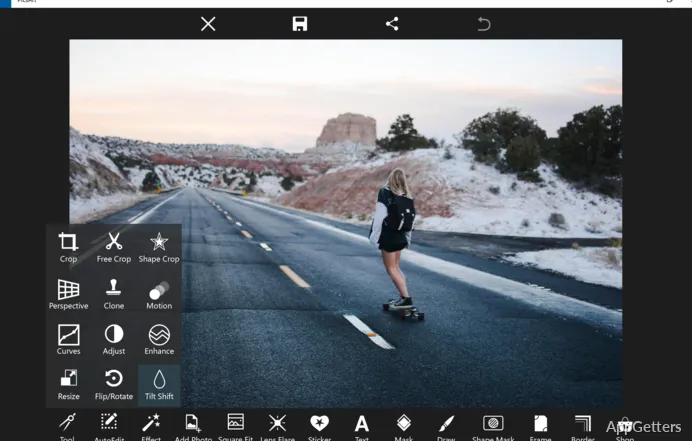
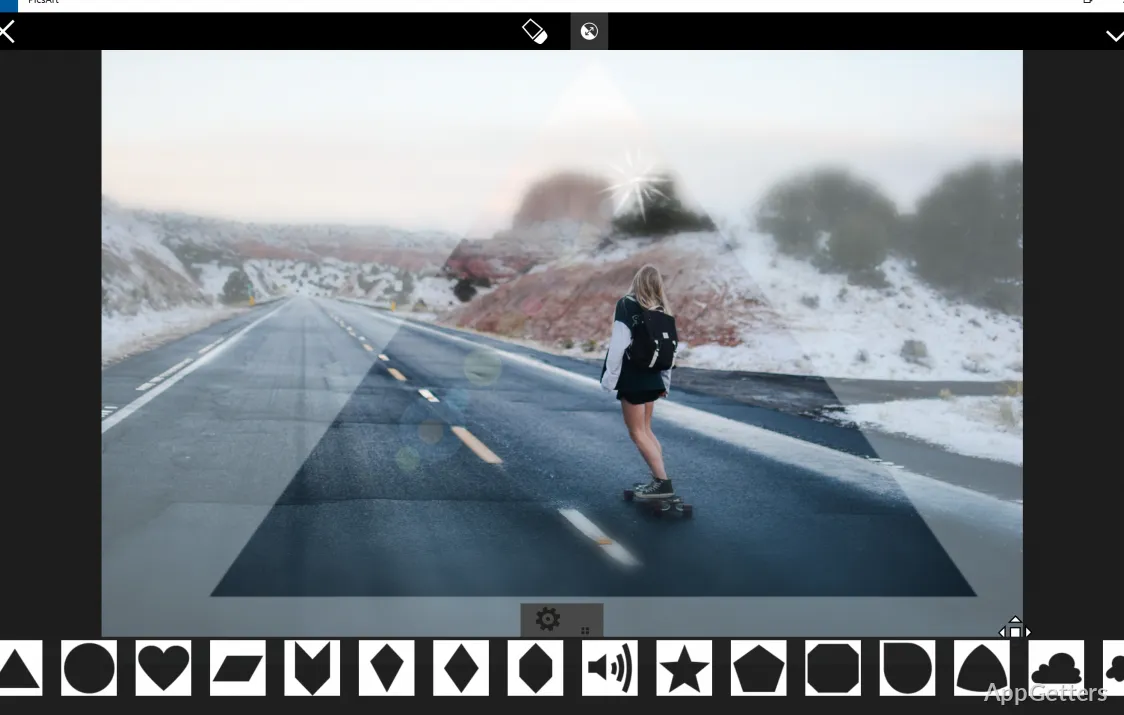
Daily, Picsart puts emphasis on quickness, not on making things complicated. Loading a photo, doing some editing work, getting rid of unwanted things, writing captions, or creating social-type graphics, in most cases, takes no more than a few steps. The design of the user interface is pictorial and instructive. It makes it easier for novices who might be intimidated by the usual complicated editing suites. It also lowers the barrier to use.

For example, for users producing school projects, online ads, profile images, or simple promotional materials, this simplicity can be quite a benefit. The editing process is designed in a way that one can easily change one’s mind. One can try some other looks and not have to worry about forgetting the initial complex setup. Meanwhile, those who want to indulge in meticulous control of layers may find the platform a little bit too elementary. The same may apply to those who use color management workflow or do highly elaborate retouching, despite being as advanced as desktop editors.

Pros and Cons of Day-to-Day Windows Usage of Picsart

Convenience is definitely one of the main selling points of Picsart. It not only enables a user to do photo editing, but at the same time, illuminates visual arts, text processing, and visual trickery inside the very same program. Thereby, it greatly cuts down the need for going back and forth among multiple programs. That, for users dwelling on speedy visual assignments, can result in a significantly more fluid workflow and the saving of one’s precious time.

Yet, the full dependability is a matter of one’s own expectations and the environment within which one operates the system. Certain features are clearly set up to give a result as quickly as possible. They do this rather than allowing a user to have fine control over every little detail. Those involved in the development of highly detailed printed materials will, perhaps, see the limits of the workflow early on. The same may apply to those involved in large-scale productions. Those involved in professional editing systems may do so as well. Moreover, it is somewhat of a learning curve to figure out what features a user can access without account alterations or platform options.

Nevertheless, for everyday editing on Windows, using the software in line with its capabilities will, in general, yield the best results. This is especially true for carrying out creative tasks of a practical and moderate nature.

When It Makes Sense to Get Picsart Photo Editor for Your Windows PC

Picsart Photo Editor is a great choice for those who want simplicity, don’t mind being able to do visual work, and want to get work done fast. They may prefer this rather than going deep into technicality. It will readily find its niche as a part of the setup of places where people want to be editing, sharing, repurposing, or stylizing images. People can do so without having to spend weeks learning how to use the software.

High school and college students who want to hand in visually more appealing assignments will, most likely, get hooked on the software quite fast. Homeowners who wish to have photos of their family looking better may do so as well. Small content producers who create thumbnails or posts may do so as well. The same can apply to users who only occasionally get down to editing. They may also be looking for an all-in-one, feature-rich environment. On the other hand, those who need enterprise-level management of assets might see this tool more as a helper than as something that they can rely on solely. The same applies to those who need advanced control of editing at the professional level.

Picsart is unlikely to be the go-to product for heavy-duty creative software on Windows. Yet, it is a very good choice for one that allows quick editing of images to be more in line with the requirements of contemporary digital workflows. At the same time, it is more friendly and less intimidating than most other software.

Software Details of Picsart Photo Editor 11.13.1.0

License
Free
Version
11.13.1.0
File Size
554.3 MB
Downloads
4
Languages
English English, Afrikaans, Amharic, Arabic, Armenian, Belarusian, Bulgarian, Catalan, Chinese, Croatian, Czech, Danish, Dutch, Estonian, Farsi, Finnish, French, German, Greek, Hebrew, Hindi, Hungarian, Icelandic, Indonesian, Italian, Japanese, Kazakh, Korean, Latvian, Lithuanian, Malay, Norwegian, Polish, Portuguese, Romanian, Russian, Serbian, Slovak, Slovenian, Spanish, Swahili, Swedish, Tagalog, Thai, Turkish, Ukrainian, Vietnamese, Zulu
Category
Op. System
Windows
Developer
Last Updated
April 3, 2026

Version History

4 versions
11.13.1.0
Latest
554.3 MB
April 3, 2026
11.11.6.0
552.72 MB
January 27, 2026
11.11.5.0
552.71 MB
January 20, 2026
11.11.4.0
552.72 MB
January 9, 2026

Leave a Comment

Your email address will not be published. Required fields are marked *

Software Icon
Security Report

Loading scan data...

Scroll to Top