Many Windows users require a compact image editor for fast edits, simple graphic works, or casual photo cleanups. They do not want to commit to large, resource-consuming software. In this case, Phoxo may be a good option. It is a miniature image editing solution, and so it appeals to people who want to use the tools practically without having to go through all the complications of a professional design environment.
Phoxo does not attempt to be a complete replacement for the advanced suites, but rather concentrates on the common editing operations based on what the usual users really need and encounter every day. Typically, this software seems to target users who want to change the size of the picture, add some letters, put on some effects, or make some changes. They want to do so without having to waste time learning a new specialized workflow.
A Light and Simple Editing Tool for Normal Tasks
Among the features that make Phoxo stand out is the fact that it opens the door to the editing process very quickly for users. Setting up the tool is not complicated Windows-wise. The look of the software also enthralls the users more with ease of use than with complicated features. Those home users, students, and casual creators will probably get the hang of the first elements of the interface pretty quickly.
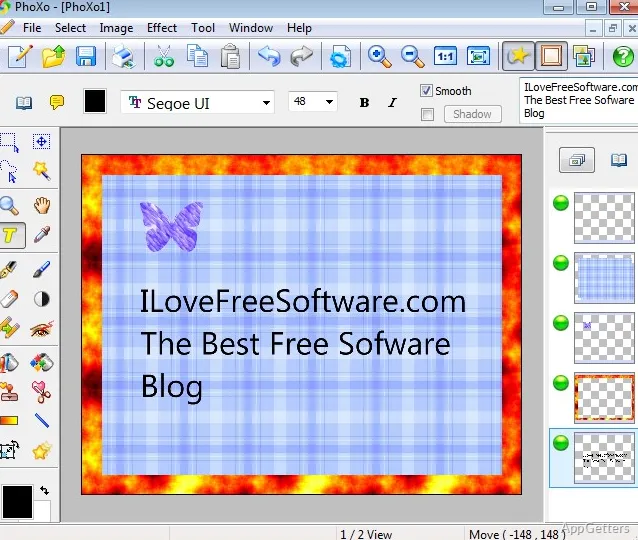
In a real situation, simple operations like cropping, adjusting the color, creating layers, and adding text are a couple of clicks away. The output of work with a simple program helps one get the desired results. This includes engravings for social media, basic visualizations, such as helping with school work, and processing personal photos. Besides being one of the most important features of the software, not giving beginners very complicated menus means that it is accessible. At the same time, it is not a perfect solution for the advanced users, as its workspace does have some limitations when it comes to complex image production.
Tools That Are More Concerned with Speed Than Quality
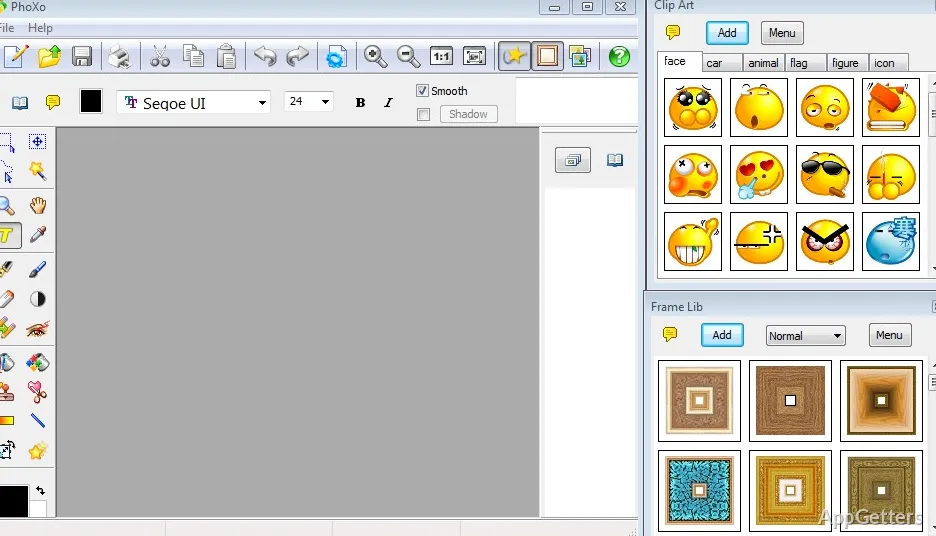
Phoxo is equipped with a decent range of editing tools that cover most everyday needs. However, its most significant advantage is the ease it offers rather than the technical sophistication of the tools. The availability of effects, drawing tools, ornamental elements, as well as standard editing operations, allows for lightweight creative use without heavy demands on the user’s system.
In most cases, such a comfortable middle point works great for a user. The user can get the experience of visual editing, composition, and/or image refreshing without the feeling of friction. Especially those users who use older Windows systems or have low-spec machines might find the software’s small footprint extremely useful.
On the other hand, people who regularly use and expect more from their tools at the top level may find some things, such as color management, level of detail at the editing stage, and handling of a professional workflow on a large scale, problematic. Phoxo is a great choice when the user clearly understands that it is a small image editing tool and not a complete production environment.
Reliability, Ease of Use, and Frequency of Use
What matters more in the day-to-day use of something, other than a long list of features, is the dependability with which a software behaves. In order to become a part of a user’s regular editing routine, Phoxo has to keep the user participation plain and simple. Those reluctant to use new technologies can use the tool without major difficulties to do simple edits.
On top of that, its design focused on beginners makes finding the desired features and troubleshooting settings less time-consuming. Those who have to do other things besides editing, e.g., schoolwork, business operations, hobbies, family photo organization, may find a lot of meaning in this.
Though one may experience a somewhat old-fashioned interface and an overall design approach when using a creative application, it may have some effect on the basic functionalities. However, it can quite influence the editing experience, as well as the sense of a modern and flexible one, over time of continuous use.
How to Use Phoxo in a Windows Workflow
It looks like this is the best fit for Windows users who want to have an efficient editing tool, not an advanced creative platform. Phoxo’s lightweight stance will likely be quite effective for students doing visual assignments, home users editing photos, and casual designers making very simple graphics.
It greatly reduces the inconvenience. A person just starts the program, carries out simple image edits, and that is it, without major training or computer resources. On the downside, design professionals or people with very detailed editing needs usually will surpass software capabilities sooner or later.
Nonetheless, Phoxo is a worthy, user-friendly choice for everyday image editing on Windows within its designed boundaries.