EXE
Home » Software » Windows » Editors » PhotoFiltre for Windows
PhotoFiltre for Windows

PhotoFiltre for Windows

Some Windows users want a quick and easy tool for photo editing. They don’t want to go for big design suites or subscription software. Simple uses such as changing photo size, color correction, making graphics for schools, or making quick visuals for websites don’t necessarily need the use of professional tools. PhotoFiltre appears as a featherweight image editor. It is targeted mainly at casual editing of photos rather than professional digital designing.

A Lightweight Editing Environment for Daily Tasks

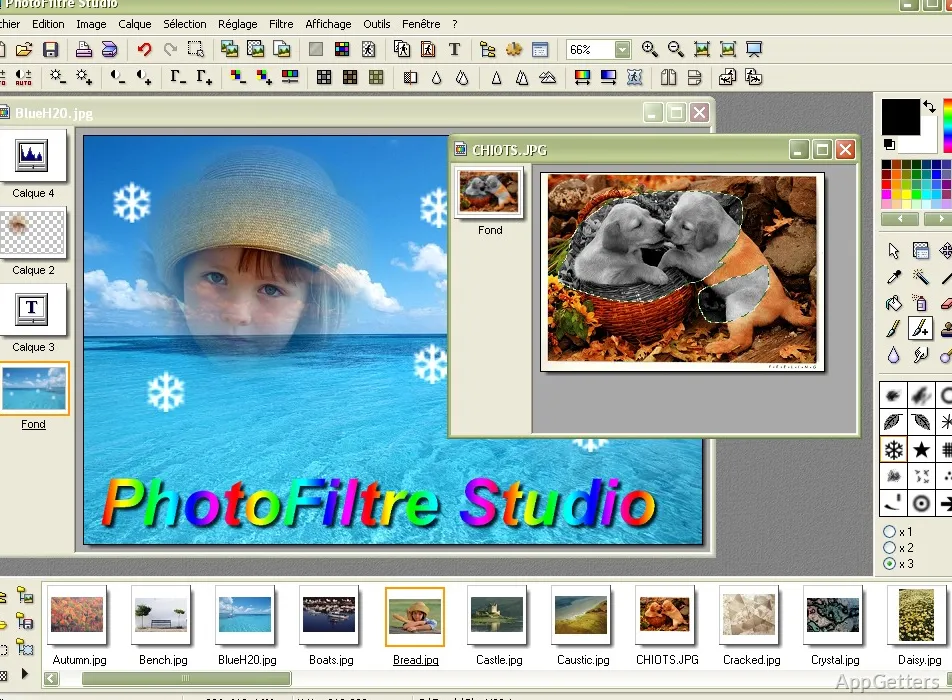
Daily use of PhotoFiltre implies that the software is meant for people who just want to open any image and work on it right away. The software interface is fairly straightforward. Commonly used instruments can be found easily by users. Individuals editing photos of their family, students making visuals for projects, and users in small offices who are preparing simple graphics can usually easily operate the software without prolonged training.

PhotoFiltre works very well in performing routine editing tasks, including cropping, resizing, sharpening, and color correction. Although drawing tools and filters are also there, fast operation is what really sets the program apart. On some Windows systems that only have minimal resources, heavy image editors are overkill. PhotoFiltre operates continuously and starts up quickly. This can be vital in the normal working environment.

Practical Strengths Beyond Basic Photo Touch-Ups

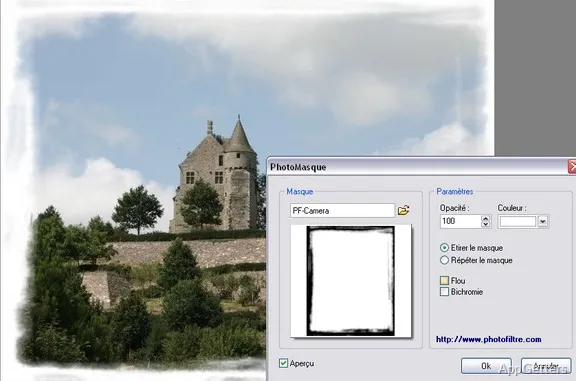
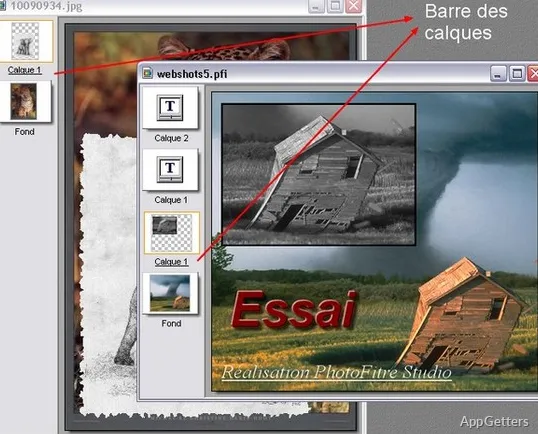
Not just for photo clean up, PhotoFiltre can also be a part-time graphics tool for making banners, screenshots, icons, labels, simple promotional visuals, or putting text on photos. The software also has layer support and selection tools. This gives users more than a simple, small editor.

This is the kind of product that is perfect for users who want things changed exactly the way that they like them. Users are not made to depend on AI-based corrections or templates that guide the whole working process. Manual control is emphasized with this tool. For some users, this creates a feeling that they can rely on and trust it. Each time one has their edit performed in a certain way, the toolset remains comprehensible even after long use time.

On the other hand, those who may be after very advanced editing features, deep asset management, and sophisticated compositing workflows will find the software rather limited. It is the best use of the software for those who edit their pictures. The goals are clear and are of moderate complexity.

Where the Experience Can Feel Dated or Restrictive

It is quite clear that PhotoFiltre’s design thinking is from the era of Windows software. This is not to say that the interface cannot be updated to look like the new design applications. Certainly, this can add to the lightness of the software. It gives a fresh experience while using the tool. Thanks to modern graphics hardware and concurrent operations features, artists and designers can execute editing tasks at an unprecedented speed and with remarkable finesse.

Software guides and manuals typically indicate the software version to the users. At least the users can figure out which level of the workflow they want to use. Beginners will learn the essentials quite rapidly. However, veteran users who were used to working with commercial, highly polished editors might find the feature set and the UI of the tool quite a surprise. These days, PhotoFiltre targets users who totally concentrate on simplicity and not so much on feature-rich system integration.

A Practical Fit for Casual Editors and Lightweight Windows Workflows

PhotoFiltre is mainly suited to those needing image editing on Windows without stress or complexity. Students preparing projects, hobbyists arranging their pictures, bloggers producing visuals quite simply, and householders executing routine tasks with pictures would most probably find it comfortable and quite easy to handle.

Completely replacing professional creative suites is not its main function. Rather, doing those editing tasks that require the least effort and give maximum results remains the strongest corner where the software can play. When features related to advanced production are absent, a lightweight footprint, easy-to-understand controls, and a straight-to-the-point editing model of the program are certain to come to the aid of efficient workflows.

Users looking for the middle ground will find that PhotoFiltre fills a very useful space in the Windows software world. That means mainly utility-focused image editing and not a platform for creating broadly.

Software Details of PhotoFiltre 11.6.1

License
Free
Version
11.6.1
File Size
30.11 MB
Downloads
3
Language
English
Category
Op. System
Windows
Developer
Last Updated
May 21, 2024

Version History

3 versions
11.6.1
Latest
30.11 MB
May 21, 2024
11.6.0
30.33 MB
March 22, 2024
11.5.0
30.11 MB
December 1, 2023

Leave a Comment

Your email address will not be published. Required fields are marked *

Software Icon
Security Report

Loading scan data...

Scroll to Top