EXE
Home » Software » Windows » Animation » Moho for Windows
Moho for Windows

Moho for Windows

  • By Lost Marble
  • Free
  • Version: 14.4
  • 506.84 MB
  • Security Report:

Animation software can often become a headache long before a project reaches completion. The newbies get lost in the interfaces that are so packed with features. The experienced ones end up wasting their time on the tedious frame-by-frame editing that interrupts the creative flow. Not to mention that most animating tools for computers not only require pretty powerful hardware, but also a pretty serious devotion to learning the tool. Only then can you really bring out what you have in mind. Moho solves these issues in a very different way. It concentrates on making the 2D animation workflow more direct and simple. It does this rather than trying to impress users with the complexity of a feature film.

On the Windows platform, the program is recognized for having an excellent mix of professional tools and being accessible. This is especially true for those animators who are doing web animations, educational content, indie films, or short-form social media projects.

A Workflow Built Around Faster Character Animation

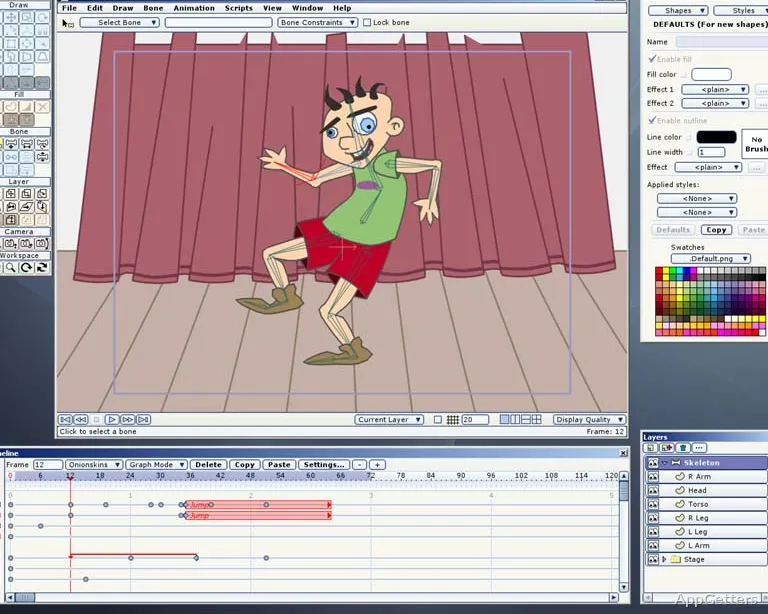
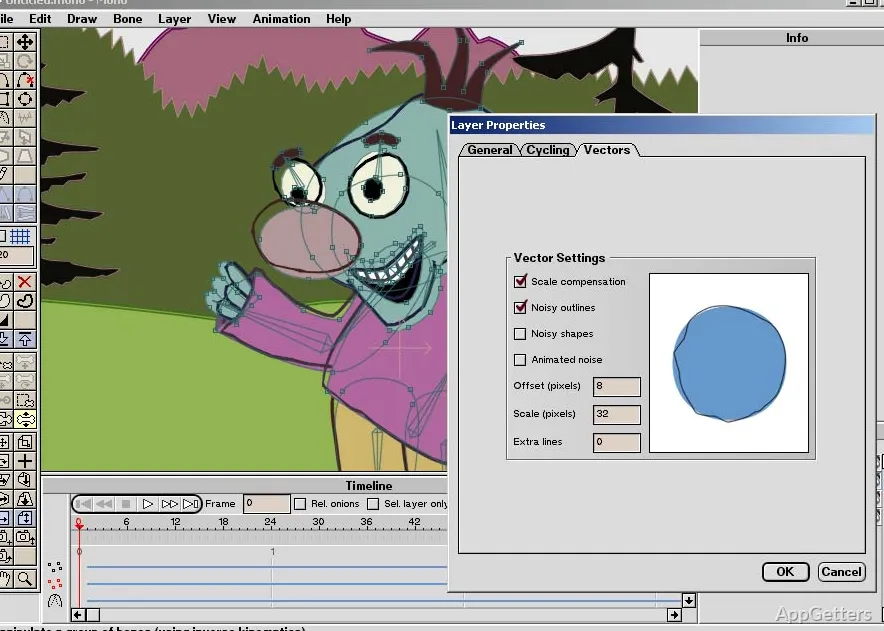
One of the first things to strike you about Moho has to be the speed with which you can go from just a simple character sketch to a full-fledged animation. The totally frame-by-frame approach is not the only method used. Instead, the software highlights rigging and bone-based animation. For those of you who are working with repeated character movements and so on, this can cut down on a lot of repetitions in the work.

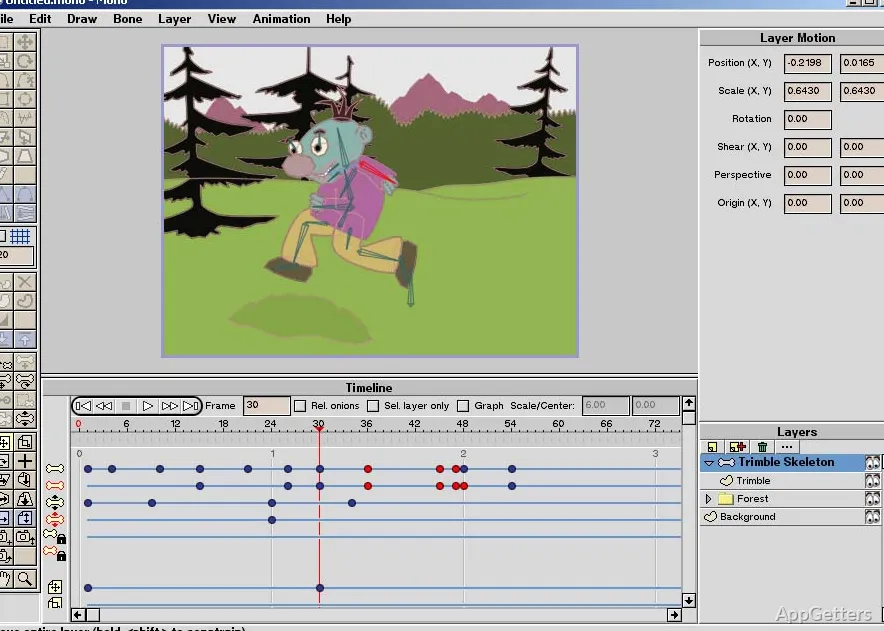
In practice, it even seems like the interface is way more to the point than that of the big animation suites. The timeline controls are quite straightforward. You will find that the common things, like lip-syncing or motion refinement, are always a click away. You don’t have to go looking in the various hidden panels. This makes the program suitable not only for students and hobby animators, but also for small creative teams working under time pressure.

On the other hand, those coming from the world of fully manual animation tools will probably find this rigging-first approach to be somewhat different. They will need a bit of time to get used to it. The approach gives the most benefits to those making the most of the structured setup. However, the lack of good organization of the rigs from the start can make the modification of the projects, subsequent to the setup of the rigs, difficult.

Stability and Day-to-Day Performance on Windows

For Windows users, the stability of the software is usually a more important factor than having all the latest effects at your disposal. Long generation times, problems with crashing, or inconsistent project saving can throw you off your creative track. They can also cause you to lose your work in progress. Moho, in normal conditions, hardly steps out of the bounds of standard reliability on mid-range Windows hardware. This is especially true when compared with the big and heavy animation applications made for use in large studio environments.

The software opens in no time. Even when you have a project with a moderate amount of detail, you can still move around without the software becoming unresponsive. This is one of the ways to keep the creative juices flowing during editing sessions. Besides, if YouTube content, educational videos, or short animated explainers are what you are into, then you will be happy to know that Moho does not really need a highly advanced workstation. This is true for a basic production task.

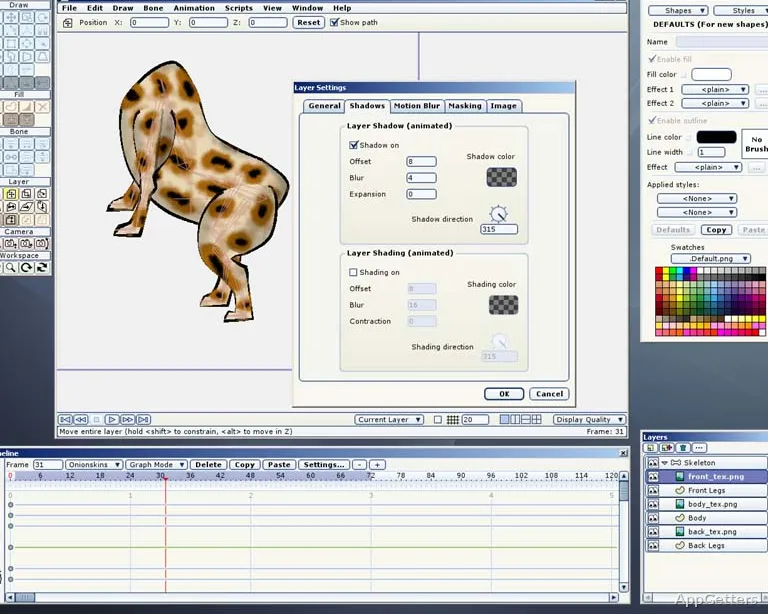
Even so, the performance is still going to be dependent on the complexity of your projects. You may see some slowdowns if you have scenes that make use of large texture files and extensive effects. Such slowdowns will be especially noticeable on older machines with limited RAM or integrated graphics, since those systems are the most affected.

Useful for Independent Creators and Small Teams

One kind of creator is a perfect candidate for Moho. These are the ones who just want to regularly turn out animations. They do not want to do the whole studio pipeline thing at all. It is common for independent artists, teachers, online content creators, and small production groups to focus on finishing their projects with software that is fast. They prefer this rather than software that offers the full range of cinematic tools.

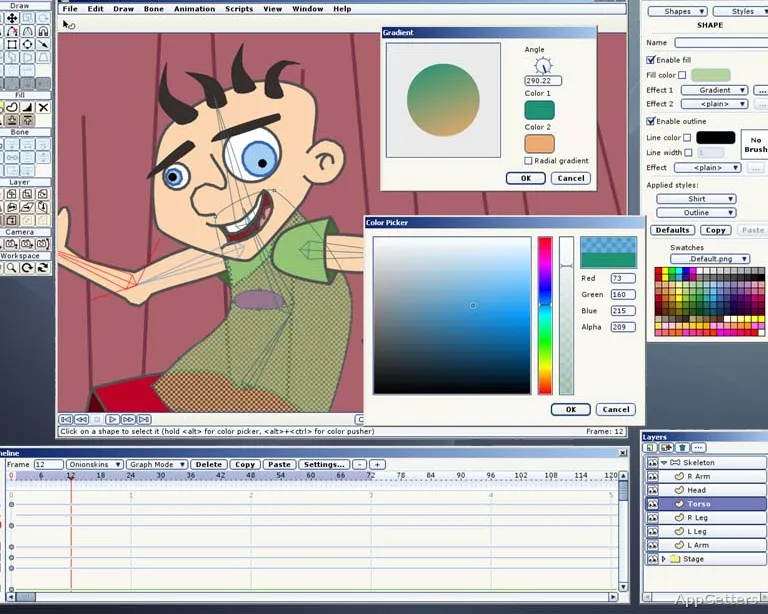
Drawing tools, animation presets, and character controls are all there in the software package. They help make this kind of straightforward workflow a reality. For those of you who feel the urge to stylize your animations, you should not be blocked by the workflow here. In fact, the asset reuse among different projects can make your work even more efficient. And, notably, this approach could be a great value for your recurring content, such as tutorials, educational series, or episodic online animations.

On the other hand, if advanced 3D environments or complex visual compositing are your primary interests, you will be less thrilled with Moho. It is, at heart, a 2D animation production tool. Those professionals who do most of their work in the post-production pipeline may end up supplementing their procedures. They may use other editing or effects software.

Where Moho Fits Best in a Creative Setup

Moho is the go-to tool for those among you who decide to make animation your line of work. The additional requirement is that the tool should, first and foremost, enable you to work efficiently. The workflows should also be capable of being repeated, and the system requirements should not be too high. This makes them manageable. For the Windows environment, it is the option that provides a useful solution for the users who are caught somewhere between the beginner-friendly animation apps and the large-scale professional suites. Those suites might sometimes feel like going overboard for the smaller projects.

To those who have just started, this program would provide the foundations and enough structure to acquire the technical skills. It does this without the instant feeling of drowning in an ocean of features. As for the seasoned users, once the rigging system and easy-to-use workflow are mastered, it can be a really nice tool to speed up the production cycles substantially.

The reasons why Moho is limited are mainly due to the fact that it is a specialist, rather than generally being a servant to the whole cast and crew. Advanced cinematic compositing and fully integrated 3D production enthusiasts would find the scope to be quite limited. But when it comes to 2D storytelling, explainer videos, web animation, and independent creative work, you can count on Moho as an option that prefers productivity over complexity. That complexity is merely a burden.

Software Details of Moho 14.4

License
Free
Version
14.4
File Size
506.84 MB
Downloads
5
Language
English
Category
Op. System
Windows
Developer
Last Updated
March 27, 2026

Version History

4 versions
14.4
Latest
506.84 MB
March 27, 2026
14.3
491.21 MB
May 9, 2025
14.2
491.01 MB
June 28, 2024
14.1
471.67 MB
March 1, 2024

Leave a Comment

Your email address will not be published. Required fields are marked *

Software Icon
Security Report

Loading scan data...

Scroll to Top