Making simple animations or motion graphics on Windows might become more complicated than many users initially think or plan. Most professional animation tools require a long learning period, at the very least. They demand expensive and powerful computer hardware. Sometimes they also have subscription fees that ordinary users will hardly justify. For students, small companies, educators, or individual creators at home, the main problem is usually getting the software that will allow them to do only basic animation tasks. They do not want every project to turn into a technical struggle. Express Animate Free Animation Software is one of the few software programs that tries to be something between these two extremes. It is catered first and foremost for users who only want to use motion graphics. This includes presentations, YouTube videos, commercials, or teaching materials. These users usually prefer simpler production workflows. They don’t want to make professional-level full productions.
Much Easier Introduction to Motion Graphics
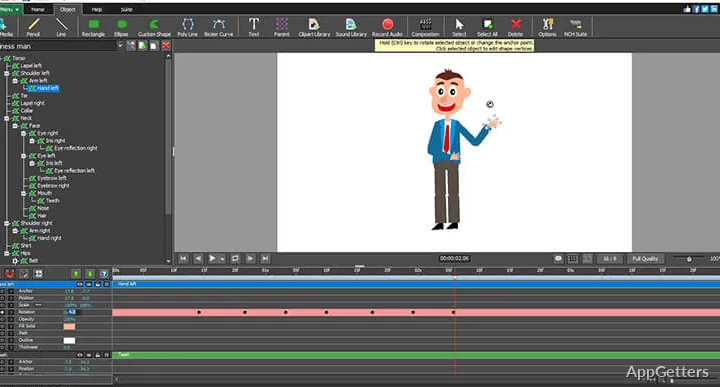
Most people will agree that the user interface of Express Animate Free Animation Software is very natural and friendly. This becomes even more noticeable when compared to much bigger and stronger animation platforms. Users who are new to animation software may especially appreciate this approach. The working space of this software is structured around the timeline, which resembles usual video editing interfaces. That significantly helps new users to get used to the software.
This is not without reason because, in fact, most people who create animations, especially the short ones, are not animators by training. They mainly want to work with text fades, moving logos, or do some light-weight visual effects for social media. They may also use them in the classroom.
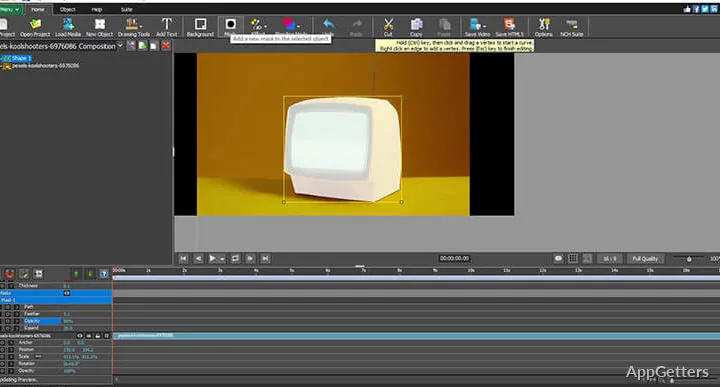
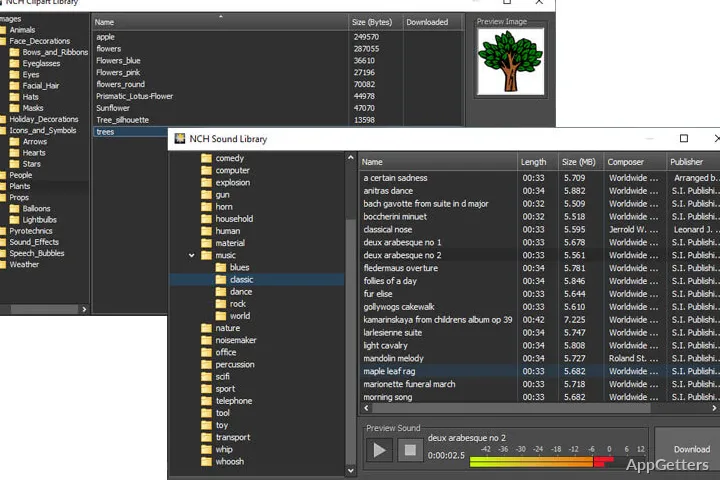
The program allows you to create animated keyframes, move the objects around the scene, change their size or rotate them, change their opacity, and do many other things. All of this is done in a very simple manner that even novices can grasp very quickly. Also, working with different image, audio, and video files is a piece of cake here. The whole creation process is very fast on an average Windows computer. If you are using a laptop or an older desktop computer, then a running program that is not using too many resources can serve as a true lifesaver for you.
Helpful Features for Daily Creative Work
Express Animate Free Animation Software is quite suitable for short and focused projects. It works great for making simple title sequences, animated slideshows, explainer graphics, and promotional intros. When you are using the software normally, you will appreciate how the drag-and-drop editing allows you to do repetitive changes much faster. There are a number of effect presets available inside the software. However, the count should not be an issue for either beginners or casual users. The text animation feature is definitely going to come in handy for those engaged in instructional or marketing content production. Fast, readable animated graphics matter a lot more there than complex cinematic motion.
Exporting the materials created has, so far, not given the users a reason to complain. The software, on its own part, makes it possible to be part of the wider content creation process. At least, this can be done without extra technical procedures. Those who are already part of the basic audio/video editing user base with the NCH Software products will have another reason to like this software. They may already be familiar with the overall interface style. The compatibility in terms of layout and the general design is at least at the same level as that of the other applications of this company.
Limitations of Express Animate
Despite the fact that Express Animate is quite capable in its field/area, it is not intended to compete with advanced professional animation environments. If your project requires a lot of 3D staged characters, then the software will very quickly show its limitations. The same applies if you want to have a full-blown character animation. This also applies if you want sophistically crafted visual effects.
Interface changes are still felt as old-fashioned by some users, especially when working on complex timelines. Inefficiency of asset and effect organization is another problem that comes with getting larger projects. On top of that, the free version might be functionally alright. But if you want to take care of some advanced export or commercial-use features, there is a possibility that you will have to look at them a little further, depending on your workflow. However, only very advanced commercial animation projects may really hit the ceiling for casual users. More often, educational or personal media creation use cases are more dominant, and such limitations can only be tolerated here.
Best for Small Projects and Lightweight Editing
Express Animate is the right choice, especially for those users who consider a quick and easy work start, straightforwardness, and low system requirements as their priorities. They are usually less concerned about the depth of a cinematic production. Creating presentations for school, preparing instructional visuals by teachers, and producing basic promotional clips with small businesses are three user groups that will probably get better results with this software. These are all common everyday use cases. The software suits these workflows quite naturally because it fits their needs well.
Users who are playing with animation or who are trying it for the first time will also find the software very useful. Since the controls remain quite approachable, it makes experimentation easier without being intimidating, the way the larger creative suites do. And the smaller the performance resources on the Windows system, the more users will appreciate the lightweight design, at least from an efficiency standpoint. Instead of pushing for a revolt against professional-grade animation software, Express Animate only plays a simple and accessible role. It is there for the average users who want to use motion graphics and make animated content. At the same time, they do not want to be overwhelmed with too many technicalities or learn an extensive amount of new things very quickly.