EXE
Home » Software » Windows » Animation » Flash Movie Player for Windows
Flash Movie Player for Windows

Flash Movie Player for Windows

  • By Eolsoft
  • Free
  • Version: 2.1
  • 664.93 KB
  • Security Report:

Many older Flash-based media remain among archived training materials, educational content, browser game collections, and legacy presentations on Windows. Since Adobe has stopped supporting Flash Player, running SWF files locally has turned into a complicated mystery for Windows users. Flash Movie Player still lives on exactly in this gap. It doesn’t try to be a modern streaming platform. It is simply a convenient desktop tool for running old Flash content without the need for outdated browsers or plug-ins.

The software is extremely simple to use. The installation takes only a minute, and the interface is far from being as messy as most of the old multimedia utilities. Those users who want to browse Flash animations and interactive files only need a basic tool that will work without any problems. Such users will be able to run Flash Player for the very first time without doing much setting up or customizing.

Flash Movie Player: Just a Tool for Running Old Flash Files

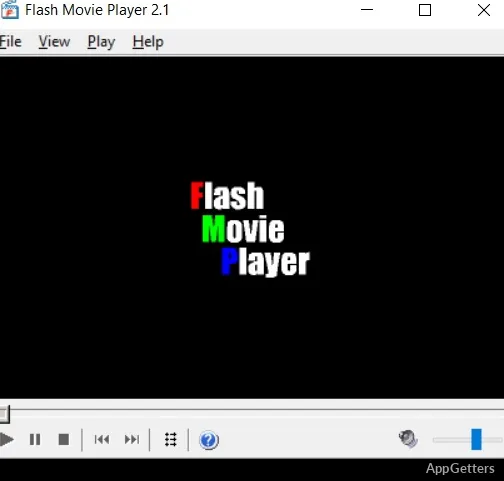
Flash Movie Player is a minimalistic program that fits the bill perfectly as a SWF player on Windows machines. This sharp focus actually benefits it because the app doesn’t try to turn itself into a full-fledged media management platform. Instead, playback stability plus accessibility of old Flash material are the areas where it concentrates.

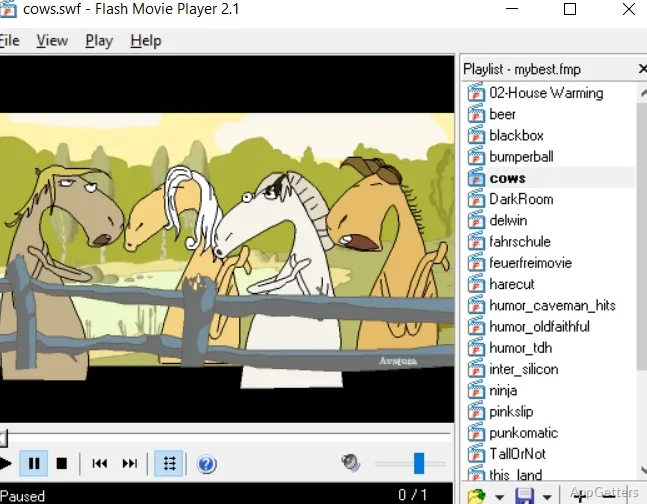
Generally speaking, animated files and interactive teaching materials that are saved on the computer usually open without a lot of fuss. Playback controls are the usual ones, and the app also supports full-screen mode. This is still very much required for presentations or archived content. It may be that students who are using old learning modules, or people who own Flash historical collections, will like the fact that Flash files start up much faster than setting up browser-based workarounds.

On the other hand, one should not expect the software to do miracles. Since Flash Movie Player is a program for the discontinued media format, it can only be of use to those who still have SWF files. When it comes to watching videos or using web applications, well, that’s a completely different story.

Can Work Without Any Problems Even on Old Versions of Windows

Flash Movie Player has one tangible feature. It occupies very little space on the hard drive. It is very likely that this software will continue to run successfully on very old computers without them even getting slowed down due to their memory or processor running near the limit. For example, users who are running their old laptops or office PCs will understand the significance of it. This is especially true where the new multimedia suites seem like they have too many features.

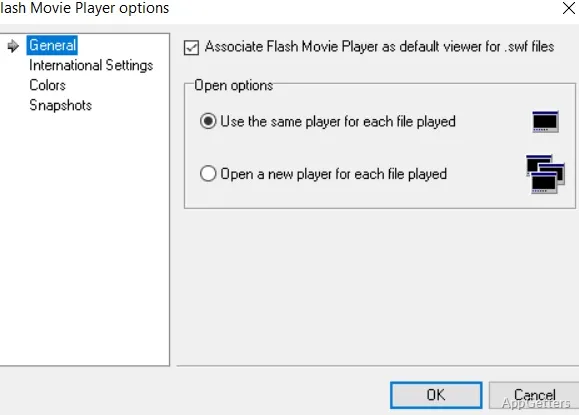
Speaking about the interface, it looks simple enough while bringing back memories of software that dates back to an era of the Windows platform that was not so new. That sort of minimalistic design also happens to be less intimidating for newbies. The menus are pretty straightforward, and the majority of the features do not require a manual. Therefore, it might be a good user experience for a home user who wants to open some old animations or for a teacher who has to access classroom materials from the past.

Nevertheless, on the other hand, the old-fashioned design also brings out the limitations. Specifically, it lacks the elegant interface standards and rich media software features, such as advanced organization tools. Those who have gotten used to modern streaming apps might find the look and feel of the player pretty plain. But, considering that it is a compatibility utility rather than an aesthetic one, it is an understandable tradeoff.

Great For Offline Playback of Archived Collections

The Flash Movie Player is still a sensible option for one thing in particular, and that is offline playback. In fact, users can open SWF files straight from local storage. Therefore, they will not be dependent on browser compatibility or having an internet connection. In the case of the training content from the archives, vintage Flash games, or older interactive demonstrations, this will provide a great level of simplicity to the workflow.

Legacy web media collectors might also see the point in having a stand-alone player instead of a dependence on browser emulation layers. As a matter of fact, the software will do the things you expect it to with standard Flash animations. Often, that is more important than having a lot of configuration options.

When it comes to complex interactive content, though, compatibility may be an issue quite often. Especially, as most of these files have been made with the particular browser environment in mind, or they even require an internet connection.

Flash Movie Player: A Niche Utility But Still An Important One

Flash Movie Player is a small and quite niche type of software that is still, however, in demand among Windows users who work with legacy Flash media. The people who get the most use out of it are those who only need to occasionally get access to SWF files without having to rebuild the older browser environment. So, the main beneficiaries will be teachers going over educational materials from archives, people who are into preserving Flash animations as a hobby, and regular users who suddenly find old interactive files again.

The software’s value hardly relates to innovativeness. It is mainly concerning practicality. It gives a stable and low-resource method to interact with a format that the majority of systems have abandoned today. Its existence in the tech world is largely a remnant of the past. However, due to its focused architecture and its extremely basic operation, it is a very useful PC program for those who are dependent on Flash-based content in strictly controlled offline environments.

Software Details of Flash Movie Player 2.1

License
Free
Version
2.1
File Size
664.93 KB
Downloads
1
Language
English
Category
Op. System
Windows
Developer
Last Updated
October 15, 2024

Version History

1 version
2.1
Latest
664.93 KB
October 15, 2024

Leave a Comment

Your email address will not be published. Required fields are marked *

Software Icon
Security Report

Loading scan data...

Scroll to Top