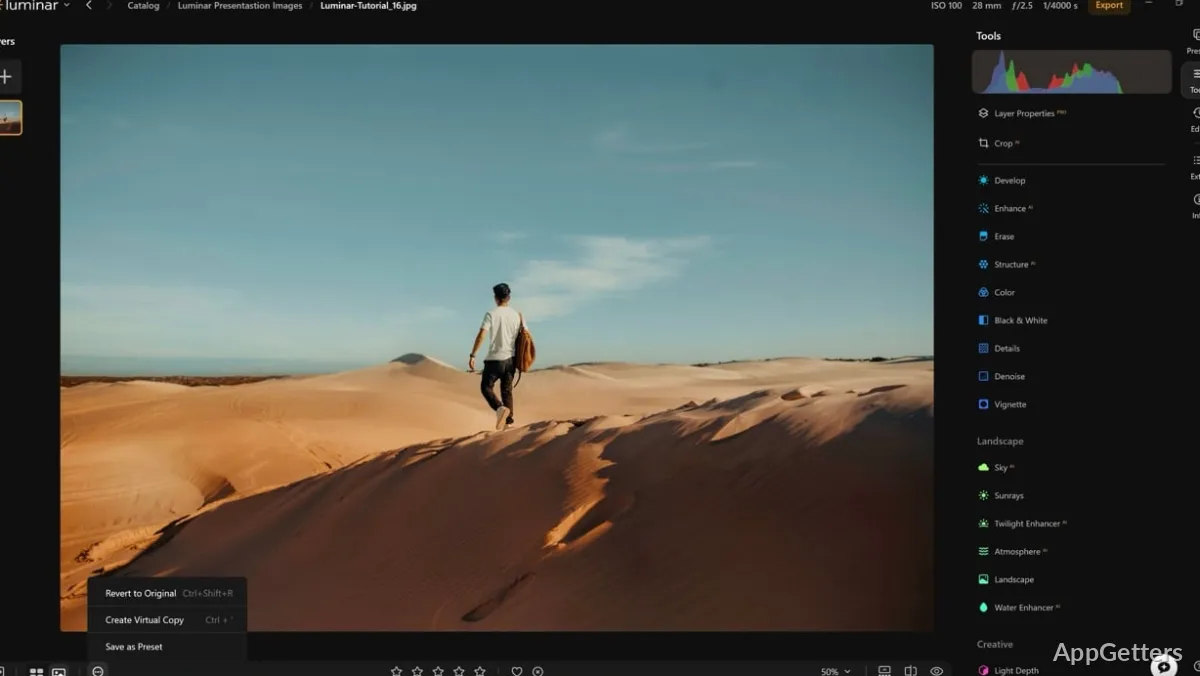
Editing photos can be really challenging, especially when people want to have great images. At the same time, they don’t want to spend too many hours learning very complicated professional software. Most editing software is either so complicated with many technical controls that beginners get lost. Or it is so simple that users can’t do much tweaking at all. Luminar Neo for Windows is right there in between. Basically, it serves those who want to do artistic photo editing using automated modern features. At the same time, they want to have the option of manual controls when necessary.
Luminar Neo doesn’t edit a photo like a traditional production suite would. Instead, it focuses on shortening development time for common photo fixing and photo improving tasks. Such a concept may turn out to be a real breakthrough for fans, creators, and photographers with large photo collections.
A Faster Editing Workflow
What one notices very quickly in daily use is that Luminar Neo is trying to cut down the number of times one has to do the same thing again and again when editing. For example, users usually balance the exposure, remove distractions, change the sky, and tweak the portrait in fewer steps than in most technical editors.
In general, the user interface is quite friendly, catering well to people getting out of phone editors. However, they are not ready for professional photographic software. Designers have found tools where the organization allows users to experiment. At the same time, it does not pull the users into complex editing jargon. So, for the regular Windows user dealing with the photography of daily life, trip images, social media content, and also personal projects, this less complicated workflow may seem like a useful thing rather than a limitation. That said, if users are used to very intricate layer-based editing, they may feel that some areas of the workflow are not as detailed as they would like.
AI Features That Support, But Do Not Take Over Human Decision Process
Many users know Luminar Neo as an AI-assisted editing device. However, the experience from the users in the real world reveals that automated editing is perfect as a starting material, not as a finished product. With a few clicks, the AI can dramatically brighten or rebalance the colors. It can add to the attractiveness of a portrait, especially if the photo has only slight imperfections.
For the novice, this is a significant help in making a better-looking photo without calling for advanced knowledge of, for example, masks or alterations. Learners, content developers, family users, and not-so-often photographers will thank the existence of such an automated system.
On the other hand, most of the time, automated tools are not able to do a flawless job with every single image. This is notably true when encountering photos taken in extreme lighting, or photos that are partially obscured, very underexposed, or of crowded scenes. Such photos may still need the user to do some manual editing. Those users who expect each one of their photos to be perfectly edited with just one click will probably realize that the use of their creativity in editing is still a key part of the process.
Performance, Organization, and Daily Reliability
Your PC’s configuration will have a definite influence over the performance you get with Luminar Neo. This is a particularly important point if you are using tools that require a lot of AI processing. Or if you are working with very large photo files. Editing actions on machines that are still relatively up to the job feel quite responsive. One is happy to use them regularly. If one is on an older system, some actions can take longer than one would expect. Especially if one is making a number of adjustments at the same time.
While the app does offer some features to organize your photos, it really is nothing compared to a dedicated professional program that focuses on looking after the largest and most complicated image archives. As the situation turns out, if the user is overseeing personal albums, creative portfolios, or at most photo libraries often, then the balance may well be sufficient.
When it comes to reliability on a day-to-day basis, one’s expectations of the workflow are normally a bigger factor than the raw capabilities of the software. Best results come when one sees and treats Luminar Neo as a tool mainly meant for creative editing rather than one that aims to be a full production management platform.
Luminar Neo’s Role in a Windows Editing Setup
Luminar Neo is not the type of software that will fit every user. Rather, it fits those who are after image enhancement that involves a strong visual impact. Such users do not want to build an advanced technical workflow for every project. One can easily discover it to be of quite some use for hobby photographers, social media creators, and even enthusiasts who have stepped up from simpler editors. It can also be useful for users looking for a fast Windows-based enhancement procedure.
It is less likely to be of use to those photographers who do very deep catalog management, extensive commercial retouching pipelines, or highly controlled compositing work. What the software offers is a reduction in the effort required for editing. It is not a replacement for every professional imaging tool that one might find out there.
In actual usage, Luminar Neo is a good modern editing option for those people who want to combine efficiency, creative flexibility, and easy-to-use controls. Such users do not want to undergo a difficult path involving steep learning curves.