EXE
Home » Software » Windows » Editors » Krita for Windows
Krita for Windows

Krita for Windows

Many Windows users looking at digital art come across the challenge of acquiring software that has professional art-making tools without the complexity of usage. It also avoids the subscription-based pricing that is almost always costly. Most beginners probably look for a platform through which they can learn and experiment. On the other hand, good amateur artists will desire that the platform is performant. It should also provide a sufficient level of creativity for handling the projects in a serious way. Krita has become a very suitable solution in this sector, especially for digital painting, illustration, and concept art workflows.

Built Around Digital Art Workflows

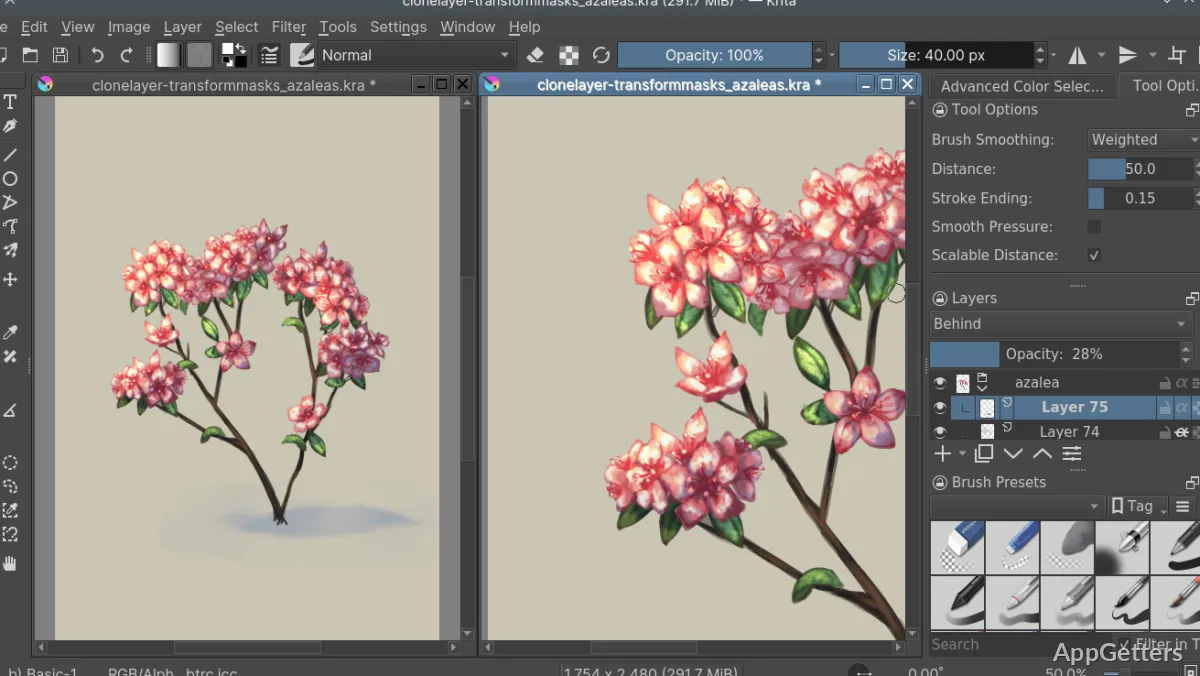
Krita, unlike many other graphics editing programs coming from the general image editing family and intending to cover all kinds of graphic designer tasks, focuses on drawing and painting activities only. This devotion will appear as a very distinct feature when you use it every day. The layout of the features is centered around initiation of the art creation process using the stylus input, management of layers, and working with brushes rather than photo manipulation.

Krita is something that you will love using on your Windows system, as it feels snappy even on a not-so-good system. Therefore, it will be a perfect art companion for students, hobbyists, and interested freelance artists. The workspace is very configurable, which provides freedom to the users to set up the tools as per their work style. Artists who have been using traditional media will find the step of switching much easier. This is because of the way the software is set up to put the emphasis on the behavior of the brush and the interaction with the canvas.

Performance and Creative Flexibility

Krita is one of the most resilient software programs within the domain of art software. This is because it allows a very high degree of flexibility. However, at the same time, it is not one of those software programs that burden users with additional purchases or demand feature unlocking. Users working with very large canvases and rendering very detailed illustrations will have a solid experience. The same applies to those making very complex multi-layer projects. This is especially true if the user’s system is an up-to-date Windows PC.

The brush engine is really what contributes the most to the software’s notoriety. Artists can rely on a vast range of brush types that can simulate different art styles through sketching and inking, all the way to textured painting. This multipurpose nature is a big help for painters to experiment. It does not mean that they will switch to multiple other applications right away. Krita supports drawing tablets as well, which is a considerable benefit since pressure sensitivity and pen controls are very much a part of a natural art workflow.

Having said this, performance is a dimension that is quite dependent on the size of the canvas, brush complexity, and the system specifications. Large projects will definitely challenge the availability of the memory and processing resources of the system. This is especially true if the system is an older one.

Practical Strengths and Realistic Limitations

If you engage in creative work in your everyday routine, the highest reliability is most of the time what matters, rather than having the longest list of features. Krita is a software that fulfills the requirements of this aspect. Thus, it provides an environment that is stable for illustration, comics, concept art, and personal projects. In addition, autosave and recovery features assist artists in avoiding accidentally losing their work. This is most helpful during long drawing sessions when the focus is on the artwork.

On the other hand, the fact that you will be losing the accessibility of certain tools should be taken into account. This can happen once you close the software. Also, if a user is new and not so familiar with the working of the software, the move towards the extensive toolset will be a bit monumental. As a result, one will become lost in the huge number of brushes, panels, and settings available. Nevertheless, one can still have access to a reasonably good set of tools that is quite friendly for beginners.

Suitable for Learning and Creative Work

Krita will be a very good assistive tool for making original artwork, and it is not going to be the best fit for photo editing or producing marketing materials. A wide variety of students who are going to be primarily learning digital illustration will be using this software. Hobby artists who like to explore various ways in which they can draw, comic creators without the dependency on large studios, as well as professional artists, will be using this software as well.

It is rarely the case that a user can single out features and ascribe value to them independently. It is more about how those features can be integrated to support a complete workflow of creativity. The software keeps the workflow of an artist, starting from sketching, painting, improving the art, and finally exporting the product, all inside a single environment. That minimizes the disruptions, and the most important thing is that the user can keep the creative flow going. Then, in this respect, for Windows users who are in search of a reliable digital art platform, Krita is a very competent and well-balanced option. It offers accessibility along with the depth that is important for long-term creative development.

Software Details of Krita 5.3.2.1

License
Free
Version
5.3.2.1
File Size
156.49 MB
Downloads
6
Language
English
Category
Op. System
Windows
Developer
Last Updated
June 2, 2026

Version History

6 versions
5.3.2.1
Latest
156.49 MB
June 2, 2026
5.3.2.0
154.06 MB
May 27, 2026
5.3.1.100
156.63 MB
March 31, 2026
5.3.0.100
156.63 MB
March 25, 2026
5.2.16.0
147.84 MB
February 26, 2026
5.2.15.0
149.93 MB
January 26, 2026

Leave a Comment

Your email address will not be published. Required fields are marked *

Software Icon
Security Report

Loading scan data...

Scroll to Top