EXE
Home » Software » Windows » Phone Tools » iMyFone LockWiper (Android) for Windows
iMyFone LockWiper (Android) for Windows

iMyFone LockWiper (Android) for Windows

We all get locked out of our phones from time to time, don’t we? If you forgot your screen password, if you made a hasty second-hand purchase, or if, after a software reset, your phone isn’t working properly, your phone can become an unresponsive brick. Android has some recovery options available. However, they can be tricky to use, especially when account verification or security measures come into play. They can bar you from getting in. iMyFone LockWiper (Android) is a Windows-based tool that helps users unlock their Android phones by wiping away most types of screen locks. It is meant to make the unlocking process easy for users who may not know their way around devices. It is also intended for those who don’t want to be factory-resetting their phones all the time.

Less Work Daily; More Work When Troubleshooting

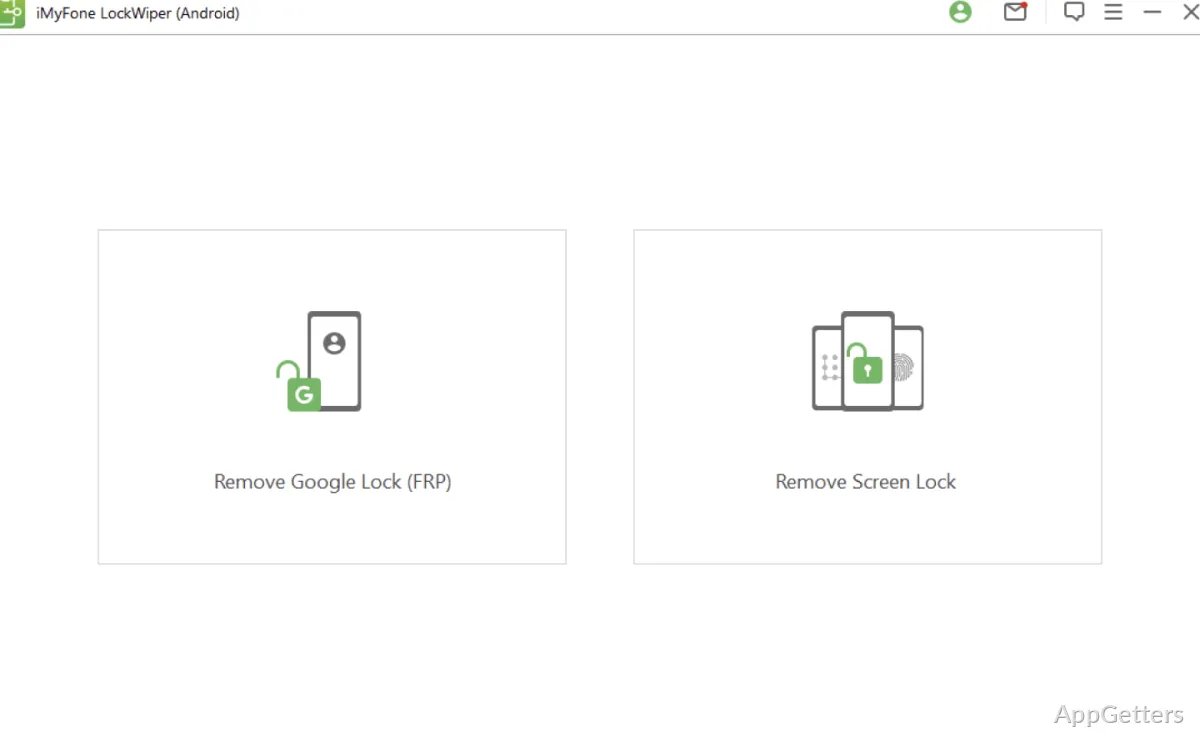
Unlike device management programs you regularly access, iMyFone LockWiper (Android) is normally used only when a specific problem locks you out. The software will walk you, step by step, through the recovery process directed at eliminating PIN, password, and pattern screen locks. In some cases, it can also address other account-related security options.

When testing and evaluating the product, one of the things we liked best was its walk-through interface. Most of the directions are so clear that you could get by just with the help of the displayed prompts. This is true even if you’re a beginner with no technical knowledge. You would not need to go online or call a geek friend. In a stressful situation, they help to keep things calm and easy. They can also prevent users who are new to Android recovery and command-line procedures from getting lost along the way.

Windows: Software that Is Compatible with a Typical User

From a Windows user’s perspective, the application takes users through a very clear installation process. It’s a fairly easy task to detect the device if the right USB drivers are already installed. The user interface hardly ever throws up any strange technical expressions. Users will most likely be required to select their particular model. They can then follow detailed steps that are specific to their hardware.

Apart from the fact that it saves users from spending their day scouring the forums and hunting for solutions, this tool is a welcome addition. It also saves users from trying a series of recovery methods one after the other. iMyFone LockWiper (Android) is particularly useful for home users and students. It is also useful for those who simply own and use their devices personally and not in a corporate environment. Of course, there are also always variations depending on what version of Android you are running, who made your device, what security measures have been put in place, and so on. It is therefore always a good idea to do a compatibility check of your device against the software before you get down to work.

Some Features Are Worth Noting, and One Should Know the Limitations

The great selling point of LockWiper (Android) is that it brings together all the different ways of recovering your phone into one neat and simple process. It also places a focus on user comfort. You don’t have to be a techie to get through it. If a user finds themselves stuck outside their phone, then with this type of software, the user can save quite some time compared to working through different troubleshooting procedures manually. This is especially true if the lockout situation is really critical.

At the same time, one needs to take such recovery solutions with a grain of salt. Mobile security systems get upgraded regularly. Even one of the best recovery programs available in the market may not yield the same results on every Android phone left in the consumers’ hands. Some of the recovery steps may even have the consequence of wiping your data. Besides that, some recovery methods may only be available on certain devices. You always have to make it a point to have them legally with you or have authorized access to the devices you are working on. This is important when using invaluable lock-removal utilities. These are meant to be used only for legitimate recovery scenarios, by the way.

Where LockWiper (Android) Fits Best

Rather than being a generic Android utility, LockWiper (Android) is geared towards a very specific scenario. It is at its most useful when device access has been lost. At that point, the device can no longer be brought to life using standard methods. For very occasional users of technical devices, this software may sit unused. Its purpose is solely to provide solutions to cases of urgent access restoration.

The software is a good fit for those who operate on the Windows platform and are looking for a guided Android unlocking experience. The product development has been centered on making the features as accessible as possible. It has also focused on simplifying the complexity of the underlying technology. It should always be possible to check the compatibility and plan for recovery so that outcomes will be beneficial. This should be done before the decision to take this practical solution is made. It mainly covers individuals who have forgotten passwords and those who need other options for unlocking the device.

Software Details of iMyFone LockWiper (Android) 4.4.0.1

License
Trial
Version
4.4.0.1
File Size
2.85 MB
Downloads
2
Language
English
Category
Op. System
Windows
Last Updated
February 7, 2025

Version History

2 versions
4.4.0.1
Latest
2.85 MB
February 7, 2025
5.4.6.6
4.41 MB
April 19, 2024

Leave a Comment

Your email address will not be published. Required fields are marked *

Software Icon
Security Report

Loading scan data...

Scroll to Top