EXE
Home » Software » Windows » Editors » GIMP Portable for Windows
GIMP Portable for Windows

GIMP Portable for Windows

  • By GIMP
  • Free
  • Version: 3.0.4
  • 183.28 MB
  • Security Report:

Eventually, a lot of Windows users face the same issue. They want a powerful image editor, but they do not always get the freedom to install their favorite software on every computer they work with. Such situations are shared environments, schools, offices, and working from a USB drive across multiple systems. In many cases, they are rarely the only ones to use the computers. Most image editing programs need installation and administrator rights. However, GIMP Portable users can just take the whole editing environment with them instead of installing it.

The portable edition, which is a fork of the famous GIMP image editor, is aimed at running without a standard install. For those who desire working on different PC’s without losing access to powerful tools, it is a very handy solution.

Almost like the regular version with no installation

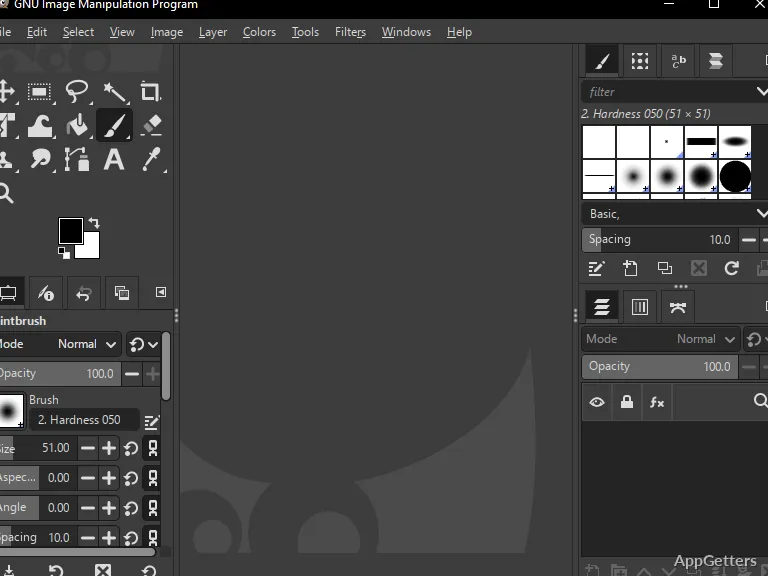
It can hardly be said that the primary GIMP Portable difference is working without installation. It has almost everything the normal desktop variant has in terms of features. The users can layer, mask, draw, filter, select, and do other editing tasks. This is why GIMP has been so successful for a long time.

With the portable vehicle, it definitely does seem complete and ready to be used. Whether the user is editing the photos, drawing the graphics for the school projects, or preparing the web content, the program acts similarly to an installed product. Such consistency does matter a lot for people who frequently change computers. They still want their familiar workspace without the need for further setup. Due to the portable principle, the user is also not stuck to one particular computer. There is a way of continuing projects in shared or temporary environments, which is very convenient.

Good enough for regular projects

Despite the fact that performance is not the first thing that one thinks of when portable is mentioned, GIMP Portable will handle the main types of editing really well. It does so on Windows of recent generations. The user can complete the retouching of their pictures, cropping, color enhancing, and graphics drawing with no problems.

Of course, how fast and smooth it is depends on the hardware as well as the type of storage device. Usually, if the software is run from a USB of fast type or even SSD, things will be much better than the usual experience with the old flash drives. It is possible that for heavy files and complex projects, running times might be a bit longer than with the locally installed version. However, for most people, the difference will be hardly noticeable.

Although there definitely are use cases when the software is the most appropriate choice, it should be emphasized that in these cases, the user only needs the minimum amount of time. Convenience has the highest priority. Students, hobbyists, and home users are the ones who will mostly benefit from the unique combination of portability and functionality.

Portable use in different environments

Naturally, the main reason the portable version of GIMP is appreciated is its flexibility. It is possible to keep the software on one drive together with the personal settings, project files, and customized brushes. This unclutters all worries about changing different computers, as the user will carry with them their entire desktop.

In case a person has work locations that are different from each other, this way they can have the arrangement simplified and utilize less time in setup. Time is also not consumed in repeatedly installing software or in adjusting preferences on different systems. This happens quite often.

Nonetheless, drawbacks should also be recognized. Inevitably, slowing down performance can be a consequence of the usage of external storage devices with slow response times by portable applications. Besides, depending on the distribution method of software, the update process may be manual. These days, those working only on one computer will hardly find enough reasons for installing portable software.

Where the use of GIMP Portable is most sensible

On the whole, GIMP Portable is for the people who value the ability to work anywhere at a moment’s notice. They value it just as much as they do their editing skills. The students who use different machines, the home users who have a collection of portable software, and the professionals who do editing on the go can all be users of this program.

Its main market is not in offering something new. It is in giving a familiar image editor in the hands of those for whom installation is inconvenient or impossible. Surely small and dedicated local setups will be superior in some workflows, but the program most certainly would offer a handy, practical, and reliable portable Windows image editing solution.

People who want to find not only a capable portable editor but also a familiar and easy-to-use one may choose GIMP Portable as their go-to option. It provides a good balance of ease and functionality.

Software Details of GIMP Portable 3.0.4

License
Free
Version
3.0.4
File Size
183.28 MB
Downloads
5
Language
English
Category
Op. System
Windows
Developer
Last Updated
May 21, 2025

Version History

5 versions
3.0.4
Latest
183.28 MB
May 21, 2025
2.10.38
238.66 MB
May 14, 2024
2.10.36-1
213.11 MB
March 7, 2024
2.10.36
212.71 MB
November 27, 2023
2.10.34
271.25 MB
March 15, 2023

Leave a Comment

Your email address will not be published. Required fields are marked *

Software Icon
Security Report

Loading scan data...

Scroll to Top