EXE
Home » Software » Windows » Editors » Evoto for Windows
Evoto for Windows

Evoto for Windows

  • By Evoto AI
  • Free
  • Version: 5.1.5
  • 7.94 MB
  • Security Report:

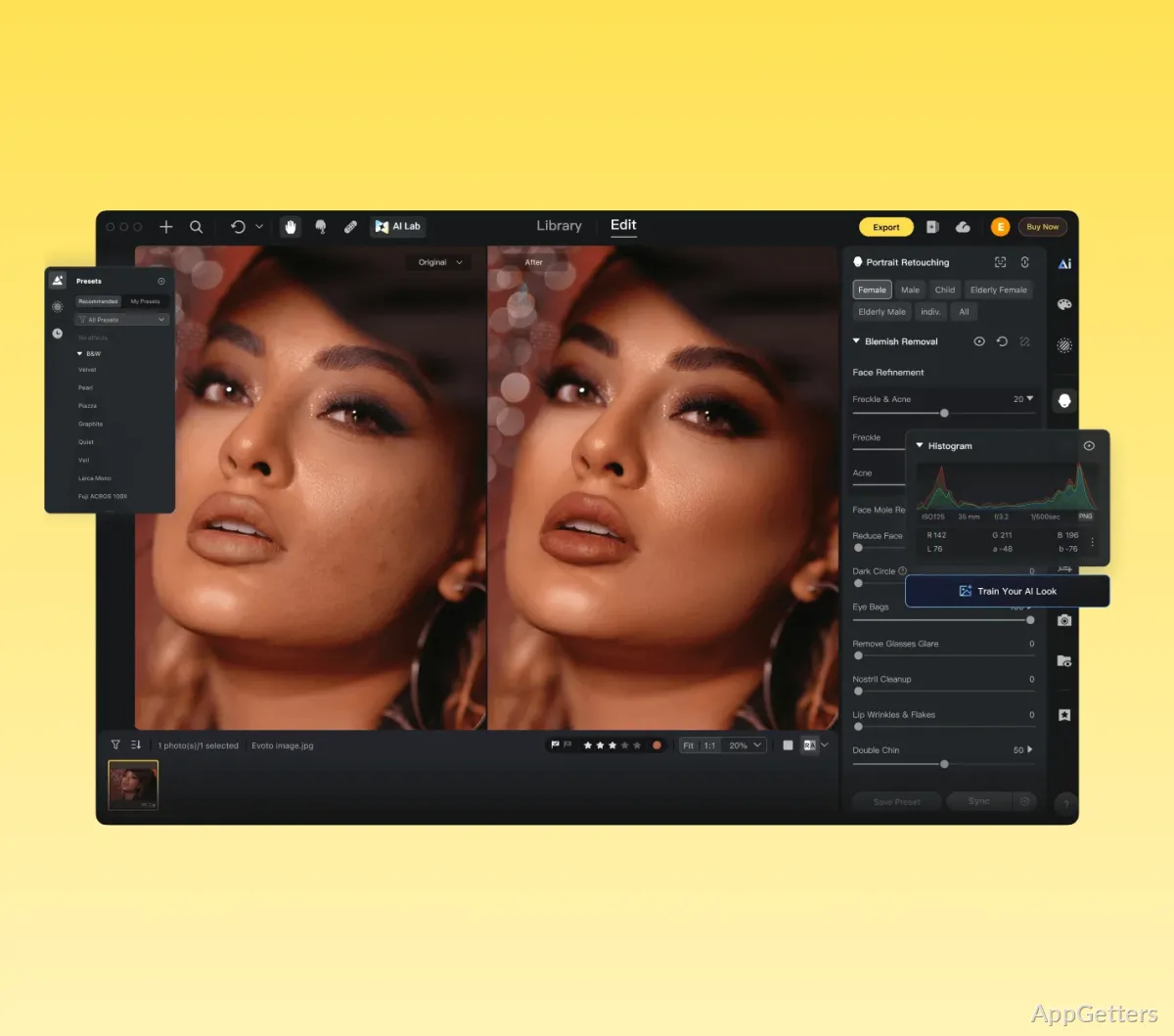
Even non-professional designers have gradually realized that photo editing is getting more and more demanding. Portrait cleanup, color correction, background adjustments, and batch processing can really eat up a user’s time, often more than they first expect. A lot of Windows users want photo editing software that will make their repetitive editing tasks easier, yet not force a steep learning curve on them. Evoto presents itself as an AI-assisted photo editor mainly dedicated to portrait and studio-style workflows. At the same time, it simplifies users’ work. Unlike other software working as feature-rich suites, it tries to cut the time between taking the raw images and obtaining the ready-for-display photos.

Fast Portrait Editing at the Core of the Workflow

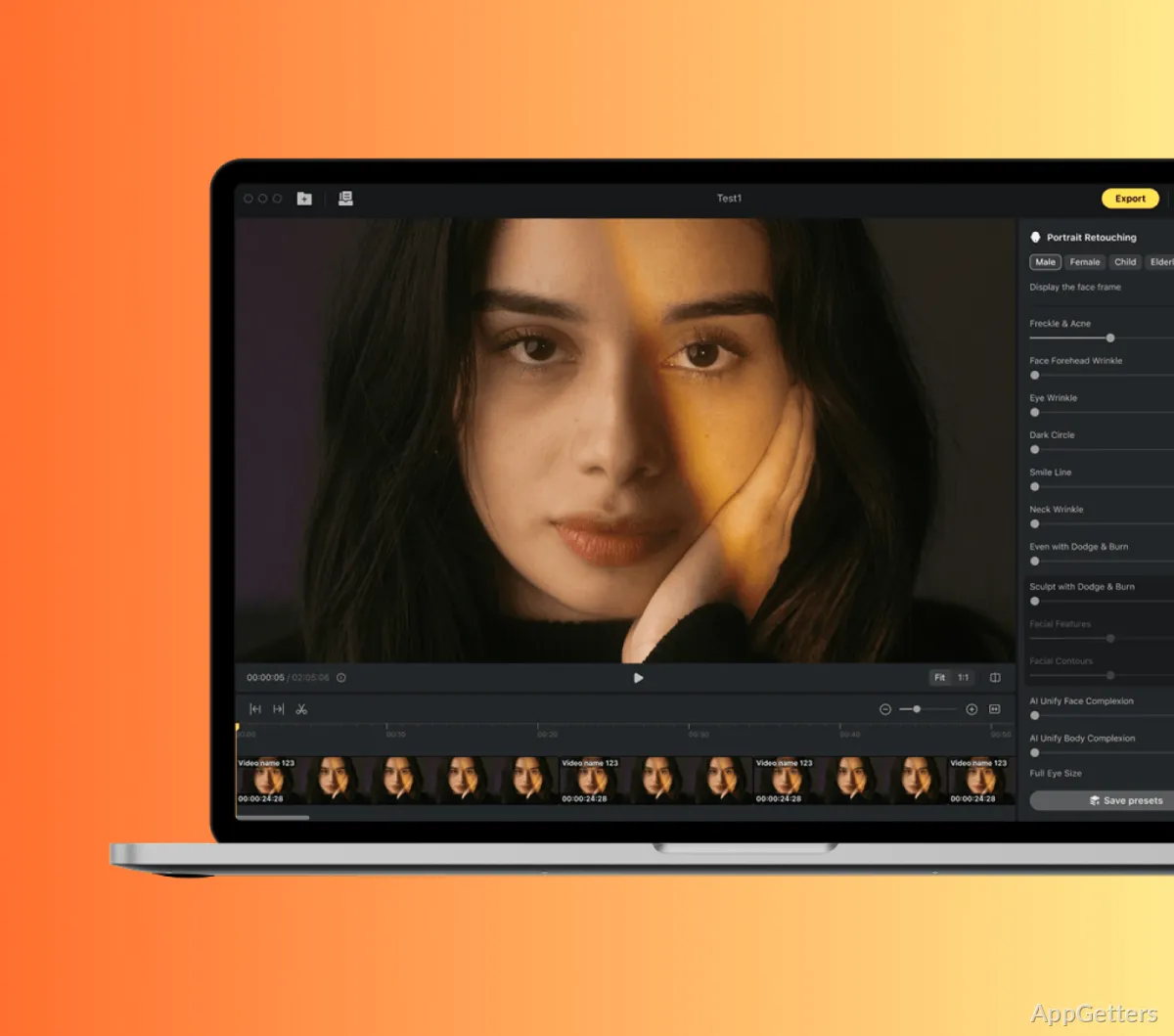
Practically, using Evoto, you will see that it is designed for people who deal with picture-taking of people almost daily. Professional portrait photographers, small studios, social media content creators, and even experienced amateurs are probably some of the categories that will get the software’s beauty first of all. They are likely to appreciate what the software offers. Skin retouching, facial feature enhancement, and lighting correction that you think will require a lot of your time now do not seem as cumbersome. This is because the software can do a great deal of adjusting by itself.

On Windows computers, the interface is simple enough even for new users to get the hang of it. It is still comprehensive enough for those overseeing extensive editing sessions. It does not usually happen that a user has to switch back and forth to numerous tools buried in layers. Rather, the users are urged to experiment quickly and easily by working through adjustment panels only. This can really help to cut down the time taken for editing, especially when processing multiple portrait images with the same kind of visual requirements.

Everyday Editing Time Will Benefit from These Strengths

One of the major advantages of Evoto in terms of work process is the fact that it can help a photographer, for example, to extend his/her capacity. Work that will entail precise adjustment with brushes or detailed retouching can be completed in up to 4x less time. Only a very few manual touches are needed. Editing that is done in batches has its own importance, and it is really helpful for photographers working with event shooting, school portraits, or client galleries.

On the other hand, AI-driven editing will never replace the need to make a judgment every now and then. In fact, the final effect can really differ depending on the photo quality and the lighting in the scene. The number of changes applied also matters. Usually, minor changes are more natural, and one can hardly see that editing has been done. Therefore, users wanting to rely completely on automation will still have to check the results.

It is the performance of one’s Windows computer that is the key factor here. Since processing by AI requires quite a lot of resources, clients with state-of-the-art devices will probably be able to enjoy a smoother operation, compared to people with older computers.

Ease of Use Or Creative Control

Evoto can be viewed as quite easy to use for those who aim at producing a good-looking final product. They can do so without having to spend hours mastering pro photo editing programs. Beginners learning photo editing will find the software quite easy to approach. The same applies to people who freelance and work against tight deadlines. It also applies to home users who just want to have a collection of nicely edited portraits, compared with traditional complex editors.

Yet at the same time, this simplicity of use also means that there is some loss of features. If you are the type of user who gets stuck only on manual controls, then you are bound to come across limitations pretty quickly. The same applies if you do complex compositing. The same applies to extensive non-portrait creative editing. Evoto is best used for what it was designed for, i.e., portrait editing. It is not a general image editing software replacement.

Regular use reliability is mostly up to whether you know the product fully and use it only within its scope. This is the type of product that is most powerful as a productivity-enhancement tool rather than an artistic, open-ended one.

The Place of Evoto in a Modern Windows Editing Setup

Evoto is most valuable for Windows users whose photo editing mainly emphasizes portrait enhancement, visual consistency, and quick delivery. It is not really a platform for great artistic creativity, but it is aimed at making one’s repetitive refinement tasks more effective.

If you are a photographer who has to handle several client cases at the same time, then the photo editing software will definitely lessen your workload quite a bit. The same applies to a content creator who has to keep the publishing schedule always full. It can make day-to-day work easier. The same applies if you are a user who only wants nice and clean portraits. Those who want deep technical manual editing or extensive multimedia capabilities will have to complement it with other tools. Within this context, Evoto is not an all-in-one tool but a specialized one that performs image refinement efficiently.

Software Details of Evoto 5.1.5

License
Free
Version
5.1.5
File Size
7.94 MB
Downloads
3
Languages
English English, Afrikaans, Amharic, Arabic, Armenian, Belarusian, Bulgarian, Catalan, Chinese, Croatian, Czech, Danish, Dutch, Estonian, Farsi, Finnish, French, German, Greek, Hebrew, Hindi, Hungarian, Icelandic, Indonesian, Italian, Japanese, Kazakh, Korean, Latvian, Lithuanian, Malay, Norwegian, Polish, Portuguese, Romanian, Russian, Serbian, Slovak, Slovenian, Spanish, Swahili, Swedish, Tagalog, Thai, Turkish, Ukrainian, Vietnamese, Zulu
Category
Op. System
Windows
Developer
Last Updated
October 1, 2025

Version History

3 versions
5.1.5
Latest
7.94 MB
October 1, 2025
3.5.0
7.86 MB
June 7, 2024
3.4.5-74
7.86 MB
May 9, 2024

Leave a Comment

Your email address will not be published. Required fields are marked *

Software Icon
Security Report

Loading scan data...

Scroll to Top