EXE
Home » Software » Windows » Editors » DaVinci Resolve for Windows
DaVinci Resolve for Windows

DaVinci Resolve for Windows

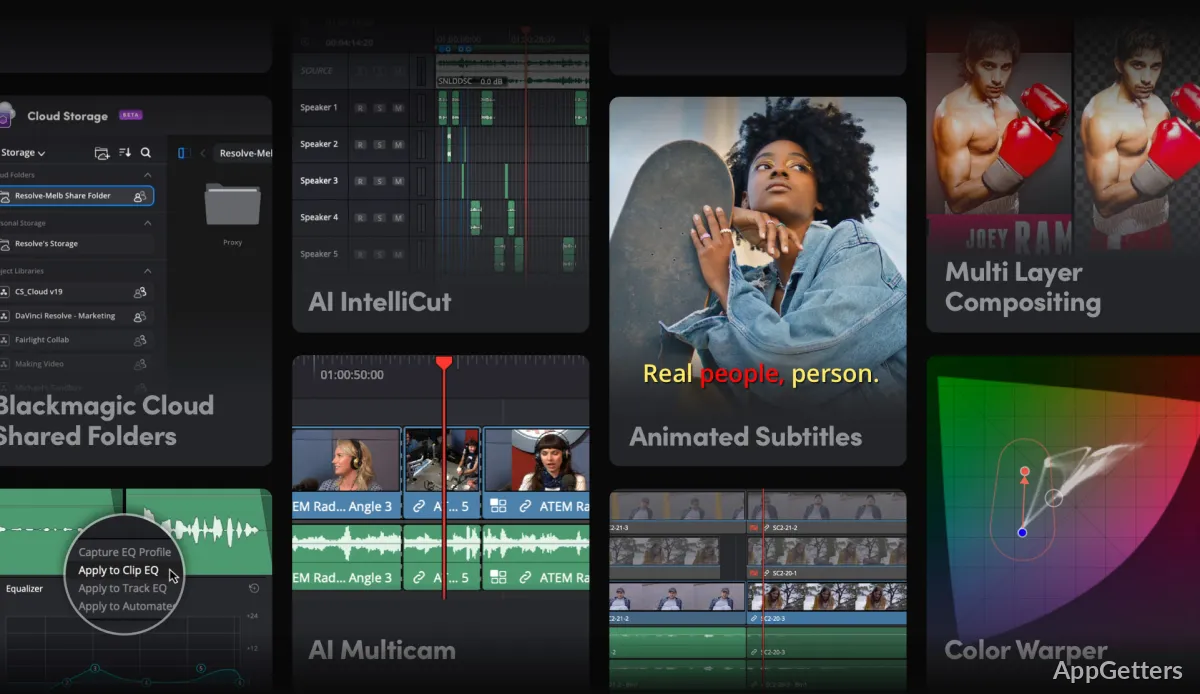
Often, video editing programs present a sort of dilemma. There are either easy tools that are really limiting or professional platforms that require quite a bit of user time, powerful hardware, and technical skills. DaVinci Resolve is kind of the middle ground of the tension. At the moment, it is also available on Windows. It aims to give advanced editing, color grading, audio enhancements, and VFX capabilities to the user. All these are combined in a single piece of software. The users who are rethinking their simple video editing apps will find it tempting. The challenge of working out the tool and the system specifications can be just as much of a consideration.

An Editing Process That Makes a Difference

DaVinci Resolve, in its functioning, is really meant for thoughtful projects that take off from simply trimming the video or generating social clips. The interface divides the activities into different rooms. This allows editors, colorists, sound engineers, and effects artists to have their own separate spaces for work. This can greatly change the way one thinks about the software after the user gets familiar with the layout of the software. The decision is generally in favor of video content creators for YouTube, short films, interviews, or media projects related to studies.

Generally, the software runs the timeline very well on Windows systems if there is a good hardware set available. However, a very old PC is likely to struggle when editing a very high-resolution video. With beginners, the very first impression of the interface may be that of a maze. It is true that those who ultimately get the hang of the workflow generally end up with an operation that is simpler and faster. This would be at variance with the consumer tools, which are uncomplicated.

In The Ordinary Use Color, Audio, and Creativity

One of the biggest benefits DaVinci Resolve brings to the user is how many tasks can be done without having to juggle or switch between multiple programs. Editors can perfect colors, boost sound quality, and create stunning visual impacts all within the same project space. This can be done by reducing export cycles. That also makes working with workflows that require many revisions very easy.

In fact, these are the people who are really going to benefit from this fewer-moving-parts approach: students, freelance creators, and small production teams. Also, the vast range of controls available here means that a casual user may only touch the surface of what the software has to offer. A person who is only editing an occasional home video might find all the tools here are way more than necessary compared to lighter video editing software.

Performance and Reliability: Windows Experience

The DaVinci Resolve software on Windows directly relates to the hardware in most cases. PCs equipped with thoroughly updated graphics cards and at least the minimum RAM stipulated tend to offer a much better experience. The same applies to systems with, of course, fast hard drives. These systems do not rely solely on disk speed but also on flash memory. This is in terms of smoother working, playing back, and rendering videos. In contrast, some preview delay, longer times for exporting, or unstable software might be the symptoms of machines with lower specs. This can happen when the user pushes the software hard enough with huge projects.

The dependence on hardware is just one part of the software compromise. If a user wishes to work with difficult timeline arrangements and tasks that involve professional-quality media, DaVinci Resolve will be there for that. But at the same time, it does require its resources. Users, in turn, achieve a stable domain of production. It is apt for frequent editing sessions rather than just one-off projects. As for creators who have a regular publishing schedule, the direct effect of such reliability is the reduction of turnaround time and an ever-consistent workflow.

DaVinci Resolve and the Creativity Reality

Normally, DaVinci Resolve is a great selection for users who, firstly, expect their editing needs to keep growing. Students who are in the process of learning production workflows will not fail to appreciate the tool. Content creators who publish videos regularly and indie filmmakers will appreciate it too. Technically curious home users will also appreciate it.

However, if someone is after a basic editing tool with a very minimal setup or hardly any learning curve, then this one could become a bit of a headache. The tool really likes patience, better equipment, and acceptance of working a bit like professionals. It is a trade-off that the user gets a piece of software. The software can go from doing simple experiments to running much heavier creative productions. This happens without being so inconvenienced as to have to change to a different platform due to the complications of the projects.

Software Details of DaVinci Resolve 21.0.0.28

License
Free
Version
21.0.0.28
File Size
3.27 GB
Downloads
1
Language
English
Category
Op. System
Windows
Developer
Last Updated
May 8, 2026

Version History

1 version
21.0.0.28
Latest
3.27 GB
May 8, 2026

Leave a Comment

Your email address will not be published. Required fields are marked *

Software Icon
Security Report

Loading scan data...

Scroll to Top