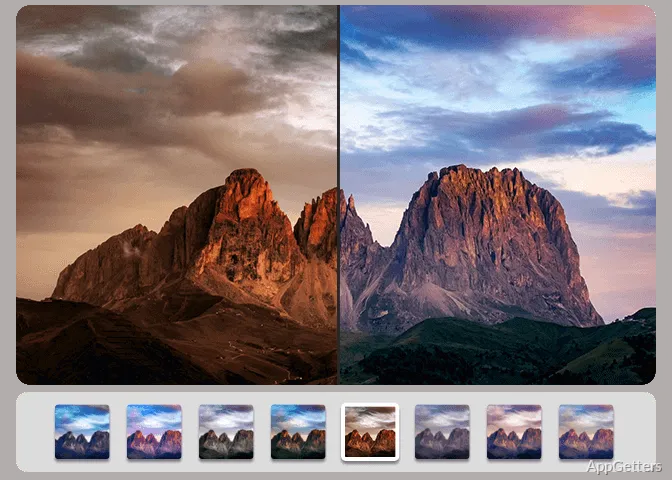
Hundreds of holiday photos that look a bit dull or crooked? Ashampoo Photo Optimizer combines automatic image analysis with controls for targeted touch-ups and batch processing.
What does automatic optimization change?
The program analyzes each image and adjusts areas such as color, contrast, and exposure. White balance and contrast settings are part of the automatic correction workflow, with those adjustments enabled when the program considers them appropriate.
For a consistent look across a series, LUTs change hue, saturation, brightness and contrast together for a matching look. The included looks cover styles such as vintage, seasonal, high-key, low-key, and contrast effects. Frames offer another way to alter a photo’s presentation.
How can a photo be corrected by hand?
After optimization, use individual editing tools for problems that need a more specific fix. Ashampoo Photo Optimizer includes cropping, rotation, sharpening, softening, noise reduction, and white-balance adjustments. Perspective correction addresses horizontal or vertical distortion, which can make buildings and other tall subjects appear tilted.
Portrait tools handle red-eye, teeth whitening, and minor blemishes. The clone tool can cover small marks, while effects such as waves, swirls, and implosion or explosion provide more stylized changes. A customizable Favorites menu keeps frequently used functions together for quicker access.
Can it process a whole folder of photos?
Batch processing works with individual images selected from different locations or with entire folders. Each image is analyzed and optimized according to its own characteristics, so one batch can include pictures with different correction needs.
How can edited images be saved or shared?
For smaller output files, the compression controls work with JPG, WebP, and PNG. An interactive before-and-after preview shows the expected file size as settings change, making it easier to balance image quality and storage needs.
Export choices include email, setting a picture as the desktop background, and printing through a print dialog. RAW support and metadata handling are also included in the program’s image workflow.
Pros
- Automatically adjusts color, contrast, and exposure for individual photos or collections
- Batch processing accepts selected images or whole folders
- Includes perspective correction, cropping, red-eye repair, and portrait touch-ups
- Compression controls offer a live preview for JPG, WebP, and PNG
Cons
- Needs an internet connection for activation and periodic license checks
System requirements: Windows 10, Windows 11 · 64-bit only · Microsoft Visual C++ 2015 x64 Redistributable · Internet connection required for activation and periodic license verification
Can Ashampoo Photo Optimizer fix a whole folder of photos?
Yes. Pick single images or entire folders; each photo is analyzed and corrected on its own terms.
Can it straighten leaning buildings?
Yes. Perspective correction fixes horizontal and vertical distortion, so tall subjects stop looking tilted.