Many people dabbling in digital painting stumble upon one typical problem: professional art programs are not only large sources of distraction. They are also extremely costly. In addition, such programs can be so complicated that the majority of users would not be willing to spend time learning the software. Beginners may find themselves getting lost in a sea of buttons. Meanwhile, hobbyists often look for a tool that, at the same time, remains simple enough to handle but doesn’t give them enough control.
Artweaver is exactly that: it understands both sides of the story and provides a solution right in the middle. It is a program for Windows users following a strategy to offer tools for digital painting and image editing that are easy to use. Users do not have to go through a complicated installation process. Typically, it attracts those who want to draw, paint, play around with different brushes, or edit their creative works. They do so without the desire to learn complicated software.
A Familiar Workspace Without Feeling Stale
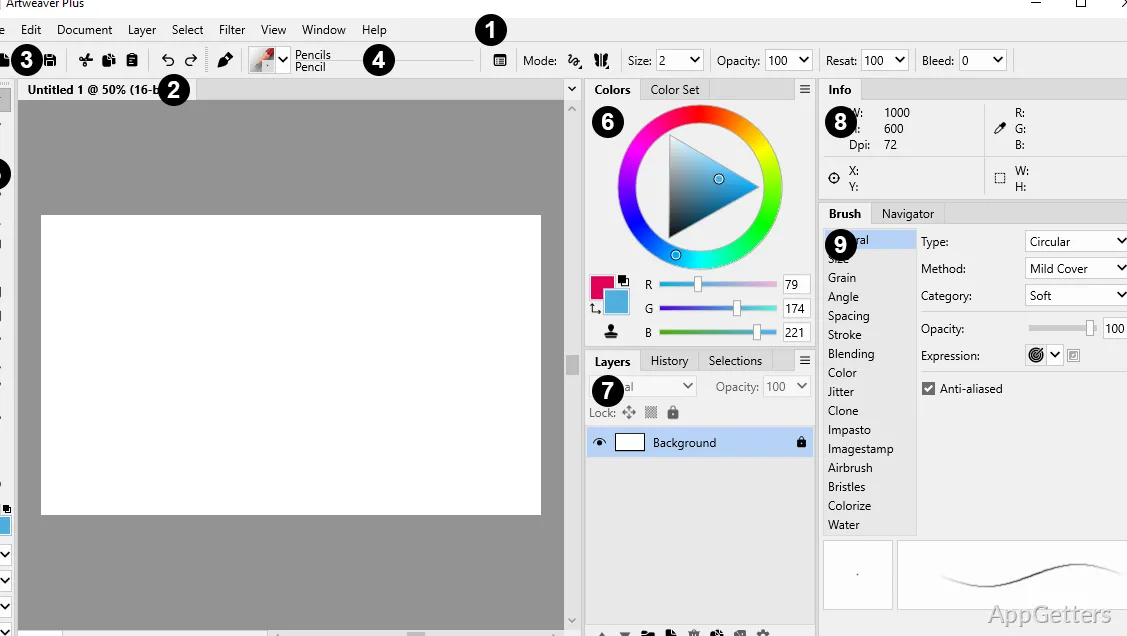
Artweaver, as a matter of fact, relies heavily on interface design as one of its key strengths. Since the layout is very similar to other editors’ and has almost the same controls, users can adapt even more quickly. This is especially true if they are coming from the competitors’ editors.
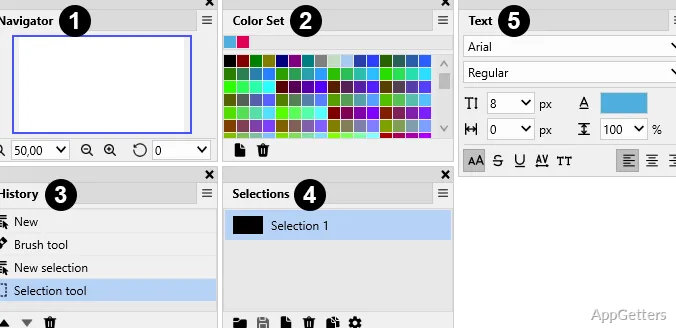
However, it is also true that Artweaver avoids accidentally switching to a mode of working in a professional production suite. Such a suite may contain tightly packed, rarely used controls that might cause confusion as well as intimidation in the user. Organized and neatly laid out brushes, layers, and the usual set of tools easily inspire the artist to try new things.
Generally, the students who are keen to learn digital art, the family members using the software for home-made school projects, and the amateurs designing a simple poster are able to do everything without an over-extended setup. What the program is trying to do is push the users towards gradually learning the way. It does this rather than forcing them to become masters immediately. One can say that, at some point, the professional artists who extensively use customized and specialized workflows might see the differences that Artweaver has. They may notice them when compared to high-end painting platforms.
Painting Tools Ready for the Most Common Digital Art Tasks
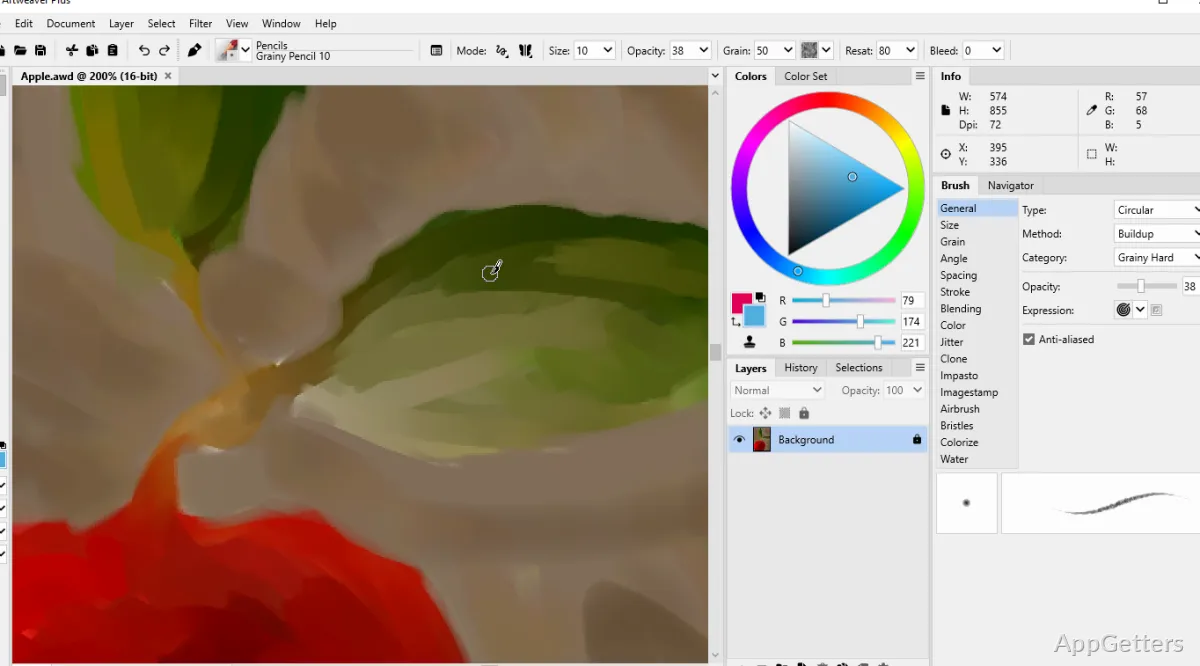
Artweaver’s primary offering is digital painting. This is the main aspect of the work experience that one can observe through contact with the program. It has an assortment of brushes and drawing patterns that fit the requirements for doing a rough sketch, adding details, and performing stylized painting. For various practitioners, practical aspects have more importance than the mere number of instruments.
Rough drafts, quick paintings, elements for advertising posters, or simple personal illustration, at the very least, fit easily into the workflow. The use of layers at the same time helps in making the edits so well organized. As a result, the project does not turn into a technical problem-solving exercise. Those who are looking for the most advanced natural media simulation or industry-level illustration workflows might find the environment a bit limiting. Artweaver mostly presents itself as a dependable and comfortable space for one’s creative work. It is not a professional production tool of the highest level.
Reliability, Performance, and Day-to-Day Workflow
In most cases, software reliability counts for a great deal, even more than the depth of features for everyday art activities. An application that starts up in no time, works as expected, and stays stable even during long sessions matters a lot. Such software can be more productive than one that is packed with features but is slow and crashes frequently.
Artweaver is capable of supplying users with useful tools for everyday use. The software prioritizes individuals who are working on personal artworks, school projects, or simply lightweight graphic editing. Without wasting time on technical problems, they should be able to continue working flawlessly. So, from the user’s perspective, the workflow seems to correspond more with regular use. It does so as opposed to occasional interruptions and technical distractions.
Nevertheless, the kind of project can still be an aspect that influences the experience. For example, large creative projects, intricately painted artworks, or productions requiring the highest standards may reveal weaknesses in the computer hardware or software combination. On the other hand, even for simple and moderate artistic creations, the trade-off between performance and user-friendliness ranks among the software’s top features.
Positioning of Artweaver Within Windows Creative Setup
For those who want to have a digital drawing environment that is easily accessible, very handy, and quite capable without being excessively technical, Artweaver is an understandable choice.
If you are a beginner wanting to learn the basics of digital painting, a student in need of a creative tool for handling coursework, or a housewife fascinated by illustration and other visual hobbies, then this is for you. Artweaver is really suited for such users. Among other things, it runs on the Windows system.
Its strength lies in enabling you to develop your regular artistic habits rather than attempting to be the supreme ruler of the artistic empire. Artweaver’s strategy is not to replace very specific high-end professional painting software. This very fact may end up as a point in favor when it comes to many users. Generally speaking, Artweaver is the one that, by taking on such a role, is both useful and realistic.