EXE
Home » conversion » XnView Shell Extension for Windows
XnView Shell Extension for Windows

XnView Shell Extension for Windows

  • By XnView
  • Free
  • Version: 4.2.0
  • 7.69 MB
  • Security Report:

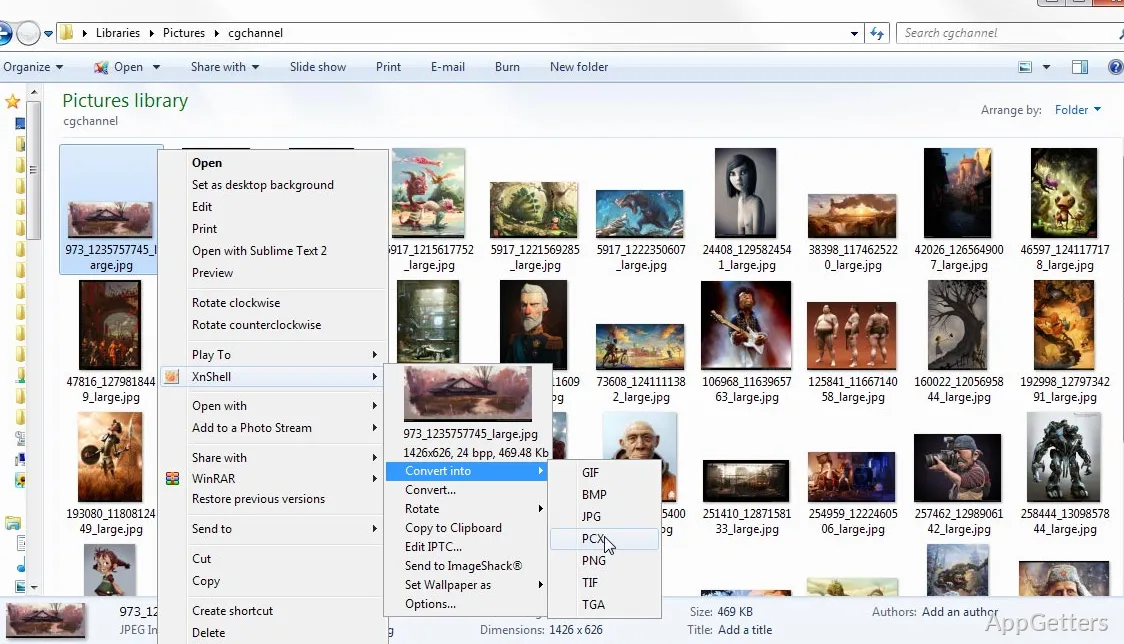
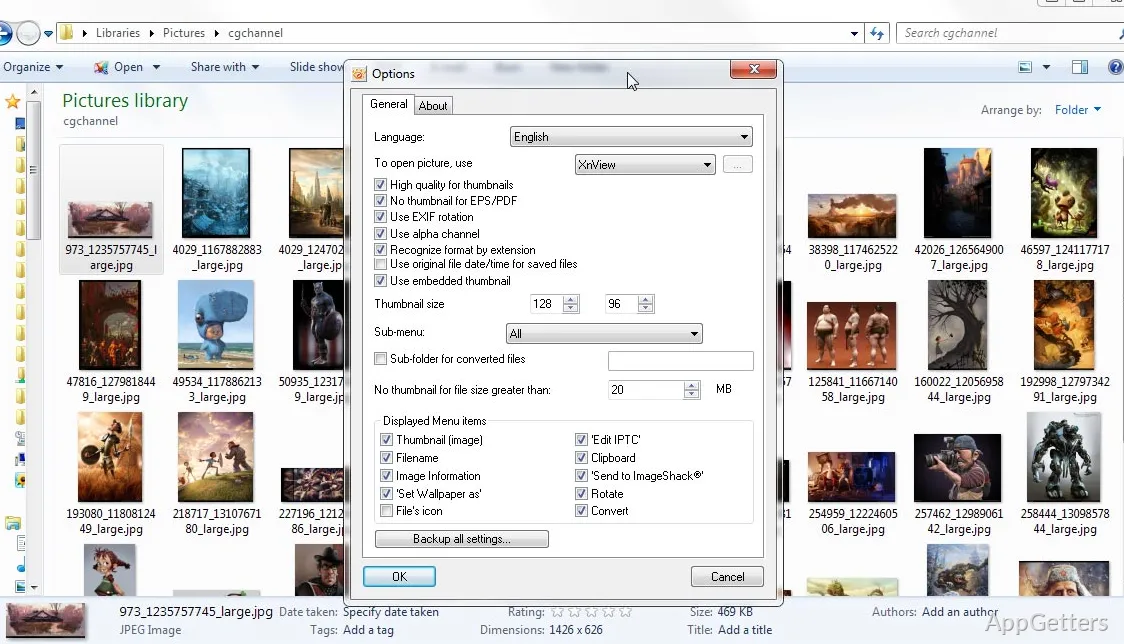
XnView Shell Extension is a utility for Windows users. It targets a very common problem with handling large numbers of image files. It is accepted that Windows Explorer is great for basic operations. However, it falls short when it comes to quick image previews and broader format support. It also lacks easy access to image details inside the file manager. Running an image application every time can be a real work-stopper and make things slower. Therefore, XnView Shell Extension is an attempt to eliminate this inconvenience. It integrates the most common image-related operations within the Windows shell environment.

Enriching Image Exploration via Windows Explorer

Imagine you have a folder full of images that you need to sort through on a daily basis. It becomes wearisome when you have to keep on opening files just to see what’s inside, doesn’t it? With XnView Shell Extension, you get a boost in your browsing experience. It adds thumbnail previews right inside Windows Explorer. Support for a larger range of formats comes without the need to launch a separate viewer every single time.

Browsing becomes much easier because you no longer need to rely on memory or guesswork to identify an image. Your brain gets visual input instead. The integration is also very seamless.

Extended File Format Support and Metadata Retrieval

One of the major drawbacks of Windows default image processing is that it doesn’t provide consistent support for the uncommon formats. To counter this, XnView Shell Extension brings to the table more format support. This entails that even files that Windows is not very familiar with or does not recognize at all would still be offered for preview and metadata extraction.

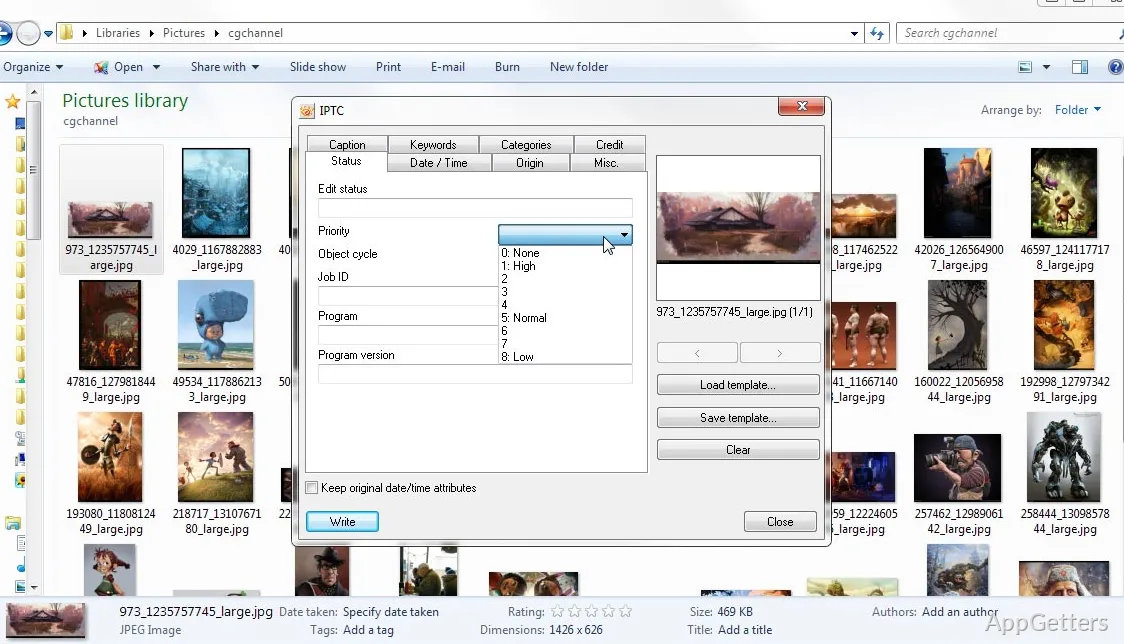
Having quick access to metadata is very handy, too. How often have you needed dimensions of the photos you were working with, or what details you could pull out from the picture file? You can also check the format information or other file-related details without having to open individual programs. While this may look like a small thing, it does give you a boost in efficiency as you are doing repetitive file management tasks. Note, though, that it strives for openness to the widest audience rather than pro-grade metadata editors. So, if that is your realm, a dedicated image manager will be more up to the task.

Seamless Background Incorporation and Minimal Workflow Interruption

It’s always great when new software can integrate so well with your existing system that you barely notice it’s there. This is one of the things that sets XnView Shell Extension apart from other, more complex multimedia suites. It does not even consider replacing the current file manager or giving you a whole new organizational environment to learn and interact with. On the other hand, it makes your daily routine better by extending what you already have.

There are lots of systems that users don’t want to change, and that is exactly where a lightweight approach becomes necessary. XnView Shell Extension will make your browsing experiences better without making your system heavy on resources or resulting in a clutter of programs that you will hardly ever use. Good and smooth extension performance is generally possible during regular browsing, even on limited and older hardware. It should, however, be realized that a heavy folder with many large image files could slow down the loading of thumbnails in some instances. This would also be influenced by the total performance of Windows Explorer, which is governed by the extension.

Perfect Companion for Casual Image Management and Organization

In the real world of image use, XnView Shell Extension is the assistant that is always at your disposal in situations when you work with image directories a lot, but the presence of fully-featured editing software on your screen all day long is rather a rare requirement. A home user would be nicely supported in the same way as students and office users, who may find this useful for rapid identification of files while preparing documents and doing project work.

The tool isn’t loaded with advanced features; in fact, it’s very simple and friendly. Hence, the software mainly aims to change for the better how Windows Explorer handles images. And such changes to what is probably your most frequent image-related task are going to cause a very surprising and big positive effect on the user flow. It is just a small element that, without any fuss, will upgrade your Windows file experience.

Software Details of XnView Shell Extension 4.2.0

License
Free
Version
4.2.0
File Size
7.69 MB
Downloads
0
Languages
English English, French, German, Italian, Japanese, Polish, Portuguese, Spanish
Category
Op. System
Windows
Developer
Last Updated
June 23, 2025

Version History

3 versions
4.2.0
Latest
7.69 MB
June 23, 2025
4.1.14
7.51 MB
April 30, 2025
4.1.9
3.94 MB
September 11, 2023

Leave a Comment

Your email address will not be published. Required fields are marked *

Software Icon
Security Report

Loading scan data...

Scroll to Top