EXE
Home » conversion » Pixillion Premium Edition for Windows
Pixillion Premium Edition for Windows

Pixillion Premium Edition for Windows

  • By NCH Software
  • Trial
  • Version: 13.02
  • 2.07 MB
  • Security Report:

Users of Windows who often work with images are likely to face one constant problem: converting images into different formats without quality deterioration. At the same time, not wasting time navigating complicated editing software. Be it prepping images for websites, resizing photos for documents, or even standardizing a mixed collection of files. The whole thing can get quite repetitive and eat up your time. Pixillion Premium Edition is counteracting this problem as a modest image converter. It really tries to be the user’s helper when dealing with these everyday tasks. It sort of ignores the detailed editing part and instead concentrates on the conversion work.

Here speed, format compatibility, and batch handling are more important than creative manipulation. For a typical user, it is mainly those who want results in a predictable way. Without a big learning curve or heavy software overhead.

Simple Image Conversion as Part of Your Windows Working With Files

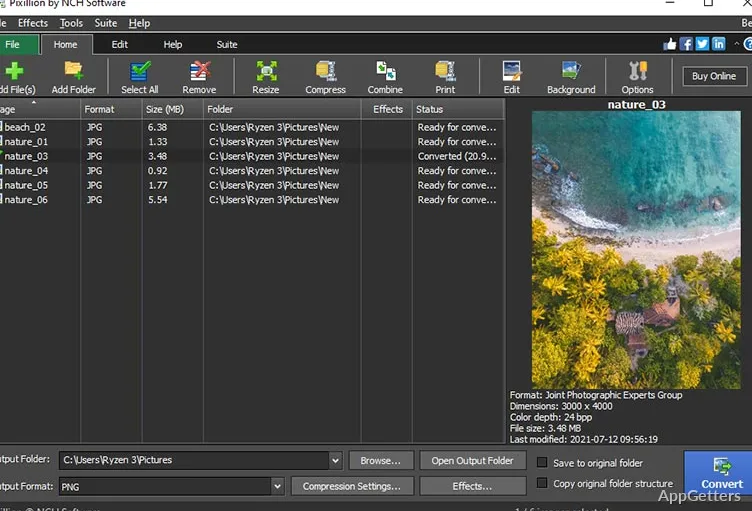
Image conversion in Windows is practically a piece of the whole workflow rather than an isolated task. There can be situations where one downloads images in a certain format. Another one receives assets in another format. Or one needs consistent formats for uploads and documentation. Pixillion Premium Edition can get into this everyday type of work. It gives users the chance to simply swap formats. Without them having to open their heavy editing suites. Normally, the interface makes the whole thing easy: get the files, pick the output format, and convert.

Practical Batch Processing and Format Handling

One very important feature for users of image software in the real world is how well the tool can process a number of files simultaneously. This is precisely when batch processing is introduced. Instead of doing image conversions one by one only, a user can even bring the whole folder in one go. This is very handy for photo collections or project assets. Pixillion Premium Edition is capable of converting to or from a rather large number of popular formats. It avoids having users do the same manual operations repeatedly for each image.

This way, it is quite easy to keep all uniform when dealing with large volumes of images. For example, in cases of website publishing or archiving. On the flip side, the computer’s capabilities limit efficiency. Bigger batches may need a longer time than expected on machines that are not of the highest standard.

Adjusting the Quality, Compressing, and Final Output

Oftentimes, just changing image formats is not the only thing that image conversion entails. It also involves the management of output quality. Usually, a user may want to keep both the clearness and at the same time the level of the file size small. For example, in case of preparing images for the mail, the web, or other services that have limits of storage.

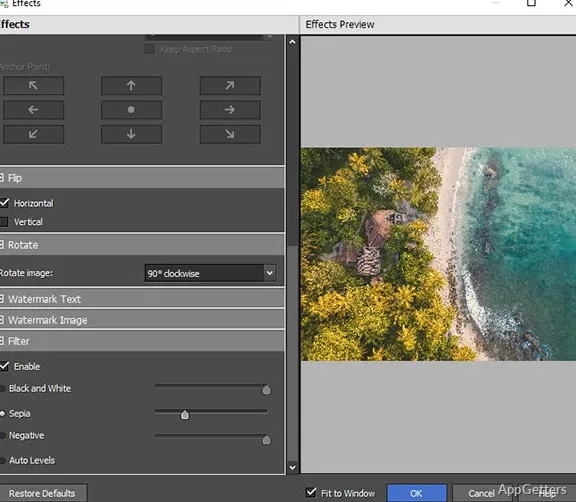
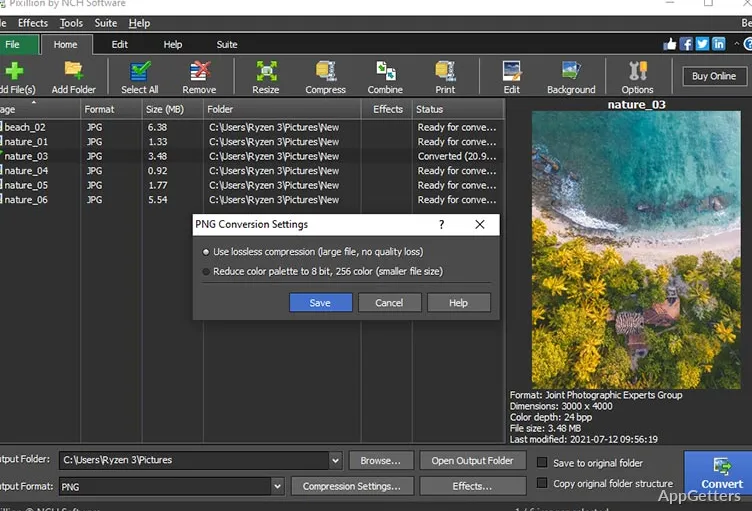
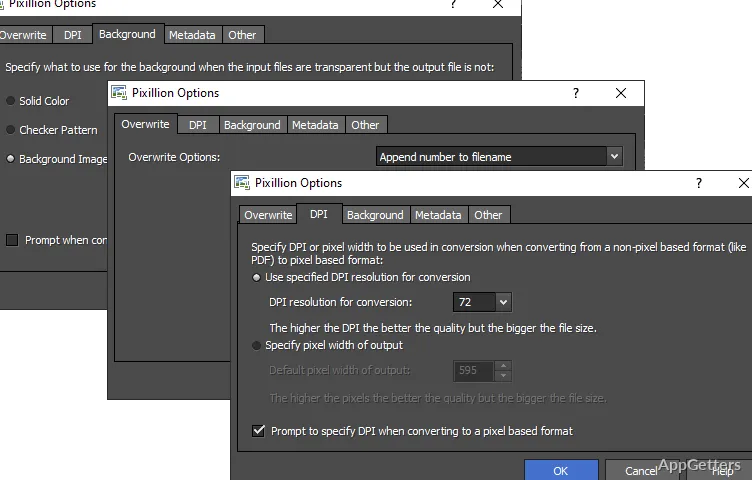
Generally, Pixillion Premium Edition has ways for a user to change settings of a compression level or resolution. They use it to lower the size of a file and still keep the image quality at an acceptable level. Such a bit of adjustment is more of a pragmatic nature than a technical one. As such, it would be able to serve the needs of non-professional workflows. As a matter of fact, it does not substitute for photo editors. It has a variety of simple adjustments for users to choose from, depending on the use case.

Those engaged in digital documentation, along with the production of simple content, may find these options for keeping usable output. Without too many difficulties good.

Pixillion Premium Edition and Home/Student Use Suitability

Basically, in homes, the software may be used by people who want to convert their personal photo library into a standardized format. With students possibly depending on the software for their school projects, requiring the use of particular file types. Besides that, it is also a great solution for office work. Where the need for fast conversions is sometimes unavoidable if one wants to keep the design tools out of the workflow. You could say that the software neither aims to be a full-fledged editor nor wants to compete with such editors. Instead, it is capable of running focused and reliable conversion routines. For which the user does not have to rely on heavy software very often.

In a nutshell, for users who love simplicity and output that is expected rather than the advanced level of editing.
It will become a very nice third-party, in between, in the daily Windows image management scene.

Software Details of Pixillion Premium Edition 13.02

License
Trial
Version
13.02
File Size
2.07 MB
Downloads
0
Language
English
Category
Op. System
Windows
Developer
Last Updated
May 11, 2026

Version History

2 versions
13.02
Latest
2.07 MB
May 11, 2026
10.09
1.64 MB
February 25, 2022

Leave a Comment

Your email address will not be published. Required fields are marked *

Software Icon
Security Report

Loading scan data...

Scroll to Top