EXE
Home » conversion » Total Image Converter for Windows
Total Image Converter for Windows

Total Image Converter for Windows

  • By Cool Utils
  • Free
  • Version: 8.5.0.306
  • 78.06 MB
  • Security Report:

If you deal with image files on Windows, you may have probably found the task getting unexpectedly complicated when different file formats, differing resolutions, and compatibility requirements are involved. What could be an easy job, such as converting photos to make them email attachments, preparing graphics for websites, or opening old image formats, may often become a repetitive process. It may require the use of several different tools. Most users only face this problem after a while. They come to large folders with screenshots, scanned documents, camera images, or downloaded graphics that can no longer be incorporated into their intended workflow. Total Image Converter is a great tool for helping you in such situations since it focuses mainly on image conversion and batch processing of image files.

Rather than being an extensive image editing program, it is intended to be an efficient utility-oriented solution for vendors and standardizing image files.

Managing image compatibility throughout everyday Windows tasks

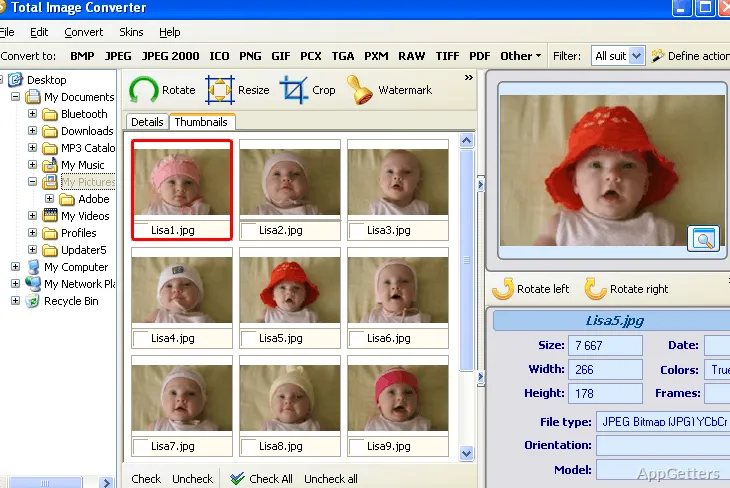
Windows users usually get their hands on images from all sorts of sources, including smartphones, digital cameras, office scanners, and the Internet. Sometimes, these files won’t play well with presentation software, e.g., PowerPoint, websites, printers, or any older software that you may still have. The main function of Total Image Converter in such parts of users’ daily lives is to help them avoid the aforesaid trouble. It provides a means to change the format of a picture easily without the need for any advanced technical knowledge on their part.

The program comes in really handy when it is a matter of a large number of files. Forget converting them one by one. This way, you can handle whole folders in just one sitting. It places more emphasis on dependability rather than on any eye-catching elements. What is more, time saving during constant conversion tasks turns out to be the main thing that users appreciate the most. It is not this or that single feature.

Batch processing and workflow consistency

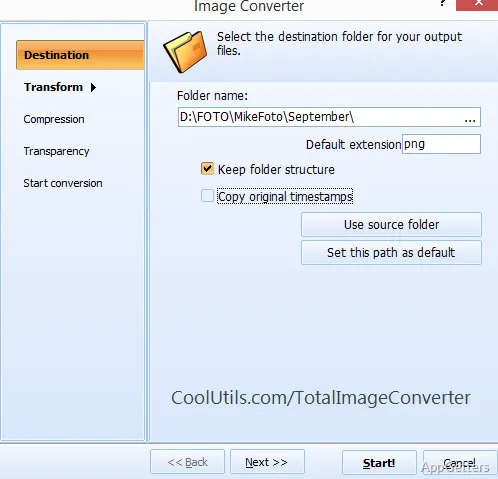
The one aspect in which Total Image Converter will be helpful is the maintenance of a consistent workflow. Very often, large image collections will require the same repetitive changes like resizing, renaming, compressing, or changing output formats. Doing these things manually can take away one’s concentration on work. It can also be very inefficient when hundreds of files need processing.

In many cases, batch conversion helps. It reduces the time spent. It avoids repeating the same old tasks. Total Image Converter turns them into a rather predictable process. Users are given the ability to set output parameters a single time. They can then just keep on using these settings every time they are dealing with a collection of images.

Usability, performance, and realistic expectations

Total Image Converter is a tool that you can count on for typical conversion tasks on a Windows system. Even when large folders are processed, file handling does not become unstable. The software also does not use system resources unusually heavily. It is because of the lightweight composition of this program that it can run on older PCs. It also runs well on brand new desktops.

Nevertheless, one should not be too positive about it and always remember the real situation. Largely, this is only a conversion and basic image processing tool. It is difficult to imagine it as a stand-alone image editor without even considering the competition. Even if one can easily work with it after a while, the interface still seems somewhat outdated. It is compared to modern minimalist apps. Actually, the software is more of a utility and consistency tool than a visually polished one.

A useful tool for repetitive image management

In case you see yourself relying on the means to create and share images as little as possible, then you will hardly integrate Total Image Converter into your artistic workflow. It will not fit well with deep image editing.

What counts for the most, it seems, is that it really helps to reduce the work involved with those very repetitive image conversion tasks. If one’s got the least bit neglected, they would have led to a considerable loss of time. It also improves compatibility across different formats. This is especially true for those who often have to deal with mixed image formats and repetitive file preparation tasks.

Software Details of Total Image Converter 8.5.0.306

License
Free
Version
8.5.0.306
File Size
78.06 MB
Downloads
0
Languages
English English, Chinese, Czech, German, Italian, Portuguese, Spanish
Category
Op. System
Windows
Developer
Last Updated
May 23, 2026

Version History

5 versions
8.5.0.306
Latest
78.06 MB
May 23, 2026
8.5.0.305
41.3 MB
May 21, 2026
8.5.0.304
41.26 MB
May 16, 2026
8.5.0.303
41.27 MB
May 13, 2026
8.2.0.300
41.24 MB
May 11, 2026

Leave a Comment

Your email address will not be published. Required fields are marked *

Software Icon
Security Report

Loading scan data...

Scroll to Top