EXE
Home » conversion » XnConvert for Windows
XnConvert for Windows

XnConvert for Windows

  • By XnView
  • Free
  • Version: 1.111.0.0
  • 26.78 MB
  • Security Report:

Dealing with a great number of images using Windows can be a very monotonous and lengthy process if one does it manually. For example, renaming a large number of files one by one, adjusting photos to the upload size, changing the formats for the sake of compatibility, or making the same edits on hundreds of images can affect productivity. This can become a manual process. This is actually the main reason why students, office users, photographers, and small business owners experience this problem. They handle image collections more or less frequently without being dependent on an entire editing suite. Instead of spending time on advanced photo editing, XnConvert helps you automate the image conversion and editing processes smoothly. It does this by squeezing out complicated workflows.

Intuitive solutions for handling repeated image-related tasks

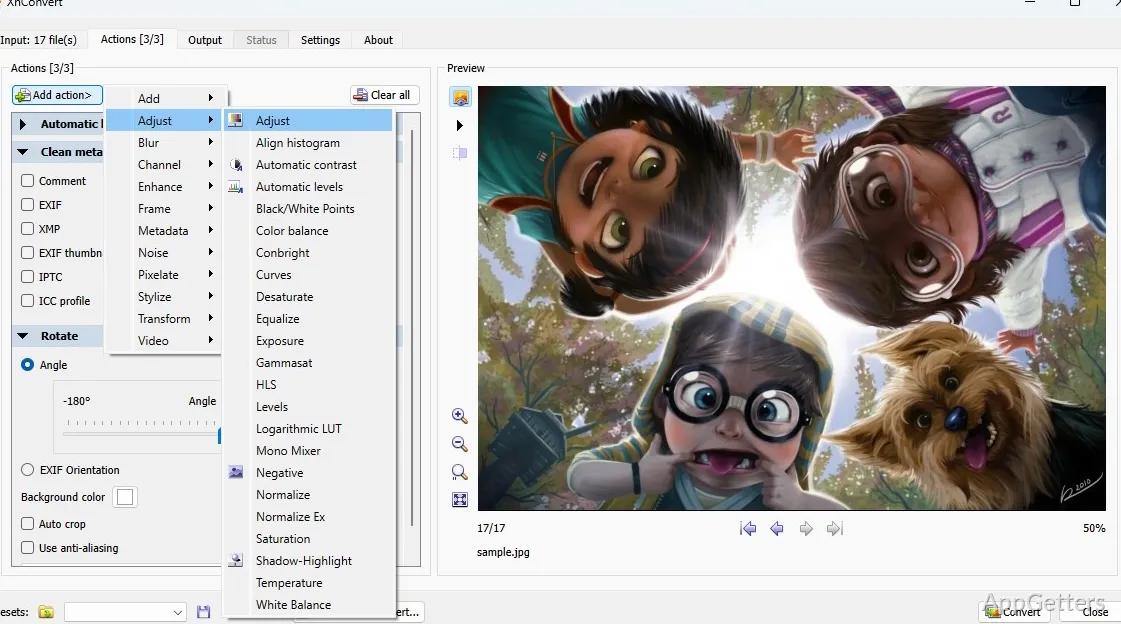
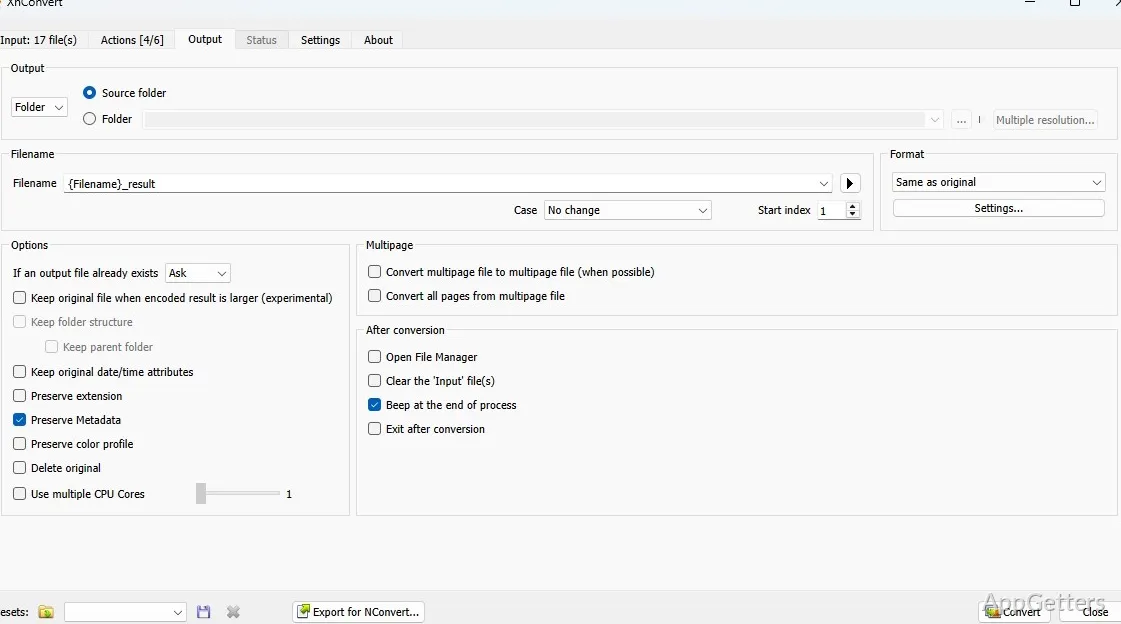
XnConvert is excellent in that one area where it turns dull, repeated image handling into a workable procedure of a few steps at most. So, rather than opening each file one at a time, you pick a whole folder at first. Then, you make the same changes to all the images in that folder simultaneously. Such changes as resizing, rotating, compressing, renaming, and so on can all be done with just one command. This also includes conversion to different formats.

In habitual scenarios, this results in a great saving of time for those preparing images for websites, presentations, online submissions, or storage optimization. Even beginners can find the interface somewhat familiar since tasks are laid out in stages. This leaves little space for confusion. Normally, people who come to this software have hardly more than one or two adjustments in mind to make. Besides, the mode of operation with batches rather than individual samples encourages the user to concentrate on the potential for saving time only. There is no need for any distractions on the creativity front. This is a very good thing in terms of setting the software apart from photo editors.

Format support and workflow flexibility on Windows

One of the struggles Windows users face is that different sources provide images in different formats. Sometimes, those formats can be very specialized. For example, smartphones, cameras, screenshots, and downloaded graphics are likely to belong to different file formats. So, it is quite natural that not all the applications will handle them, or at least not equally well. Besides being very capable of such conversions as those from one popular image format to another, and also many lesser-known types, XnConvert removes the need to have at hand specialized, separate tools. The experience of having XnConvert at one’s disposal is a very pleasant one.

Moreover, if used in combination with other tools, the in-between parts of various stages can be fulfilled at the user’s discretion. Different images can be brought again and again to the respective places within a workflow. It can be said, therefore, that the role of this software is to make the last two or three steps available at users’ fingertips. These include importing images from scanners, doing the finishing touches, and finally printing.

The fact is that the user can save the settings of a particular image processing task with a few mouse clicks. They can then use them later. This is exactly the kind of feature that comes in handy when one has to do almost daily the very same kind of work. This may include preparing images for listing on eBay. It can also mean changing image size and format for e-mails by compressing a directory. The techies among us, of course, can always look under the hood and change settings.

Performance, usability, and realistic limitations

If XnConvert is used for usual batch operations only, it definitely shows itself as a very trustworthy solution. It handles even a large number of images without any problem or hanging. The processing speed is generally fine on any reasonably new Windows system. XnConvert will pose very little demand on your system resources. This makes it very attractive to users who want a utility-type program only.

It must be recognized that users new to the program may at first find it difficult to understand the concept of layering actions during processing. However, a bit of practice will make it all clear very quickly. Also, bear in mind that XnConvert is not a replacement for professional editors. If you want very detailed retouching, layered editing, and advanced design work, you’ll most likely need dedicated graphics software. XnConvert helps users stay on the same track without getting distracted by artistic details.

Very good choice for routine batch processing

When you have a lot of images, and you want a reliable way to create standards for repeated tasks, you are a good candidate for this software. Since users who highly value efficiency will be the ones using this software, they may have to sacrifice some creative or deep editing features. It seems that the software will be a good choice as a standard tool. It is capable of performing mass image modifications and format conversions. XnConvert does a good job of minimizing the manual labor involved in regular image management tasks for Windows users. In turn, they will find this software quite a handy yet basic batch image processing tool. It avoids too many extraneous features.

Software Details of XnConvert 1.111.0.0

License
Free
Version
1.111.0.0
File Size
26.78 MB
Downloads
0
Language
English
Category
Op. System
Windows
Developer
Last Updated
May 6, 2026

Version History

5 versions
1.111.0.0
Latest
26.78 MB
May 6, 2026
1.106.0.0
25.35 MB
October 14, 2025
1.105.0
25.12 MB
April 18, 2025
1.104.0
25.13 MB
March 3, 2025
1.102.0
24.83 MB
November 8, 2024

Leave a Comment

Your email address will not be published. Required fields are marked *

Software Icon
Security Report

Loading scan data...

Scroll to Top