EXE
Home » conversion » Pixillion Image Converter for Windows
Pixillion Image Converter for Windows

Pixillion Image Converter for Windows

  • By NCH Software
  • Free
  • Version: 13.02
  • 2.07 MB
  • Security Report:

Since the Windows platform has many supported image file formats, the combination of using different file formats increases the complexity of the workflows by far more than expected. Photos taken with a camera, screen captures from a phone, documents being scanned, graphics being downloaded, and pictures coming from the web will hardly use the same single type of file or resolution perfectly. In consequence, there will be a lot of users who will encounter the issue of which image is compatible with the uploaded file, sharing files, printing documents, or preparing media for websites. Moreover, if the task consists of converting files one by one, this will become highly repetitive very fast. Pixillion Image Converter is intended to make such work easier by focusing on batch image conversion and the basics of file preparation, leaving aside editing.

It is simply a tool that aims to facilitate image handling for the average users of Windows.

Making the process of converting bulk image files easier

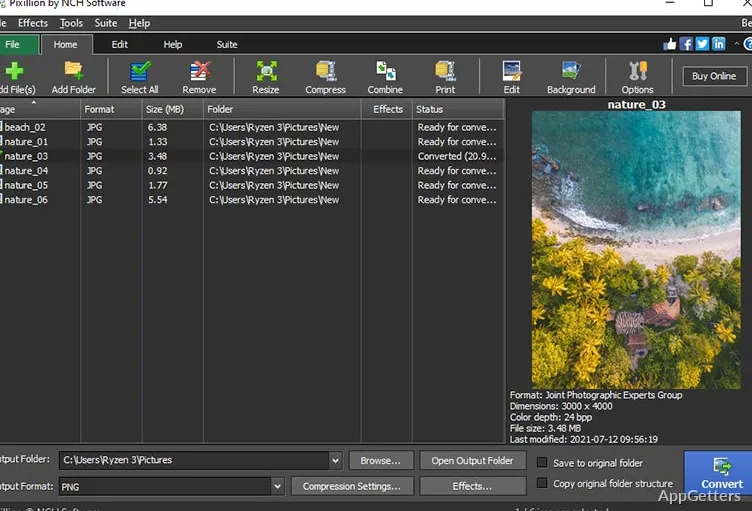
One of the most useful features of Pixillion Image Converter is definitely the batch conversion. It is rather exhausting to open one image, export it, and then do the same with the next. The feature to load not just one image but a whole folder and convert the entire folder of images at once makes the process easier.

Depending on the case, this one-time batch process can come in very handy to students who are in the middle of working on their project materials. It can also help office workers who are storing their scanned files orderly, and normal users who are willing to share and store their photos by making them smaller in size first. The whole idea behind it is that the user must add files, select an output format, make some optional changes or alterations, and click the convert button.

The effectiveness and simplicity of this approach will potentially enable people to work on the image compatibility issue in less time. The software doesn’t really concentrate on the creative part of it, and this is the reason why it is not only a very efficient tool but also one with a very easy-to-use interface for those people who wouldn’t even need any editing, just a file conversion.

Compatible file formats and a bit flexible workflow

Often, Windows users are frustrated when they find that images in certain formats cannot be loaded on websites, printed, or are even incompatible with ancient applications.

Quite importantly, Pixillion Image Converter handles a range of widely used image formats. This will ultimately simplify the efforts of users who are striving to get a consistent result across several platforms.

Besides, it will be easier for the users to access images on their smartphones, office software, cloud storage, and editing applications. This applies if the prepared files are going to be online uploads, email attachments, or presentation graphics. They are converted into more universally accepted formats.

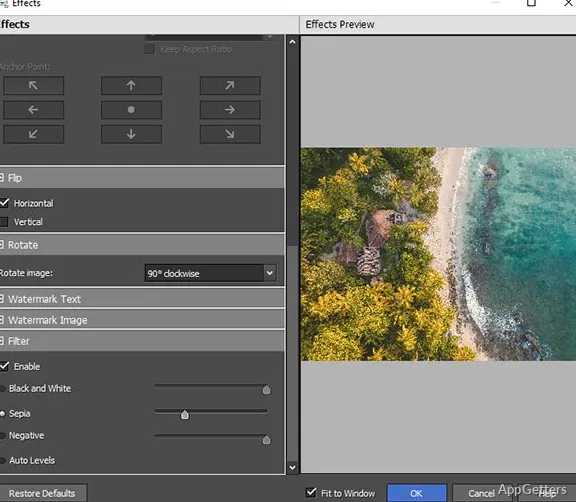
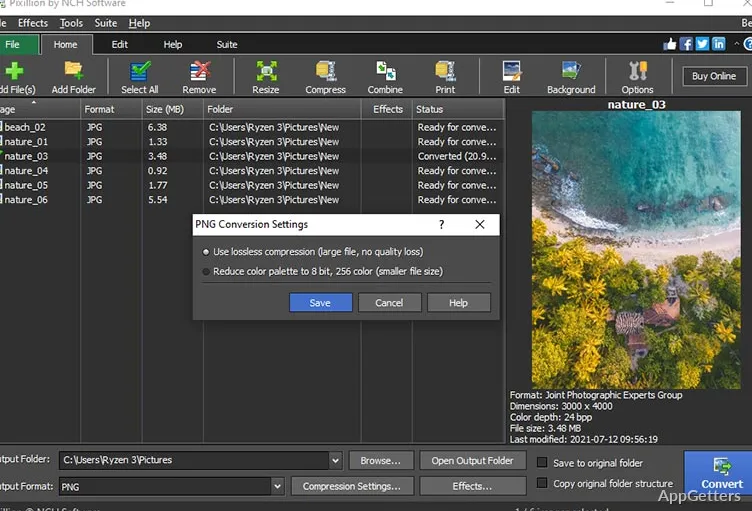
Apart from the conversion, the program also has the tools for resizing, compression, and basic rotation. Although these eschew the need for dedicated image editors, they still reduce the number of the latter. This reduces what the user will need overall. The simple ability to integrate basic adjustments in the conversion also helps. It makes everyday workflows easier, along with the conversion itself.

Performance, usability, and functional limitations

As far as the performance aspect of Pixillion Image Converter is concerned, it hardly ever fails. It can be relied on for standard image processing on Windows. The batch conversion feature works without any problems. The software does not require particularly powerful hardware, if only the usual tasks are executed.  This is why the so-called “lightness” will be appreciated. At the same time, such a program will be suitable for use on old laptops and entry-level desktops. It also works well on current systems.

On the other hand, users should not expect the software to be a creative environment or full-fledged image editor. They will need separate graphics software for advanced retouching, layered editing, or professional design features. Such features are to be at their disposal and control through separate software.

A sensible option for routine image preparation

Users who constantly deal with large groups of images need a trustworthy tool. It can easily bring files into a standard format. Pixillion Image Converter is a good fit for them. This allows files to be used across several platforms and applications.

On the other hand, students laying out their coursework and small business owners displaying product images online may find this software quite useful. Office users digitizing and managing scanned documents, and home users preserving family photo collections may also enjoy it. This is mainly thanks to its workflow-oriented design.

The main function of this program is to drastically lessen the amount of manual labor. One has to invest in repetitive image management tasks. It combines a wide range of format support, batch conversion, and light system requirements. It also simplifies file preparation and runs on Windows. Users not interested in sophisticated graphic editing can use Pixillion Image Converter for simple image conversion. It works well as a functional daily tool.

Software Details of Pixillion Image Converter 13.02

License
Free
Version
13.02
File Size
2.07 MB
Downloads
0
Language
English
Category
Op. System
Windows
Developer
Last Updated
May 11, 2026

Version History

1 version
13.02
Latest
2.07 MB
May 11, 2026

Leave a Comment

Your email address will not be published. Required fields are marked *

Software Icon
Security Report

Loading scan data...

Scroll to Top