PC keeps showing blue screens or rebooting by itself, and you can't tell why? WhoCrashed reads the crash dumps Windows saves and names the driver most likely responsible, in plain language, with one click.
What does a crash report show?
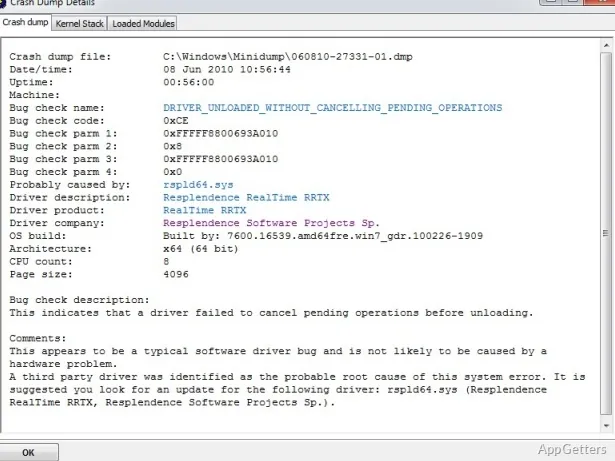
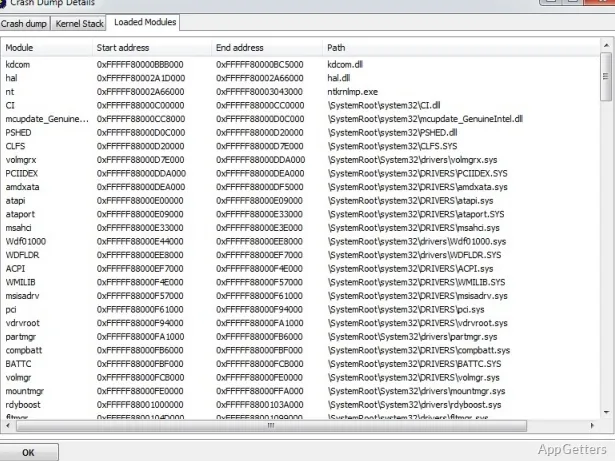
WhoCrashed scans crash data and turns technical dump details into a report that can point to a driver or hardware as a possible cause. For driver-related entries, the report can include the file path, error code, product name, company, and a short file description. These details help connect a crash to a particular component or software product.
If a crash looks hardware-related, such as faulty RAM or overheating, the report says so and suggests what to check.
How do you analyze a blue-screen crash?
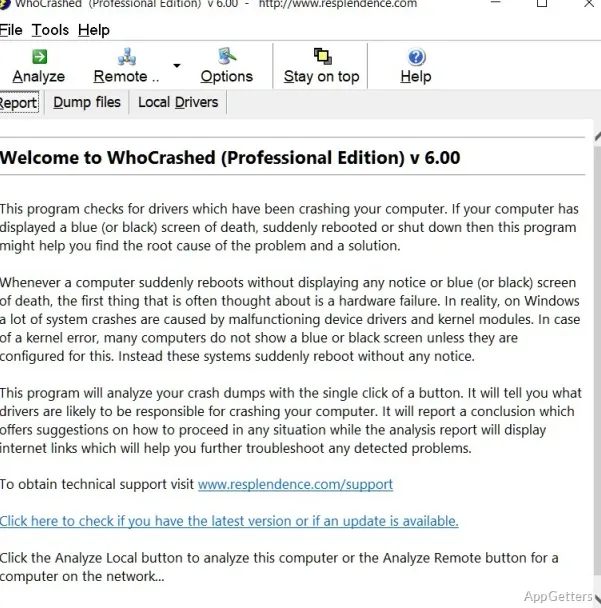
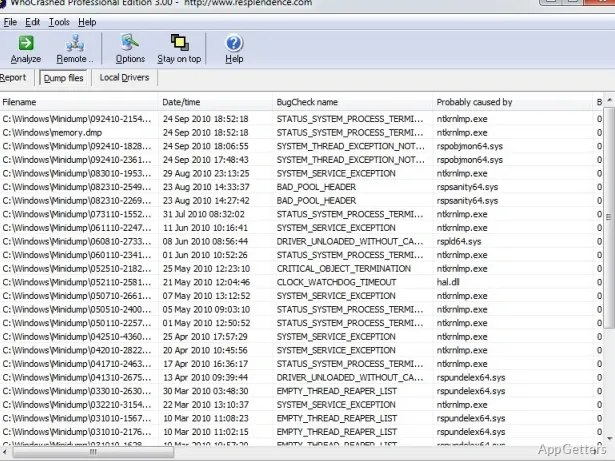
Open WhoCrashed and start its crash analysis. The program reads available dump files and presents the results in a report, so the useful information is gathered in one place instead of requiring you to interpret raw crash data. WhoCrashed may ask to install the Windows Debugging Package, which it uses to detect problems in the crash information.
- Look for the driver or hardware identified as a possible contributor.
- Use the reported error code and file details to identify the item involved.
- If the PC resets without a blue screen, WhoCrashed checks whether crash dumps are enabled and explains how to turn them on.
Can WhoCrashed identify the exact cause?
It cannot always be certain, because one faulty driver can corrupt memory used by another and the crash then appears elsewhere. For crashes during startup, run WhoCrashed from Safe Mode. The Home edition is free for personal use, and a paid Professional edition adds deeper analysis and checking of other computers on the network.
Pros
- Analyzes Windows crash dump files
- Reports driver file paths and error codes
- Includes product, publisher, and file description details
Cons
- Needs crash dumps to be enabled in Windows
- Cannot always pinpoint the faulty driver
- Downloads the Windows Debugging Package on first use
System requirements: Windows 7, Windows 8, Windows 8.1, Windows 10, Windows 11 · 32-bit and 64-bit
What does WhoCrashed need to work?
Windows must be set to save crash dumps. WhoCrashed checks this setting and explains how to enable it if needed.
Is WhoCrashed free?
The Home edition is free for personal use; the Professional edition is paid.
Is the driver it names always the culprit?
Not always. One driver can corrupt another's memory, so treat the result as the strongest lead and update or remove that driver first.