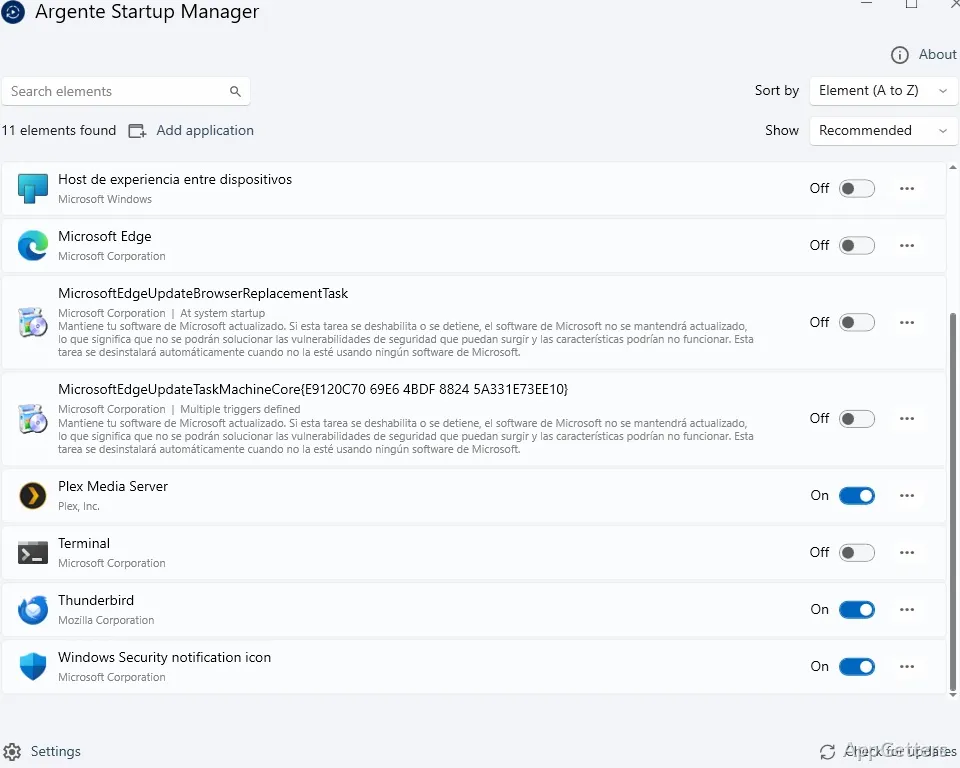
PC owners trying to manage what opens during Windows startup can use Argente StartUp Manager to review startup entries and change which ones are active. The program covers applications as well as scheduled tasks and other startup triggers.
Startup entries include tasks and other triggers
The manager brings several kinds of launch entries together for review. Alongside applications that start at logon, it shows scheduled tasks and other startup triggers, so the list extends beyond programs that appear in a typical startup-app view.
This combined view gives users one place to inspect items that may be configured in different parts of Windows. It is especially relevant when a program launches automatically even though it does not appear as a familiar desktop application.
Enable or disable entries to change what launches
Argente StartUp Manager lets you switch individual entries on or off. Disabling an entry stops it from launching automatically; enabling it again restores that startup behavior. This provides a direct way to manage the list without removing the associated application.
The setting to change depends on the entry. Applications, scheduled tasks, and other triggers may support different automatic actions, so a change should match the role of the item. Turning off something needed for a device, security tool, or background service could affect how that function works after sign-in.
Focus startup changes on login activity
The program is intended for managing automatic launch behavior, including reducing the amount of software that starts during login. Disabling entries that do not need to run immediately can reduce startup activity, though the result depends on which items are changed and how the PC is configured.
Because the manager exposes several kinds of startup triggers, it can also help trace automatic launches that are not obvious from the application list alone. Its controls center on enabling and disabling entries, making the main workflow inspection followed by a targeted setting change.
Pros
- Shows applications and scheduled tasks alongside other startup triggers
- Lets you enable or disable individual startup entries
- Brings startup controls from multiple system locations into one view
Cons
- The full professional-license benefits require a donation
- Supports Windows 8, 10, and 11 only
System requirements: Windows 8, Windows 10, Windows 11 · 32-bit and 64-bit
What kinds of startup items does Argente StartUp Manager show?
It shows applications, scheduled tasks, and other startup triggers.
Can I stop an item from launching automatically?
Yes. You can disable an individual startup entry and enable it again later.
Does disabling an entry uninstall its program?
No. The control changes whether the entry launches automatically; it does not uninstall the associated application.