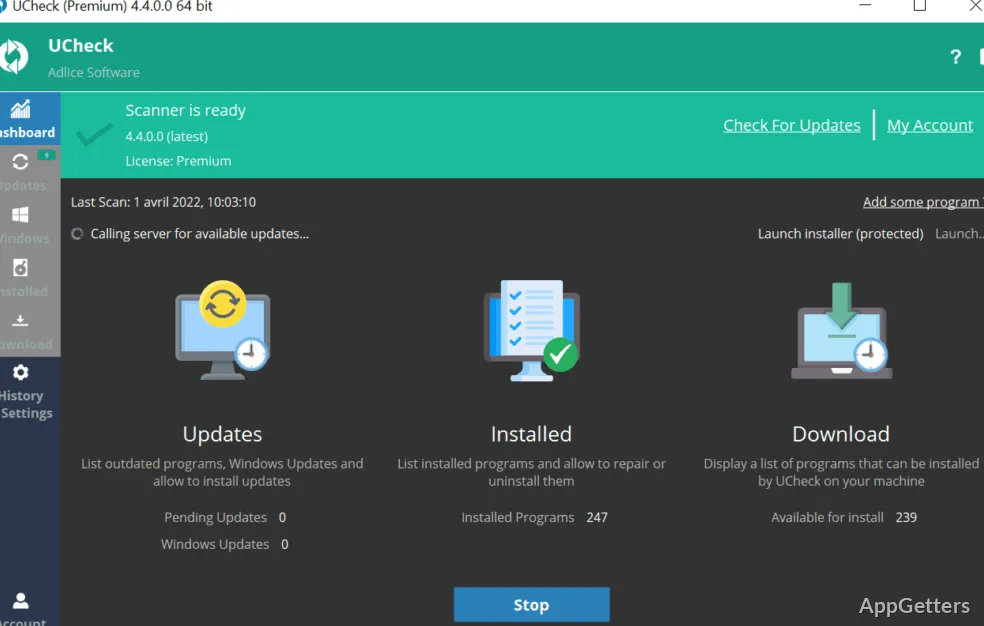
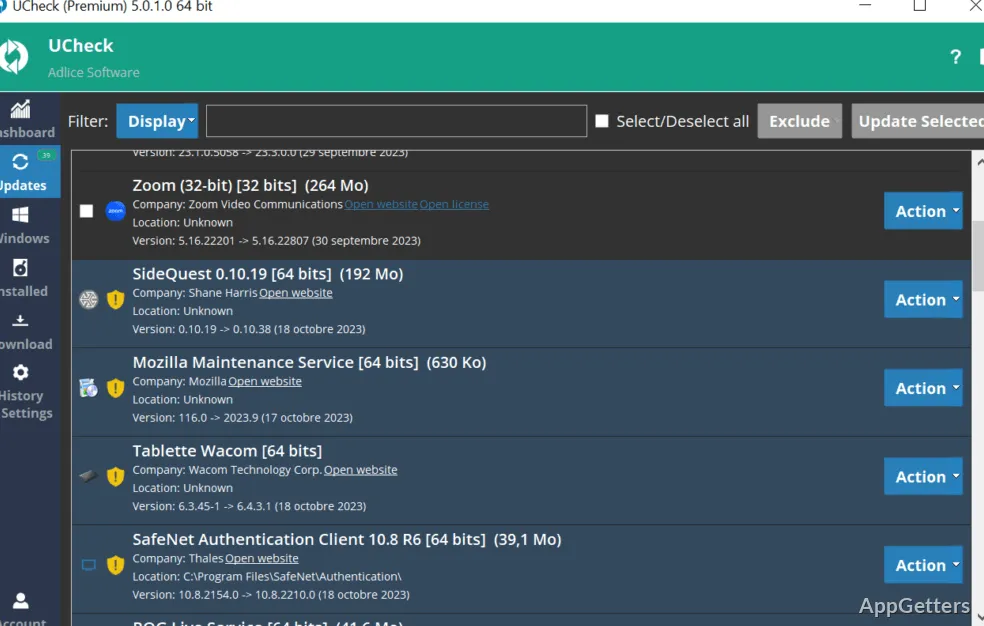
Updating a Windows system is conceptually simple. It actually gets messy quite easily. Windows Update takes care of the system only, while other software depends on its own update methods. Result is gaps. Aging software remains unnoticed. It brings along different issues, such as compatibility, security, or slower performance. If you run an install-of-steady-use tool scenario and forget it, then the problem only increases. UCheck comes forward as a light tool. It sheds light on this update, scattered landscape, and leaves out system updates.
A central overview of expired software installation
UCheck aims to work in the background. Even the user may not realize it. What it basically does is run a scan on the system. It then presents a list of applications that are not the latest versions. The interface is very user-friendly. It lets the user understand at once. After running this application for the first time, and after a few scans, all the features of this program become quite familiar. This program was designed not to be a substitute for Windows Update, but instead a complement to it. It targets third-party software, which is the main area where software updating neglect arises.
Workability and user-friendliness
The users have to put up with minimal interaction, only for UCheck to search for updates. In fact, it can, in some cases, initiate the downloads directly. This is good for saving time. It also helps reduce user effort to stop several times during the procedure of updating various applications. Sadly, the experience is not really automated enough to the point of being strictly hands-off. However, the user is, in fact, expected to confirm some updates manually. The user may also have to do manual installation steps that are external to the application interface. So, this does not automatically imply a fully automated workflow.
Trust and extensity
In fact, when it comes to updating the most popular applications, UCheck is very accurate. It can be trusted to reliably update websites for browsers, common utilities, and productivity software. Nevertheless, it can only cover the most popular software. It leaves behind the less common or niche ones that probably are not even in the database. Manual checks will still be required in such cases.
Very rarely, there are delays in terms of the release of new software. There are delays in the recognition of this new version in the tool. These situations are expected. They should be kept in mind, as UCheck is only a helper and not a complete solution for update management.
Its place in a normal Windows user environment
UCheck has the potential to become a great helper for regular home users, students, or casual PC users who want to do software inventory and update checks on their installs. This can be done without spending a whole lot of time getting into it. On the other hand, it does well enough as a ‘come back to me once in a while’ utility, rather than the one that runs all the time silently.
Advanced users, on the other hand, can use it as a handy tool to run audits after their routine. It is light. And it does the job. It matters only to the point that the user has to just get used to it. The user hardly needs to change anything in her day-to-day routine because of it. Those users who are ok with a simple, centralized view of application updates, as opposed to managing each program separately, can resort to it.
What does UCheck scan for?
It scans for outdated software and detects applications with updates available.
Can UCheck update software?
Yes. It supports updating outdated software in one click.