Bought a Samsung SSD and want to check its health, update its firmware or move Windows onto it? Samsung SSD Magician handles those jobs. Its dashboard brings health information, alerts, and SSD tools together, with available features depending on the drive model.
Check SSD health and run diagnostics
The dashboard shows drive status and can surface update alerts and system compatibility information. S.M.A.R.T. Check reads drive-health data, while Diagnostic Scan quickly looks for faults on the drive. Genuine Authentication checks whether a Samsung SSD is authentic and requires an internet connection.
Performance Benchmark measures read and write speeds. Test conditions such as the volume and chunk size can be adjusted, letting you examine performance under selected conditions.
Choose a performance mode and manage space
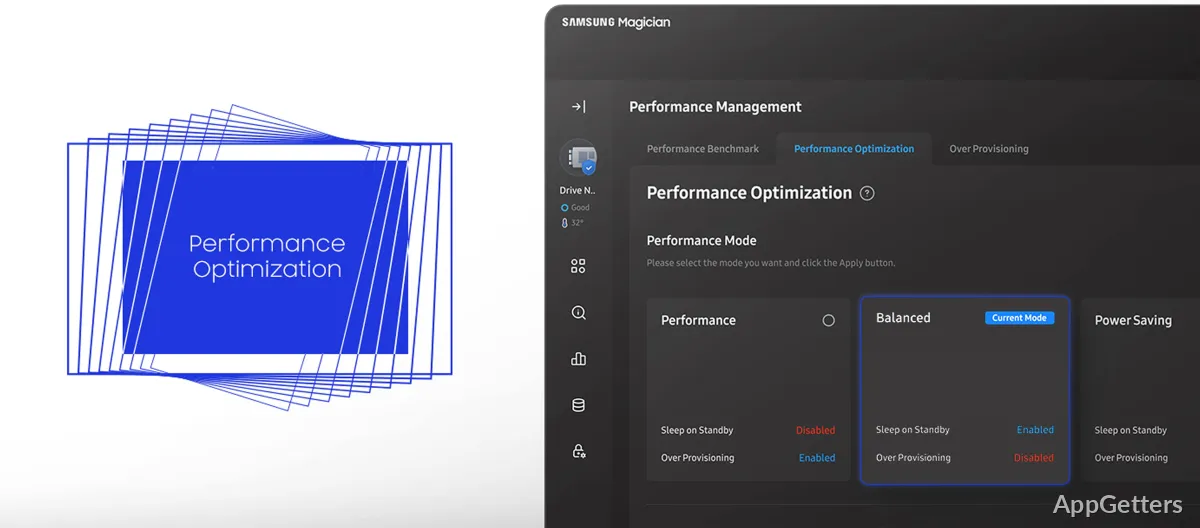
Performance Optimization offers drive modes such as full power and power efficiency; the available choices depend on the SSD model. RAPID Mode is also supported when the system meets its requirements.
Over Provisioning reserves part of the drive's capacity for SSD management. Magician can also divide a drive into separate sections, with partition capacities shown in the Disk Partition view.
Move data and protect the drive
Data Migration transfers an operating system, applications, and files from existing storage to a Samsung drive. For data protection, the software includes password settings and Encrypted Drive support through BitLocker Drive Encryption on supported Windows editions.
Secure Erase wipes drive data, while PSID Revert restores a locked drive to factory state with the code on its sticker.
Personalize the dashboard
Dashboard widgets can be arranged around the information and tools used most often.
Pros
- S.M.A.R.T. health checks and diagnostic scans
- Performance tests with adjustable test conditions
- Data Migration transfers an OS, apps, and files
- Tools for secure erase, PSID Revert, and drive encryption
System requirements: Windows 7, Windows 8, Windows 8.1, Windows 10, Windows 11 · RAPID Mode requires at least 2 GB of system memory.
Can Samsung SSD Magician test drive speed?
Yes. Performance Benchmark measures read and write speeds, and lets you adjust conditions such as volume and chunk size.
Can it move Windows and files to a Samsung SSD?
Yes. Data Migration transfers an operating system, applications, and files from existing storage to a Samsung drive.
What does PSID Revert do?
It returns the drive to factory state using the PSID code on its sticker, which erases the data.