EXE
Home » Maintenance » Hard Disk Sentinel for Windows
Hard Disk Sentinel for Windows

Hard Disk Sentinel for Windows

Windows computers can sometimes have storage problems that show up quite suddenly and without any warning. A device that was working properly the day before might all of a sudden slow down, get stuck, or simply not start up because of hard drive problems. Many times, the only thing that makes users aware of a problem is missing data. The default tools give a minimal assessment of the state of the drives. They provide very few people with a reliable way to track the level of the drive’s reliability. Hard Disk Sentinel aims to solve this problem by monitoring the health of hard drives and SSDs around the clock. This gives users the chance to spot possible failures in time.

Understanding Drive Health in Everyday Use

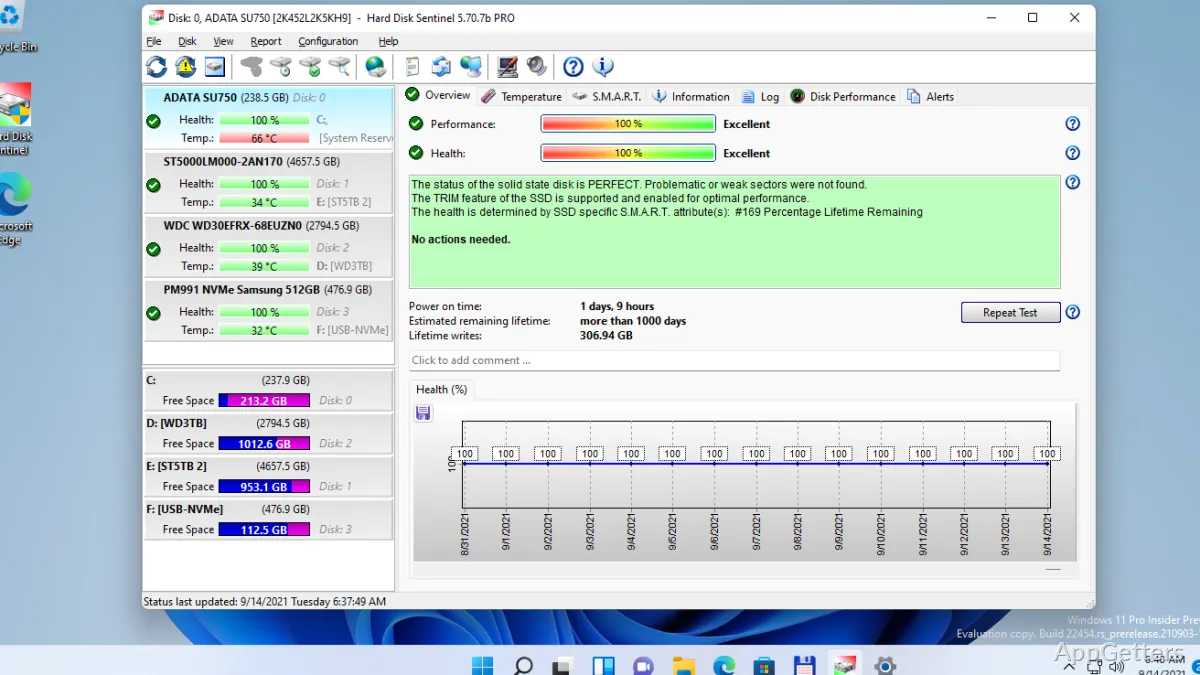
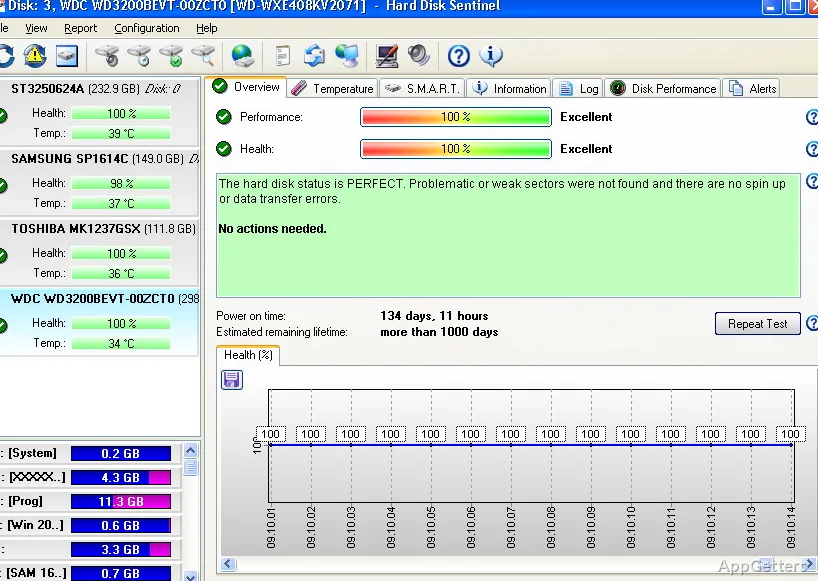
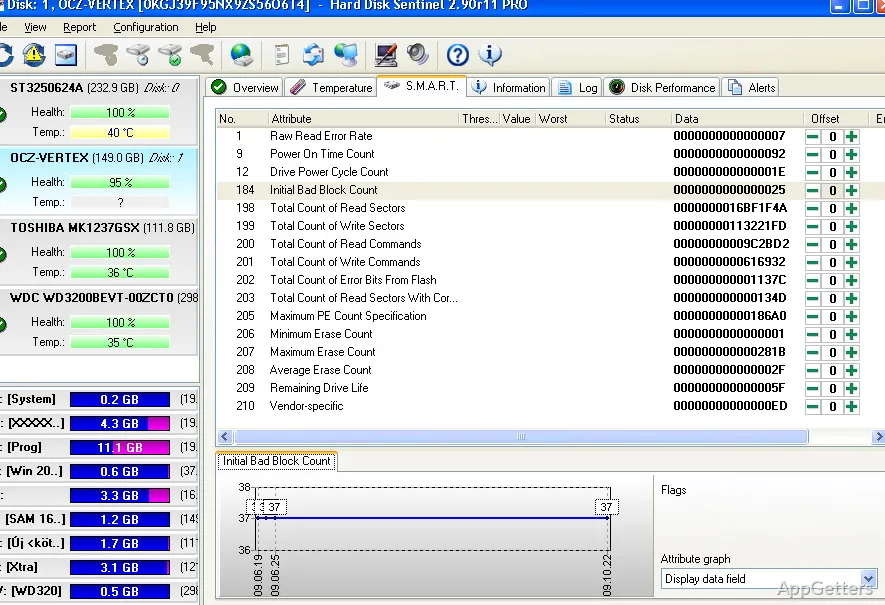
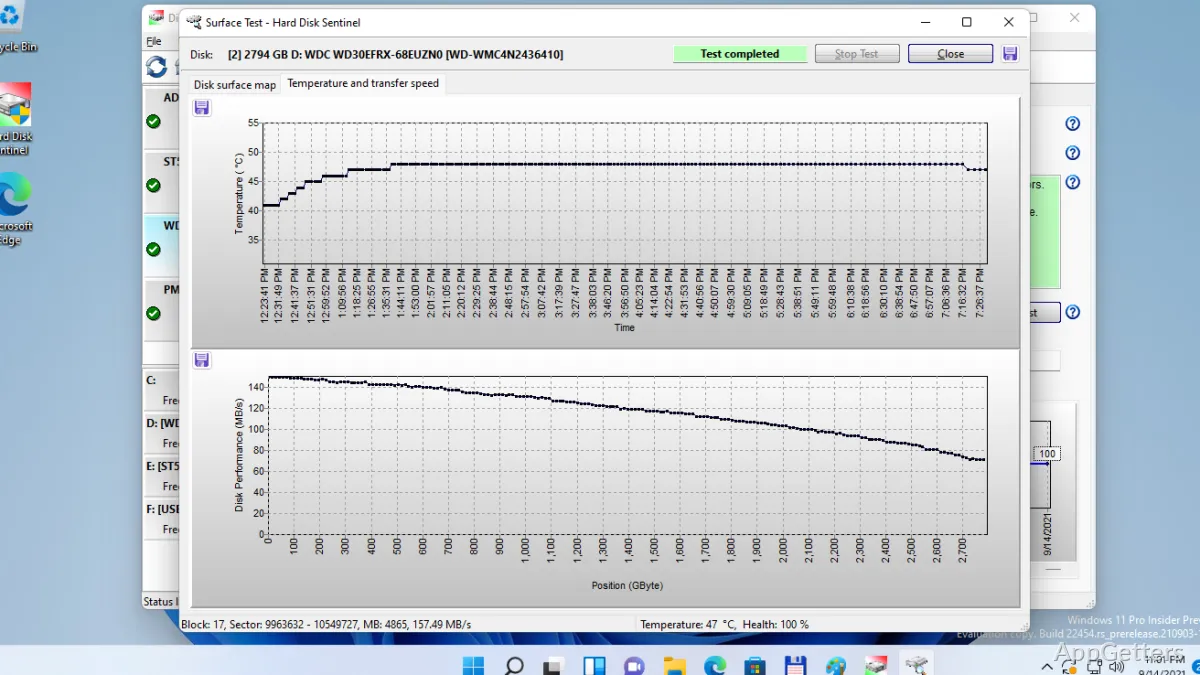
Hard Disk Sentinel is a program that extracts important features such as the temperature, the performance levels, and overall health status of your drive. It does this through inspecting the data obtained from the S.M.A.R.T. (Self-Monitoring, Analysis, and Reporting Technology) system. This information, when used with everyday experience, is displayed in such a manner. Even those devoid of much technical knowledge would find it easy to comprehend. Home users and students, who are the main users of delivery-type products, rely a lot on this information. This is what helps create trust in the product. It does not just ‘tiptoe’ around home users and students, but gives them a clear picture of the health of their drives.

At that time, it is clear that the gradual changes in the drive’s health over time can always be monitored. The obligation for preventive measures can be detected. In fact, this is the data that will lead to the decision of making a backup or replacing a drive before it gets completely broken. The program runs in a very efficient background mode. This makes it the best choice for uninterrupted long-term usage. It won’t bother the users’ daily activities.

Monitoring, Alerts, and Practical Prevention

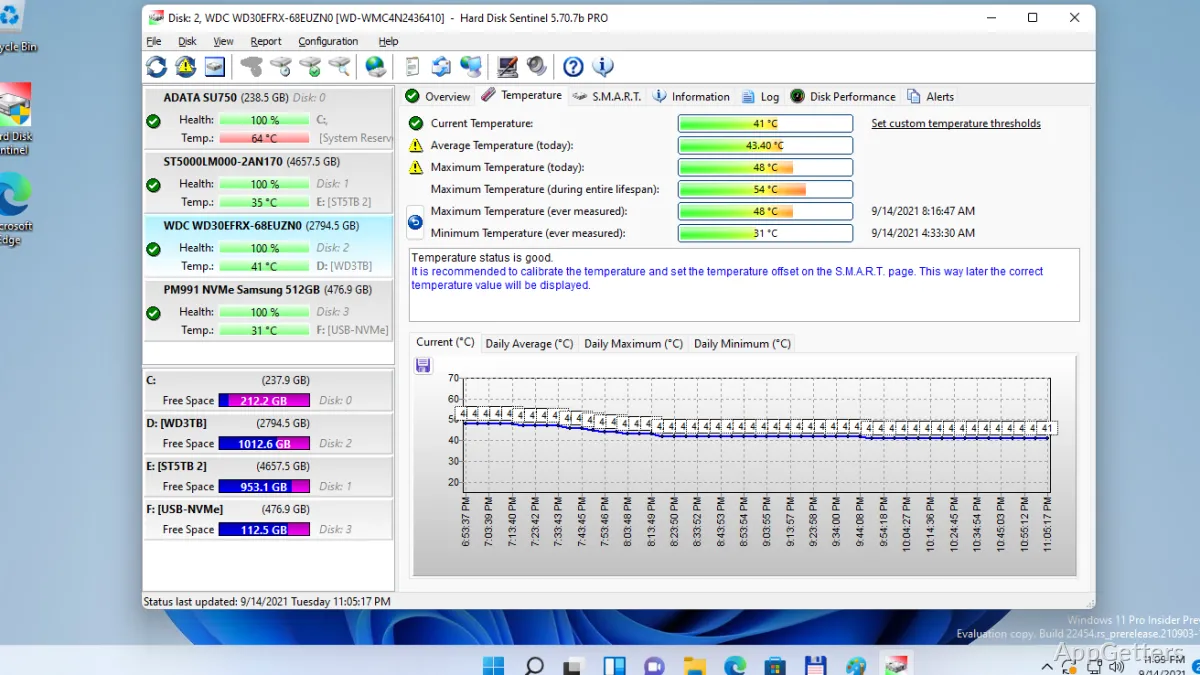
Hard Disk Sentinel, aside from monitoring the most important parameters of the hard disk, can also alert the user when there is a sudden change in the disk status. This includes increased temperatures or a lowering of health percentages. These warnings can be adjusted in order to reflect several levels of severity. Thus, the user will be able to take early actions apart from merely after the time of a failure.

Such a method is going to be the basis of the solution in many scenarios. These include institutions of education, individuals who are very likely to have a personal archive, as well as small business systems. With this approach, users will no longer be at the mercy of discovery after a crash. They will be able to take steps such as transferring the files, checking the cables, and planning the replacement of the hardware.

In fact, it stores extensive records of the hard drives’ behavior over time. This view of the past can be useful in spotting the signs of wear and tear. It can also help identify problems that show up marginally during the intervals of the manual checks.

Performance Observations and Pragmatic Limitations

In addition to reporting the signs of the hard drive’s health and performance, the program also assists the user. It helps in making sense of the drive’s read/write performance and general disk activity. This is quite a handy feature when you have to deal with a sluggish system. You may suspect that the storage device is actually the bottleneck.

One should, however, not forget that these programs have their limitations as well. Hard Disk Sentinel might help the user spot some warning signs or even predict possible failures. But that does not guarantee that the user will be able to 100% avoid hardware failure. Physical damage that might not be detected or manufacturing defects may cause the drive to fail abruptly. Also, the users who are not very familiar with the storage concepts might have some difficulties. They may struggle in interpreting the detailed diagnostic data.

Nevertheless, the product provides for a majority of ordinary cases a trustworthy awareness layer. The lack of this is the norm when one is just working with the standard Windows toolbox.

Strengths in Long-Term System Maintenance

In a sense, Hard Disk Sentinel serves best as a long-lasting monitoring tool. It is a small program, always running in the background. It regularly offers the user information without having to prompt the user nearly as much as software that is more user interactive. For those users who will almost always be away from the computer, the “set and monitor” solution will be a good match. They will hardly notice that it’s present.

It can also be considered as a great bonus if the user has to take care of more than one drive at the same time. For example, a combination of SSD and hard disks (hard disk drive HDD). The capability to keep an eye on every disk separately goes a long way in the preservation of the whole system’s health. On the other hand, this program may not be able to replace monitoring solutions that are used at the enterprise level.

Where Hard Disk Sentinel Fits in Data Protection Workflows

The best place for Hard Disk Sentinel is one that stays somewhere close to data reliability, but with the absence of a comprehensive IT infrastructure. It acts as a sort of early warning device. It tries to identify storage issues so that the user can be given an alert before the situation worsens. Those users who are more likely to benefit include students, home users, and those working in a small office setting. The automated backup or monitoring systems will mostly be absent there.

Its place in the ecosystem is not as a standalone backup solution or a form of hardware redundancy, but as an addition. By warning of hazards early, it can facilitate users in their efforts. It helps accomplish maintenance and data protection. If uncertainties concerning drive health and unexpected failures are what one is most worried about, then certainly one will find this program to be a very useful, practical, and dependable component of the Windows system management suite.

Software Details of Hard Disk Sentinel 6.40.0.0

License
Trial
Version
6.40.0.0
File Size
40.42 MB
Downloads
0
Language
English
Category
Op. System
Windows
Developer
Last Updated
February 16, 2026

Version History

5 versions
6.40.0.0
Latest
40.42 MB
February 16, 2026
6.30
38.31 MB
March 18, 2025
6.20.8
38.32 MB
March 14, 2025
6.20.5
38.29 MB
December 20, 2024
6.20.3b
38.69 MB
September 13, 2024

Leave a Comment

Your email address will not be published. Required fields are marked *

Software Icon
Security Report

Loading scan data...

Scroll to Top