EXE
Home » Maintenance » ASUS Armoury Crate for Windows
ASUS Armoury Crate for Windows

ASUS Armoury Crate for Windows

  • By ASUS
  • Free
  • Version: 1.1.2.4
  • 4.57 GB
  • Security Report:

In a Windows environment, things like performance tweaking, system updates, and managing devices can easily become quite messy. This is mainly true for gaming laptops or desktops that come with multiple hardware components. Most of the time, users end up switching across several programs to get driver installation, RGB light adjustment, fan profile setting, and system mode switching done. ASUS Armoury Crate intends to gather such controls under one roof, specifically for ASUS hardware. It simplifies usage for users to onboard their daily system monitoring and adjustment journey.

Centralized Control for System and Peripherals

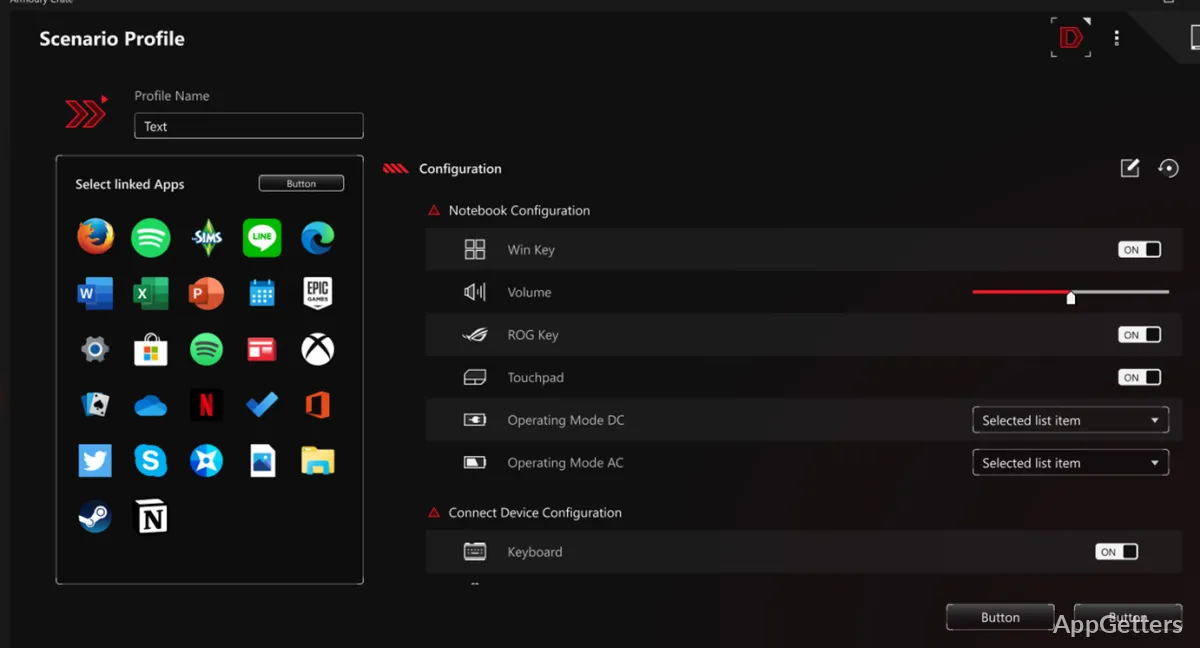
Actually, Armoury Crate, being a real-time tool, is simply a link connecting different system functions. What it mainly does is provide a platform where performance mode adjustment, system temperature monitoring, and management of connected ASUS peripherals are all possible.
>In order to serve gamers as well as ordinary users, such centralization means less going through multiple tools just for the sake of one operation. Take performance profiles, for example. Toggling between them can be done in a minute rather than the whole manual adjustment through system settings. Even though it is very well structured and visually quite intuitive, the sheer number of sections may seem a bit too much initially. From then on, it will serve as a handy means of managing the system on a daily basis without having to resort to deeper configuration menus.

Performance Profiles and Everyday Impact

Armoury Crate is a handy tool, let alone the fact that it switches performance modes on the fly. Changing modes from silent, balanced, to high-performance profile is quite easy, and users can fine-tune according to their workload.
>Flexibility of this nature to switch between different modes means that one can, while doing the lightest of the tasks, keep the fan sound to a minimum and not get disturbed. At the same time, the user can exploit more system resources by going for the highest performance setting, especially during gaming or with other heavy applications. Not totally surprising, the difference becomes quite apparent when it comes to laptops, where the thermal factor has a major effect. Still, profiles work best with hardware, and a new, top-notch system with a good cooling setup may present quite subtle differences.

RGB and Device Integration in Practice

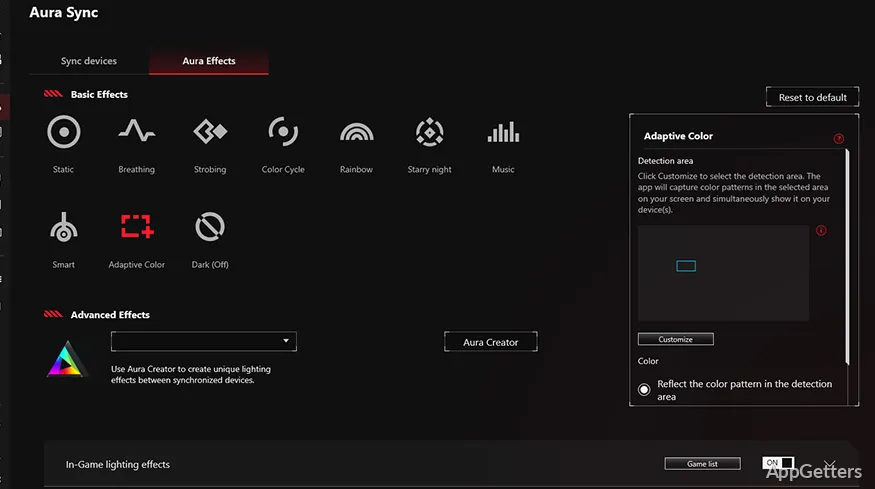
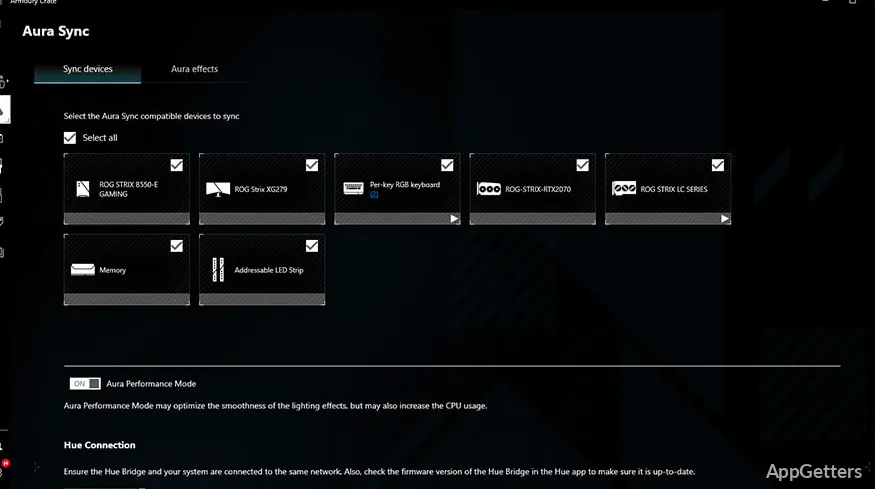
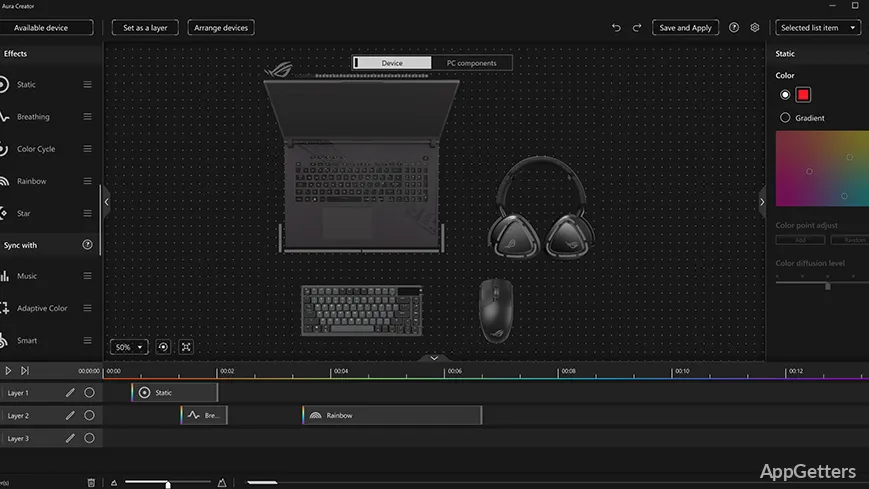
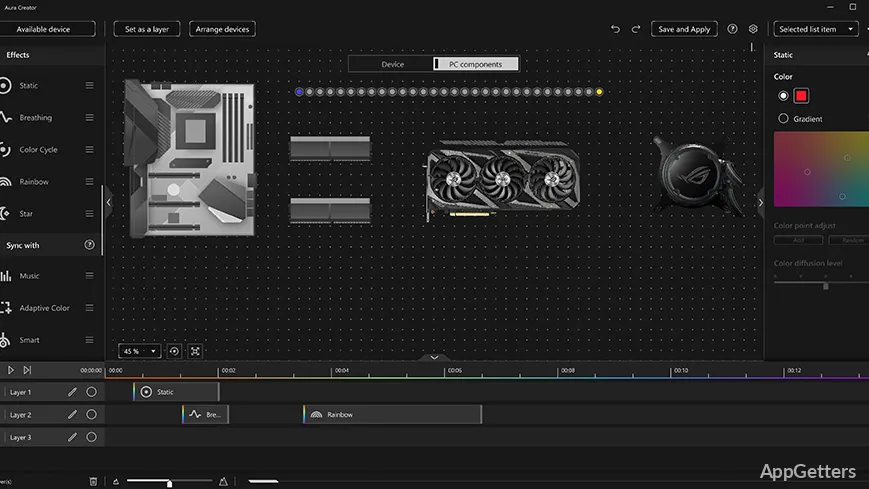
Besides the use of ASUS Armoury Crate for managing lighting and peripheral integration support of ASUS devices, the implementation in a daily scenario is, in fact, a feature that mostly touches on personality. Essentially, it enables users to get consistent lighting styles for keyboards, mice, and internal components.

Those who pay attention to the aesthetics of their setups will find this system feature to be another convincing factor for using the same interface for system control and customization. This is a nice approach to organizing things without separate lighting systems. At its core, it is all about convenience. Casual users might be fine with it. Fans might consider it a compromise.

Limitations and System Overhead

On the downside, ASUS Armoury Crate is quite heavy for computers. It is a feature-rich tool. It also runs background services that consume a bit of processor power. Besides, it is a bit bulky compared to the tools that are designed for one purpose only.

This is actually not all that noticeable for recent PCs. For less powerful ones, it can result in a slight lag in response. Also, for some people, the update process and the coming and going of prompts might not be very pleasant. This is especially true if one prefers minimal system distractions. Besides, one of the drawbacks of having everything under one roof is that. If at any time one part of the program is considered non-essential by the user, it cannot be separated from the remaining parts easily.

Best Fit for ASUS-Centric Setups and Gaming Workflows

If you are using more than one ASUS component, ASUS Armoury Crate is an ideal program for you. Also, it would be a great help for gamers, students, and ordinary home users who want ready access to performance settings. It also helps with device management without needing multiple applications.

ASUS Armoury Crate can be seen as yet another control panel for daily working activities. It consequently simplifies the work of the user in making routine changes. This is especially useful for laptops where switching between power profiles happens quite often. On the other hand, users who prefer lightweight tools or highly specialized utilities may not like Armoury Crate. Regardless, it does provide a good trade-off between getting control and the feeling of convenience. For users who already have a great deal of experience with ASUS hardware, it is a Windows program. It is always ready and fully integrated in one package to control their system operation.

Software Details of ASUS Armoury Crate 1.1.2.4

License
Free
Version
1.1.2.4
File Size
4.57 GB
Downloads
1
Language
English
Category
Op. System
Windows
Developer
Last Updated
February 12, 2025

Version History

2 versions
1.1.2.4
Latest
4.57 GB
February 12, 2025
1.1.2.3
3.67 GB
September 15, 2023

Leave a Comment

Your email address will not be published. Required fields are marked *

Software Icon
Security Report

Loading scan data...

Scroll to Top