EXE
Home » Maintenance » Gigabyte System Information Viewer for Windows
Gigabyte System Information Viewer for Windows

Gigabyte System Information Viewer for Windows

Monitoring and tracking the performance of a Windows system is not always an easy task, even more so when issues arise without any prior indications. Occasionally, users may notice a sudden rise in the temperature, an increase in fan noise, or simply a slower and less steady operation of the system without being able to find out the underlying cause. The basic Windows-level tools only give the user a very modest picture of the situation. As a result, many resort to third-party utilities to get a clearer understanding of what goes on in the system. Gigabyte System Information Viewer (SIV for short) is a tool created with the help of such users in mind. It allows you to keep track of your system’s health and performance on a continuous basis. It does this without having to manually check each parameter individually.

Being a GIGABYTE development, this utility is tailored primarily for Windows users. These users require a better understanding of their motherboards in order to have a more efficient and convenient user experience.

Real-Time Hardware Monitoring in Everyday Use

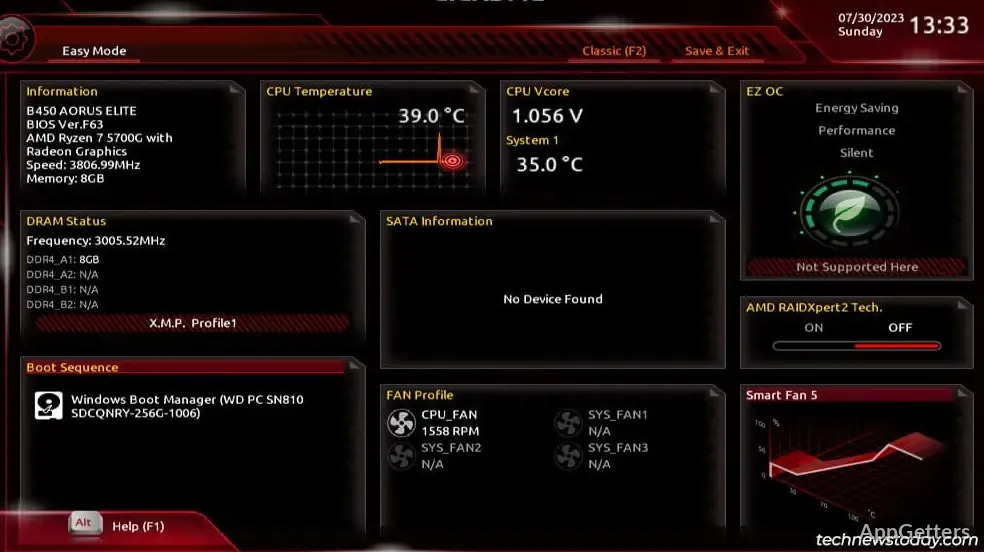
Nevertheless, in day-to-day scenarios, Gigabyte System Information Viewer is merely a means to illustrate the live system statistics in an orderly manner. CPU temperature, GPU usage, fan speed in RPM, and voltage measurements are all available at a glance. These figures place in the user’s hands the power to interpret what goes on at the system level under various workload conditions. Examples include gaming, web surfing, or office tasks.

Even in this aspect, the data availability is just as good as your motherboard compatibility. Most importantly, if you are using a system with a motherboard from a different manufacturer, then it is quite likely that the software would not be functional at all. It may only be available in a very limited capacity, thereby limiting the overall value of the program.

Fan Control and System Operation Adjustments

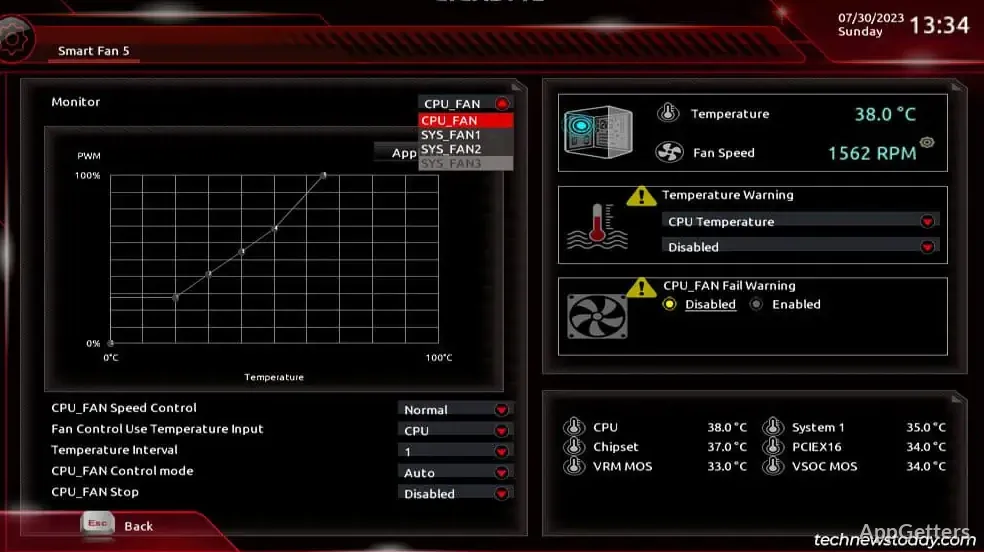
Fan control is a major feature that stands out when you look at SIV’s recommended use. Depending on various temperature parameters, it is possible to draw up a fan curve according to which the system fans operate at a hardly noticeable level when the system is idle. They progressively step it up to maximum when the system goes to the extreme. This can certainly make your work environment a lot more comfortable. At the same time, the system will be able to perform at its peak without throttling.

In a real setup, desktop users stand to benefit the most from this type of system. They are the ones who have to deal with the little nuisances of everyday life. The students or other folk who use their PCs at home for light work may like the idea of having the system fan speed down. This is during the times so as not to distract them with excessive noise. However, it is a given that the gamer among them would want to have his cooling system at maximum level. This is so as to be able to keep up even during the most processor or headset-intensive moments.

But one must remember that the fan control options are not only a matter of software going out there and picking up the user’s request and executing it. In reality, they are intrinsically linked with the motherboard’s firmware. So, there will always be some configurations in which you will not get all the possible settings. There will be a need for you to be manual and precise in adjusting so as not to end up burning the system or going at a noise level that is intolerable.

System Information and Diagnostic Insights

Still more importantly than just showing the here and now, Gigabyte System Information Viewer spreads out all the simple and not-so-simple details at the hardware level as well as the BIOS level. At times, such info can assist a lot in troubleshooting. On rarer occasions, one aims to verify system components without having to open the PC case or run multiple different tools.

When it comes to functioning, the utility serves the purpose of quickly accessing information concerning the various components you might want to check out during the time of upgrades or troubleshooting. Not necessarily requiring a specialized set of tools. Even common users can take advantage of performing hardware and software diagnostics by simply running this program.

Where the Gigabyte System Information Viewer Fits in PC Maintenance

Currently, the most appropriate category for Gigabyte System Information Viewer is users who want hardware details instantly. They do not want to switch between multiple tools. It also suits desktop PC users with a Gigabyte motherboard. It helps them monitor performance and cooling more effectively.

Gigabyte System Information Viewer acts as a tool that allows users to keep an eye on system conditions. It does not directly increase speed or capabilities. However, if you learn to operate it well, it can be very helpful.

Software Details of Gigabyte System Information Viewer B24.0119.1

License
Free
Version
File Size
Downloads
0
Language
English
Category
Op. System
Windows
Last Updated
March 15, 2024

Version History

1 version
B24.0119.1
Latest
51.79 MB
March 15, 2024

Leave a Comment

Your email address will not be published. Required fields are marked *

Software Icon
Security Report

Loading scan data...

Scroll to Top