Uninstalled a program but suspect it left junk behind? Revo Uninstaller Portable runs straight from a folder or USB stick, and its post-uninstall scan looks for leftover files, folders, and Windows Registry entries.
How does Revo remove leftover data?
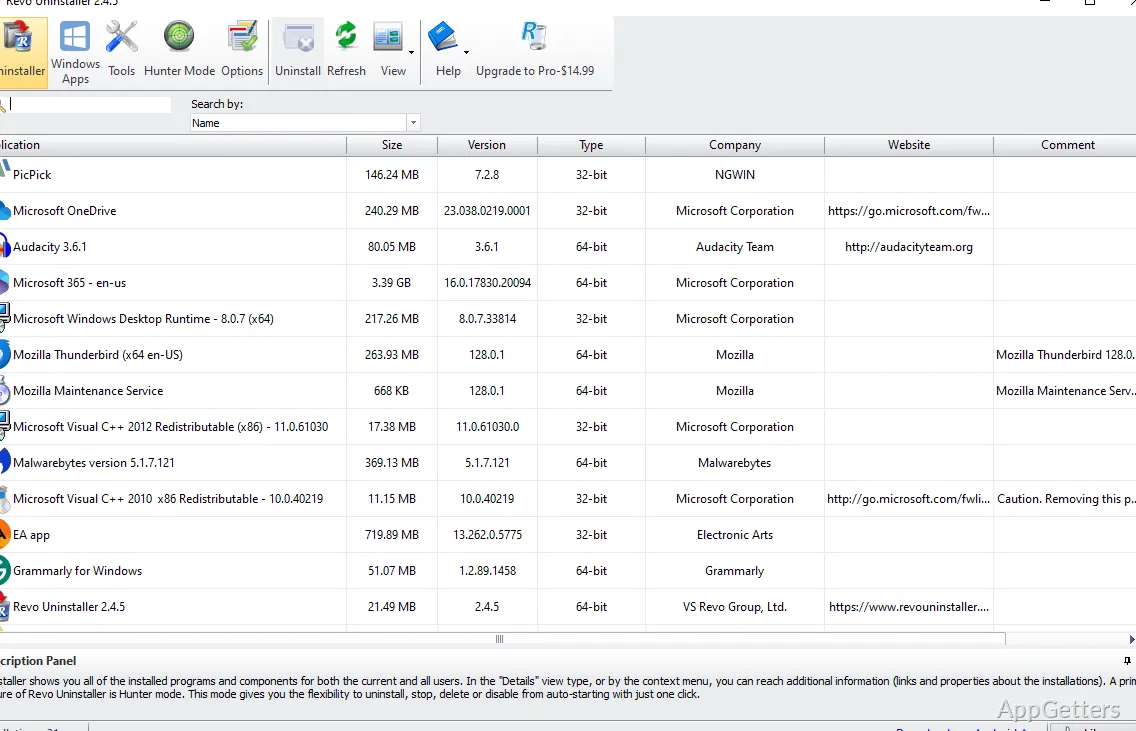
Choose a program in the main list to start its built-in uninstaller. Once that finishes, Revo scans for related files, folders, and Registry entries that may remain on the computer. The results appear for review before you remove the detected leftovers.
Nothing is deleted automatically, so you can untick anything you want to keep.
What does Hunter Mode do?
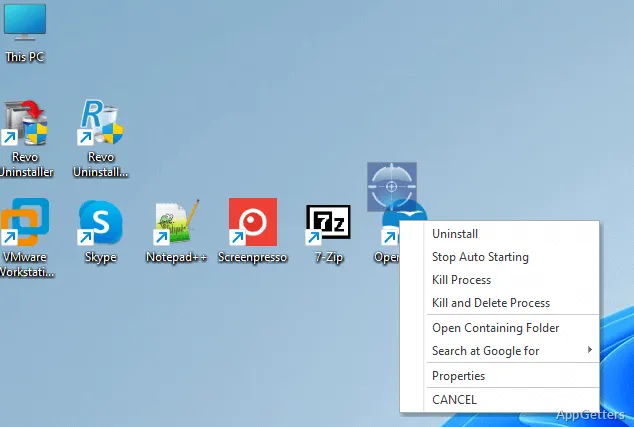
Hunter Mode replaces Revo’s usual window with a targeting icon. Drag the icon onto a program window, desktop shortcut, or system-tray icon to display actions for that program. The available actions include uninstalling it or managing whether it starts automatically with Windows.
Which other cleanup tools are included?
The additional tools cover common Windows and application cleanup tasks:
- Autorun Manager controls programs that start with Windows.
- Junk Files Cleaner and Windows Cleaner remove unnecessary files.
- Browsers Cleaner and MS Office Cleaner clear browsing and Office history.
- Windows Tools gathers access to Windows utilities.
- Evidence Remover and Unrecoverable Delete handle permanent data erasure.
Can it uninstall built-in Windows apps?
Yes. Windows apps appear in a separate list from regular programs, including apps supplied with Windows and ones installed later. Select an app there to remove it through Revo’s uninstall workflow.
Pros
- Scans for files, folders, and Registry entries left after uninstalling
- Lists Windows apps separately from regular desktop programs
- Hunter Mode targets a visible app window, shortcut, or tray icon
- Includes eight additional cleaning tools
Cons
- Does not include Forced Uninstall or browser-extension removal
System requirements: 512 MB RAM · 85 MB free disk space · 800 MHz Pentium-compatible CPU
Does Revo scan for leftovers after a program’s own uninstaller runs?
Yes. It scans for remaining files, folders, and Registry entries after the built-in uninstaller finishes.
Can Hunter Mode find a program that is not in the installed-program list?
Hunter Mode can target a visible program window, desktop shortcut, or system-tray icon and display available actions.
Does Revo Uninstaller Portable need to be installed?
No. The portable version runs without installation.