EXE
Home » Software » Windows » Photo Tools » TunesGo for Windows
TunesGo for Windows

TunesGo for Windows

Managing music, photos, videos, and mobile data between different devices can be a headache for most people. It becomes even more challenging for those who frequently switch between smartphones, PCs, and media libraries. A typical Windows user ends up using several different programs to do backups, file transfers, and media organization. This results in unneeded complications. TunesGo was created to make this process simple and act as a one-stop, centralized device management solution. What it really does for you is that it lessens the number of hours you spend manually transferring files between your smartphone and computer. It also provides you with a viable solution to the sync methods that are more limiting.

Simplifying Device-to-PC File Management

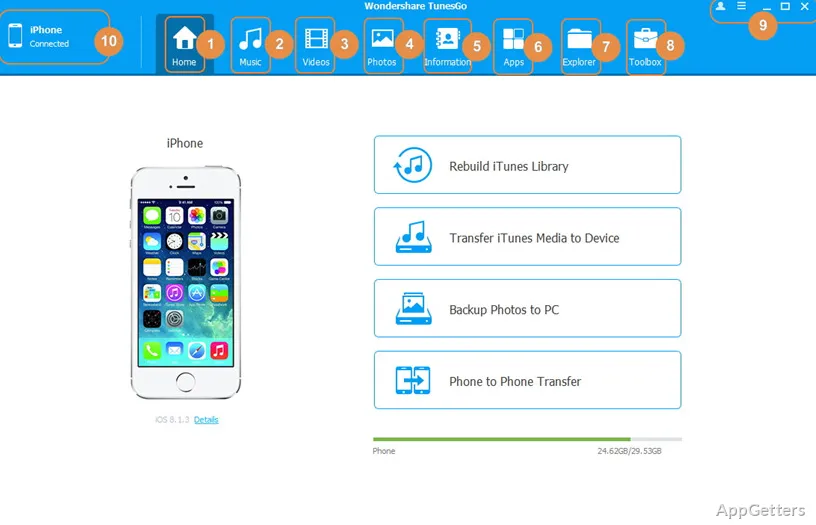
The very liberty of being able to transfer files between your cell phone and PC makes TunesGo stand out. This comes without the requirement for third-party software, separate cables, and stressful file paths. This is especially noticeable every time you want to do a file transfer. It has become one of the highlights of using TunesGo on Windows. What makes TunesGo so easy for everyday use is that it shows connected devices on the interface in a very clear way. Even total newcomers can understand how it works without any kind of training.

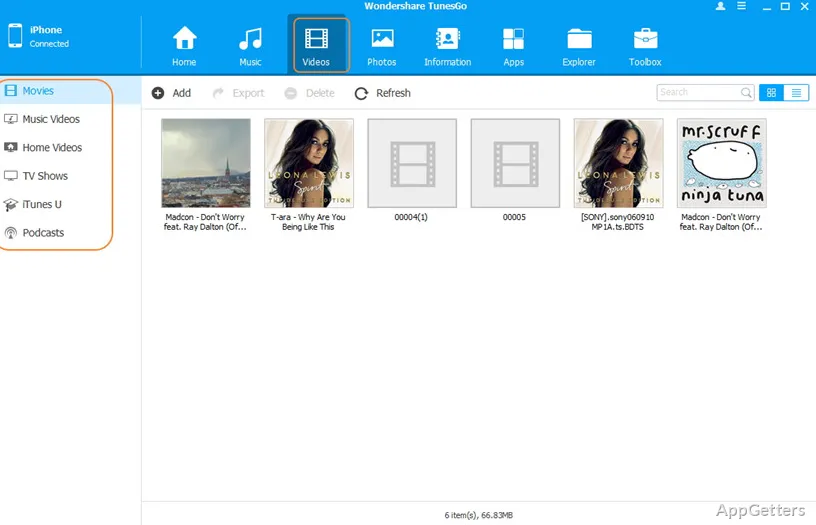
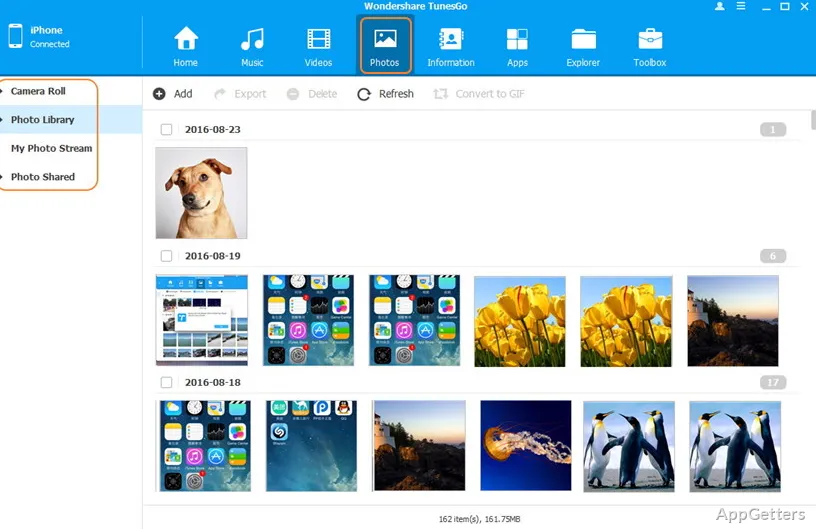
If you are one of those people who are always transferring their music collections, photos, or video files from the phone to the computer or vice versa, you are likely to use this feature frequently. The workflow should never be a problem for you most of the time. Drag-and-drop is the most intuitive way of file transfer, and it is efficient and fast. Plus, with the help of software, one will be able to gather scattered media files across multiple devices. In each of these situations, students storing their lecture recordings or families arranging their pictures could probably get the most benefit from it. Individuals getting used to a new phone could probably benefit from it as well.

By and large, the performance is on par with what is expected for regular file transfers. Even so, the transfer rates are usually determined by the quality of the USB connection and compatibility of the device.

Media Organization and Everyday Workflow

Generally speaking, TunesGo is more than simply an app for doing file transfers. It endeavors to work as a central media management station as well. Music lovers on Windows who have extensive music collections may find the facility to organize and clean the library by removing duplicates highly commendable. They may also appreciate getting away from dependency on device native software completely.

This is exactly the time-saving factor that users will definitely experience when it comes to real-life scenarios. Music lovers who regularly change their playlists or update their music archives will get into the habit of using this going forward. They will benefit from having all their media control in one place. Usually, the interface is designed with ease of use in mind. At the same time, it gives priority to making common tasks quite easy.

Nevertheless, those users who want to stretch the usage of the software to a maximum might sometimes think that the features for organizing are not as good. This may become apparent during extensive use, especially when they compare them with what they can find in dedicated media management programs on the market. When it comes to routine maintenance of a library, the software is undoubtedly helpful. However, as a professional-grade media cataloging solution, it is a totally different kettle of fish.

Compatibility, Reliability, and Functional Constraints

By supporting interaction with multiple mobile devices, TunesGo increases its chances of being a popular option among families. This is especially useful when different brands of smartphones are in use. During the phases of testing and from extensive experiences of users, the software mostly executes backup and transfer operations. At the very least, it does so in a satisfactory manner once a compatible device is connected and properly recognized.

In any case, it should be noted that reliability may vary as a result of OS updates and new features introduced by smartphone manufacturers. Issues with device detection may occasionally arise following the launch of major platform updates. In turn, radical changes introduced by hardware manufacturers may mean that the only remedy is to update the software. It may also be necessary to get the system back on track by doing some troubleshooting.

What should also be kept in mind is that some of the most powerful advanced device management features were available in earlier versions of the software. In the future, these features may undergo transformations. This may happen as mobile operating systems introduce more restrictions. Those who want full unrestricted access to each corner of their devices should definitely check the compatibility status at the time of installation.

Best Suited for Routine Device Management on Windows

TunesGo, in fact, is most effectively used as a handy tool for those individuals who move their personal media quite regularly between their smartphones and Windows PCs. Its main advantage comes from easing the complexity of everyday device management tasks. It does not offer extensive professional features. People who are looking for a trustworthy method of backing up files and transferring media may consider it a good addition to their Windows toolkit. The same applies to those who want to keep up-to-date with their personal libraries, as long as their devices are still fully supported. To sum up, TunesGo performs the functions of a management tool quite well, focused on convenience for everyday digital organization.

Software Details of TunesGo 13.2.3

License
Trial
Version
13.2.3
File Size
1.28 MB
Downloads
1
Languages
English English, Chinese, French, German, Italian, Portuguese, Spanish
Category
Op. System
Windows
Developer
Last Updated
June 20, 2023

Version History

1 version
13.2.3
Latest
1.28 MB
June 20, 2023

Leave a Comment

Your email address will not be published. Required fields are marked *

Software Icon
Security Report

Loading scan data...

Scroll to Top